Nintex Workflow release notes
Note: We recommend switching to the Nintex CE Platform for the best experience. For more information and instructions on making the switch, see Nintex CE Platform.
Follow this page and the Nintex Workflow Community blog to stay updated on product release information.
Latest release: October 2026 - Release 1
New features
Forms
-
File upload size limits: You can now set a maximum total file size for all files uploaded to a form control or across the entire form. For more information, see the File upload and General settings help topics.
-
Date/time form control: Participants can now type a date and time directly into date and time fields, in addition to using the calendar picker. For more information, see the Date/time help topic.
-
New forms functions: The new countIf, distinct, flatten, getIndexByValue, join, reverse, slice, and sort functions are now available for working with collections. For more information, see the countIf, distinct, flatten, getIndexByValue, join, reverse, slice, and sort help topics.
-
Modulo operator: You can now use the % (Modulo) arithmetic operator in formulas to return the remainder after division. For more information, see the Formula builder help topic.
Tasks
-
Task Express Approval Multiline Comments: You can now enter multi-line comments of up to 1,000 characters when completing Express Approval tasks. The email parser automatically removes common email signatures and sign-off text across supported languages, ensuring that only the intended comment content is captured. For more information, see the Express approval help section.
-
List Task API: The List Task API now supports pagination. For more details, see the List tasks documentation.
Agents
-
Test an agent action: You can now test your agent configuration directly from the Agent action without running the whole Agentflow design. Review test inputs, status, token usage, generated output, and trace information to evaluate the agent's behavior. For more information, see the Test an Agent help topic.
Orchestrations
-
Orchestration duplicate phase: You can now duplicate a phase in the Orchestration designer. The duplicated phase includes the activities and conditions of the original, so you can reuse an existing phase instead of building it again from scratch. For more information, see the Duplicate a phase help section.
Previous releases
 September 2026 - Release 3
New features
Forms
-
Forms functions: The new convertToUnixTime function is now available. For more information, see the convertToUnixTime help topic.
Organization settings
-
Usage Data: You can now view usage across your organization’s production environments in the Organization Portal for assets such as workflows, instances, app sessions, and document generations. For more information, see the Usage Data help topic.
Solutions
-
Orchestrations in Solutions: You can now add an Orchestration to a Solution, then package and deploy it across environments. This brings Orchestrations into the same ALM journey as other assets in a Solution, making it easier to manage changes from development through to production. For more information, see the Orchestrations help topic.
Tables
-
Columns in Tables: You can now customize your table layout using the new Columns button. Hide unnecessary columns, reorder them to match your needs, and add fields from related tables. For more information, see the Manage columns in tables help topic.
Workflows
-
Workflow dependency: You can now track Agentflows and Document Packages as workflow dependencies directly from Configure workflow. For more information, see the Configure workflow help topic.
September 2026 - Release 2
New features
Workflows
-
Restore deleted workflows: You can now restore deleted workflows to their original state, preserving their URLs and previously run instances. Deleted workflows can be restored within 30 days of deletion. For more information, see the Restore deleted workflows help section.
Table forms
-
Create table columns from the Table Form designer: You can now create table columns directly from the Table Form designer and connect form controls to the new columns. For more information, see the Create a table column help section.
September 2026 - Release 1
New features
Tables
-
Tables imports just got better: Upload data and keep working while imports are now processed in the background. You can now:
-
Track progress and troubleshoot issues from the new Uploads tab.
-
Upload multiple files at once.
-
Know when imported data is ready with the blue refresh indicator.
-
Update data by key. Automatically update matching rows and add new ones in a single import.
-
Faster, more reliable, and more flexible than before.
For more information, see the Import table data help section.
Connectors
-
SharePoint Online Connector-Create a folder action: A new Fail if folder already exists configuration option is available for the action. Select Yes to make the action fail when the folder already exists, or No to allow the action to succeed when the folder already exists. This provides greater control over how the action handles existing folders. For more information, see the SharePoint Online - Create a folder help topic.
Forms
-
Forms designer search: You can now use the Controls in use option or the search box in the Forms designer to quickly find controls in a form, without having to navigate through lengthy forms to find them. For more information, see the Search form controls help section.
Agents
-
Agent evaluations: Evaluate agents and agentflows against a dataset to measure performance and identify areas for improvement. For more information, see the Evaluations help topic.
Agent Tools
-
SharePoint: SharePoint MCP Preview Tools are now available for agents to work with files and data in SharePoint.
-
OneDrive: OneDrive MCP Preview Tools are now available for agents to work with files in OneDrive.
August 2026 - Release 2
New features
Agents
-
New models for Agent Designer: OpenAI ChatGPT, Azure OpenAI, Anthropic, and Gemini models are now available in Agent Designer.
-
Reasoning model updates for Agent Designer: Google Gemini thinkingLevel and Anthropic Adaptive Thinking are available for reasoning models in Agent Designer.
-
Tavily Search API Tool for Agent Designer: Enables agents to search the web and retrieve real-time information from external sources.
-
Agent Guardrails: Improved error handling for input validation failures during agent execution. For more information, see theTroubleshoot guardrail violations help topic.
Workflows and agentflows
-
Internal name visibility for Agentflow and Workflow variables: Displays internal names for variables in Agentflow and Workflow.
Forms
-
Row Duplication for Repeating Sections: You can now duplicate rows within repeating sections at runtime. For more information, see the Repeating section help topic.
-
Increased File Upload Limits: Increased file upload limits are available for forms. For more information, see the Forms limits help section.
Authentication and connections
-
Create multiple SSO connections: Configure multiple SSO connections to provide users with additional sign-in options. For more information, see the Identity provider connections help topic.
-
Internal OTP authentication connection: Configure an internal OTP authentication connection for user sign-in. For more information, see the Identity provider connections help topic.
-
Tenant-level authentication configuration: Assign one or more authentication connections to a tenant, including SSO, internal OTP, and authentication for external users. For more information, see the Environments help topic.
APIs
-
Task API updates
-
Removed the requirement for a service token when retrieving the workflowInstanceId from the List Tasks endpoint.
-
Added support for submitting comments through the Complete Task endpoint for Express Approval tasks.
-
August 2026 - Release 1
New features
-
Tables People data type: The new People data type brings people, data, forms, and automation together. Capture users directly in Table forms, store them in tables, and use them across workflows for approvals, assignments, escalations, and notifications. This update makes it easier to build business processes that automatically route work to the right people at the right time. For more information, see the Table data type help section.
Bug fix
-
Tables: Fixed an issue where the Update a row action did not correctly handle empty file collections. When Overwrite existing files is set to Yes, existing files are now removed. When set to No, existing files are retained.
July 2026 - Release 2
New features
-
Table sorting: You can now sort your table data by multiple columns at once, use the new Sort button in the toolbar to layer up to 3 criteria (e.g. status, then due date, then name) and organize your data without leaving the grid. For more information, see the Sort multiple columns help section.
-
Nintex MCP tools: A new table tool is now available. You can set the display column for an existing table to identify records when they are referenced. For more information, see the Nintex MCP Tools help topic.
-
Agentflow observability: You can now use the Agentflow execution history page to review how each action in an agentflow execution was processed. For more information, see the Agentflow execution history help topic.
July 2026 - Release 1
New features
-
Nintex MCP tools: New MCP tools are now available for agent executions and tables.
-
With Designer permissions or higher, you can list agent executions and view details for a specific agent execution.
-
You can create tables, add columns to tables, and get, update, or delete table records.
For more information, see the Nintex MCP Tools help topic.
-
-
Nintex MCP history listing: You can now track tool executions run by an LLM client connected to the MCP server using your user credentials. For more information, see the Nintex MCP help topic.
-
Tables: You can now create up to 20 relationships and references per table, increased from 8. For more information, see the Limits help topic.
June 2026 - Release 2
New features
- Nintex MCP (Beta): Nintex MCP is now available in beta. Use Nintex MCP to connect supported large language model (LLM) clients to your Nintex tenant and use available Nintex tools in chat. For more information, see the Nintex MCP help topic.
-
Tables relationship support in workflow: You can now use the tables workflow connector to perform operations against relationship columns in tables. For more information, see the Relationship data type help section.
-
Orchestration instance termination: You can now select to terminate running orchestration instances and stop them from progressing further via the Orchestration instances tab. For more information, see the Terminate orchestrations help section.
-
Signature form control: You can now use the Signature form control within Repeating sections in Start, Task, and Table forms. For more information, see the Signature help topic.
-
Documents:
-
Auto-save in Documents: Settings such as the document package name, output file name, and the template name in Documents are now auto-saved when they are created or updated.
-
June 2026 - Release 1
New features
-
Clone tables: You can now clone an existing table to create a new table with the same schema, reducing the need to recreate table structures manually. Cloned tables retain the same schema, including columns, configurations, and reference or relationship fields. For more information, see the Clone table help topic.
-
Tables multi-row delete: You can now delete multiple table rows at once, making it easier to manage table data. For more information, see the Delete table rows help section.
May 2026 - Release 2
New features
-
Row history for tables: Track all changes made to a row, including before and after values, providing a complete audit trail to support compliance and auditing requirements. For more information, see the Enable row history help section.
-
Forms table variable row limit increase: The row limit for table data variables has been increased from 5,000 to 20,000.
-
SharePoint Online connector: SharePoint Online supports an app-only connection type, enabling access via application permissions for scenarios requiring broader or admin-consented scopes. For more information, see the SharePoint Online Authentication help section.
-
Orchestration improvements:
-
Delete Orchestration Designs: You can now fully delete orchestration designs you no longer need, keeping your workspace clean.
-
Flexible Renaming for Published Designs: When renaming a published orchestration design, you now have the choice to overwrite the existing design or save it as a brand-new version.
-
Unsaved Progress Protection: Added a confirmation prompt when exiting an unsaved or unpublished design to prevent accidental loss of work.
-
General improvements and bug fixes
-
May 2026 - Release 1
Important information
-
We will update the IP address used for the Azure SQL connector in the first June release. If you are using IP whitelisting, please ensure that the new IP address listed in Azure SQL is added before the end of May to prevent any workflow interruptions.
New features
-
Table enhancements: Two enhancements are now available.
-
File support for Tables start events: Files are now supported in Tables start events. You can now select File type columns when configuring the start event. For more information, see the File data type help section.
-
Relationship delete policies: Table relationships now support delete policies that allow designers to control how linked rows are handled when a relationship is removed. For more information, see the Delete policies help section.
-
Bug fix
-
Tables data variables sorting: Fixed an issue where some columns were not sortable in Form table variables and the Tables connector.
April 2026 - Release 2
New features
-
Orchestrations (Open Beta): Nintex Orchestration is now available in beta, a new way to manage complex business processes across dynamic phases with full case visibility. For more information, see this community blog post and the Orchestrations help topic.
-
Agents (Open Beta): Agents is now available in beta, providing a way to build and run processes using document stores and agentflows. For more information, see the Agents help topic
-
Tables Relationship data type: You can now create structured relationships between tables using the new Relationship data type. Each relationship can link to one or many records in its related table, enabling more powerful and flexible data models. This new capability also underpins repeating sections in Table Forms, allowing you to easily add and manage multiple related records as part of a single form experience. For more information, see the Data types help section.
-
Repeating section in table forms: You can now use a Repeating section in table forms to add multiple related records to a single table record. For more information, see this community blog post and the Repeating sections help topic.
Bug fixes
-
Workflow designer: Fixed an issue where legacy Salesforce connector actions (Query, Retrieve, Update, Create records) failed to open with a Missing toolbox definition error.
-
Start events: Fixed an issue where event unsubscription failed during the publish operation across start event types.
-
Workflow version history: Fixed an issue where version history dates were not displayed correctly for older workflows.
-
SharePoint Connector: Fixed an issue where the Query a list batch implementation could trigger a throttling exception (SPQueryThrottledException).
-
SharePoint Connector: Fixed an intermittent issue where the Move files action timed out after 10 minutes when moving multiple files in a workflow, resulting in a connector timeout error.
April 2026 - Release 1
-
General improvements and bug fixes.
March 2026 - Release 3
-
Bug fix: Fixed an issue with Tables Connector where queries could break when a table name was changed. If issue persists after renaming, replace the action in the designer.
-
General improvements and bug fixes.
March 2026 - Release 2
New features and improvements
- File viewer form control: You can now use the new File viewer form control to preview files directly within your forms. This allows users to view uploaded content such as images, Word, Excel, or PowerPoint files without downloading them. For more information, see the File viewer help topic.
-
Reference table data variables for File type columns: You can reference files uploaded to a table using table variables. Table variable support has been added for columns of the File type, enabling easier access and use of uploaded files in your forms. For more information, see the Reference File column values using table data variables help section.
-
Signature control: You can now allow signing via keyboard in published forms. For more information, see the Signature help topic.
March 2026 - Release 1
-
General improvements and bug fixes.
February 2026 - Release 2New features and improvements
-
Auto task delegation: This feature must be enabled for the tenant by a tenant administrator before it is available to users. When enabled, users can automatically delegate their tasks for a specified date range. During the specified period, any tasks assigned to the user are automatically routed to the chosen delegate. For more information, see the Auto task delegation help topic.
Note: Administrators can create and manage auto task delegations using the available APIs. For information about the available APIs see, the API documentation.
-
Microsoft Exchange Online actions: Two new actions are now available.
-
Get attachment from email: Retrieves an attachment from an email message. For more information, see the Get attachment from email help topic.
-
Get attachments metadata: Retrieves metadata information for attachments in an email message. For more information, see the Get attachments metadata help topic.
-
-
Microsoft Exchange Online- Send Email action improvement: You can now send an email to multiple recipients by entering email addresses separated by a delimiter.
Note: In existing workflows created using the previous version of the action with multiple input fields, multiple email addresses may appear without visible delimiters. This does not affect workflow execution. If you update and republish the workflow, separate multiple email addresses using semicolon (;) or comma (,) before publishing.
For more information, see Microsoft Exchange Online - Send email help topic.
-
Barcode form control: The Barcode control now supports scanning and decoding of barcodes on mobile web in addition to the Nintex Mobile app. For more information, see the Barcode help topic.
-
Documents:
-
Nintex Assistant for document packages (Beta): The Nintex Assistant is an intelligent, AI-powered tool designed to assist you with getting quick access to help for tasks you’re trying to accomplish within the document package designer. Ask any questions about building document packages, automated document generation, or automated eSignature, and with the power of generative AI, the assistant will give you prompt guidance to successfully complete your tasks.
-
Statuses on the Instances page now reflect the following for document package runs:
-
Running
-
Generated
-
Generation error
-
-
Document package tests now include templates without tags.
-
February 2026 - Release 1
New features and improvements
-
Files in Tables: You can now attach one or more files directly to any row in a table. This new column type lets you keep all related data, structured and unstructured all together in one place, reducing the need for separate file storage. File support is fully integrated across Forms and Workflow, making it easier than ever to upload, manage, and use file content throughout your processes. For more information, see the Column data types help topic.
-
File Upload and Signature control for Table forms: File Upload and Signature controls are now available on table forms. File type columns are associated with these controls, and default to the File Upload control when a form is created or reset. For more information, see the Table forms help topic.
-
Tables Connector:
-
Update single row action: A new Update single row action is now available in the Tables Connector, enabling you to modify specific rows in a Nintex Table. This action also supports the new File column type, allowing you to update file attachments as part of your workflow automation. For more information, see the Update single row help topic.
-
Conditions on Reference columns: You can now create conditions on Reference columns, giving you greater control and flexibility when filtering logic based on related rows.
-
-
Identity Federation (SSO): Identity Federation has moved to the organization portal and is no longer available in tenant settings. You must be an organization admin to access the identity federation settings. For more information, see the Directories help topic.
-
User Management: New user add and edit experience in tenant user management. Adding and editing user accounts now open in a slide-over panel on the right.
-
Nintex Gateway: A new version, 5.2.0.0 (SharePoint event handler v1.2.0.0), is available. For more information, see the Nintex Gateway release notes.
January 2026 - Release 1
New features and improvements
-
Nintex Gateway: A new version, 5.1.4, is available. For more information, see the Nintex Gateway release notes.
-
Workflow testing for tables event: You can now test workflows that start with a tables event in a tenant. For more information, see Test a Workflow help topic.
-
AI Connectors (Beta): New connectors for ChatGPT, Gemini, and Claude are now available for Professional tier and above customers. These connectors integrate existing AI accounts directly into workflows. For more information, see the Anthropic Claude, Google Gemini, and OpenAI ChatGPT help topics.
December 2025 - Release 1
New features and improvements
-
Create a Custom CSS with AI Assistant: You can now use the AI Assistant to generate custom CSS for your forms. For more information, see the Create or edit a custom CSS using AI Assistant help section.
-
AI Actions: Three new AI actions are now available.
-
Categorize document: Analyze a document's text, structure, and metadata then assign it to a predefined category. For more information, see the Categorize document help topic.
-
Detect PII: Identify personally identifiable information (PII) in unstructured text. For more information, see the Detect PII help topic.
-
Extract information from text: Extract specific information from unstructured text. For more information, see the Extract information from text help topic.
-
-
Documents:
-
Addition of multiple templates and output file types for document packages: For added flexibility, you can now add multiple templates to your document package and choose how your output files should be generated: as separate PDFs, a merged PDF, or in their original formats.
On the Instances page, you can download multiple output files for each instance, including test runs. For more information, see the Add templates to your document package help topic.
-
Localization and translation improvements.
-
November 2025 - Release 2
New features and improvements
-
AI actions: Two new AI actions are now available.
-
Categorize text: Classifies incoming or generated text into predefined categories. For more information, see the Categorize text help topic.
-
Summarize document: Generates a brief summary from a document. For more information, see the Summary document help topic.
-
-
Documents (DocGen) Workflow API
-
Now supports GiftTransaction Salesforce object.
-
Now uses Salesforce API version v64.
-
Bug fixes
Documents (DocGen) Workflow API
-
Fixed an issue where the content version for a record was not updated after a document package run when the ‘Create or edit record’ option was used with the 'Store delivery' option.
-
Fixed an issue where email notifications were not sent for mass document package runs.
-
Fixed an issue where row replication did not work for rows starting with 'x' in Excel.
-
Fixed an issue that caused errors when uploading to Box.
-
Fixed an issue with the large size of PDF output files. The file size is now reduced with optimized conversion.
-
Fixed an issue where Box integrations exceeded the API storage limit.
-
Fixed an issue that prevented mass documents from generating when the Contact field was specified as ContactId.
-
Fixed an issue that caused an error when using specific SOQL relationship configurations to get large numbers of records.
-
Fixed an issue that prevented packages from running when using Nintex Workflow as a delivery method in Nintex Government Cloud tenants.
November 2025 - Release 1
-
External user support: You can now invite users outside your organization to your Nintex tenant. Invite external users as Nintex External users or External guests via your identity provider (IdP). This makes it easy to collaborate with external users while managing access effectively. For more information, see the Configure access for external users help topic.
October 2025 - Release 2
New features and improvements
- AI actions: The AI powered actions are now Generally Available in Nintex Workflow. These actions help automate tasks like summarizing content, extracting text, translating documents, and analyzing sentiment, right within your workflows. For more information, see the AI actions help topic.
-
Dynamic rendering in Repeating Section: The Repeating Section now refreshes when the value of a connected control or variable changes, ensuring the displayed data stays up to date. For more information, see the Repeating section help topic.
-
Save invalid forms: Form designers can now save task and start forms in workflows even if they contain invalid form control configurations, variables, or rules. This allows designers to save their progress and return later to complete the form design. However, workflows containing these forms cannot be published until the forms are fully configured. For more information, see the Create and save a form help section.
-
Organization admin portal: Administrators can now manage organization wide settings from a single location. This includes managing SSO, SCIM, and domain settings, and viewing all users in the organization. This feature is available to users with the Organization admin role or Global administrators who have verified a domain. For more information, see Organization in the Settings help topic.
-
Tenant user management view: Administrators can now view all users on a tenant in the user management settings page.
-
User management API pagination: API developers can now call /users API with pagination to retrieve all users in their organization. See the developer documentation.
October 2025 - Release 1
New features and improvements
-
Anonymous table forms: You can now enable anonymous submissions for Table Forms, allowing anyone with the form link to submit data. Each submission adds a new row to the table. Forms can also be completed using the Add via form button in the table grid. For more information, see the Table forms help topic.
-
Table filters: Easily filter table data using column filters or filter groups for more complex queries. Apply filters individually or combine them using And/Or logic to display only the rows that match your criteria. For more information, see the Table filter help topic.
September 2025 - Release 3New features and improvements
-
Save drafts for anonymous forms: Anonymous start and task forms now let participants save a draft and resume later with a return link. For more information, see the Create forms help topic.
-
Table form invalidation on column deletion: If a table column used in a draft or published table form is deleted, the form becomes invalid and drafts can't be published, and published forms become inaccessible. Affected forms show an error message in the Manage form panel. For more information, see the Invalid forms help content.
-
Documents:
-
Test document packages: We've added the ability to test a document package directly from the document package designer. Testing allows you to verify that data merges properly through tagged fields and that the content displays as intended by the document template designer. It's also a useful step for identifying and troubleshooting any errors that may occur document generation. For more information refer to Test a document package help topic.
-
Enhanced language support: Nintex document automation now supports these additional languages:
-
French
-
German
-
Japanese
-
Spanish
-
-
Bug fixes
-
Documents:
-
Fixed an issue that was causing document package names using quotations to trim if the name contained a comma.
-
Fixed an issue that was preventing the use of the Refresh button on the Instances page.
-
September 2025 - Release 2
New features
-
Event Throttle Visibility: The Events page now highlights when events are throttled by external providers such as SharePoint, using a yellow indicator and status descriptions.
September 2025 - Release 1
New features and improvements
- New navigation: We’re excited to announce that the updated Nintex Workflow navigation has launched and is ready for you to explore. It's designed to help you get more done, faster and more intuitively.
Guided user flow: A quick walkthrough is available when you first log in to help you get started with the new layout.
Streamlined navigation: Quickly find what you need with a cleaner, more intuitive interface.
No functionality removed: All your existing features are still available, just easier to access.
Helpful guidance: Tooltips and prompts will support you as you explore the new interface.
To make the transition smoother, you can still switch back to the old navigation for a limited time. For more information, see the New navigation updates help topic.
-
Copy form controls: You can now copy complex and group controls from one form to another. Use copy control to save a control to the clipboard and paste it into another form with the same configuration. For more information, see the Form controls help topic.
August 2025 - Release 2
New features and improvements
Documents:
-
New Run document package Workflow action: We've added a new Workflow action called Run document package, now available for workflows that require document generation. This action enables you to generate consistent documents across multiple workflows and apps - without the need to reconfigure each time.
The 'Run document package' action expands our suite of powerful document automation tools, designed to meet a wide range of document generation needs. To use it, simply add the action to your workflow, select the appropriate document package, and define the desired tags. The action will then use the templates and tags from the document package to generate the document automatically. For more information on this action, see Run document package.
-
Instances management: The new Instances page under Documents in makes it easy for you to view all instances of your document package runs from and . View instances to check their status, investigate failed runs, troubleshoot errors, or delete old instances.
The Instances table lists details of all package runs, starting from the most recent. The details listed include the document package name, instance start date, completion status, and the name of the user that initiated the instance. You can use filters on the page to search for particular instances. Clicking on an individual instance will drill down to more details on the Instance details panel, from where you can also download the output file for a document package, view any errors, create a Support ticket, or delete the instance. For more information on the Instances page, see Instances.
-
Documents in Nintex Workflow now available in all regions: Documents is now available to users across all regions. It was previously only available in West US and Australia.
Bug fixes
-
General improvements and bug fixes.
-
Documents: Newly created tags are now auto-saved to prevent data loss when uploading or editing document package templates.
August 2025 - Release 1
New features and improvements
-
Instances: You can now view links to parent and child workflow instances on the Instances page. For more information, see the Parent and child workflow instances help section.
-
Start events - Scheduled start: Configuration fields and labels of Scheduled start have been rearranged for improved clarity. For more information, see the Nintex - Scheduled start help topic.
July 2025 - Release 3
New features
-
New AI actions [Beta]: A new set of AI-powered actions is now available in the AI actions group. You can now analyze sentiment, detect language, extract text from documents and images, summarize long text, and translate content into another language. For more information, see AI actions help topic.
-
Assign a task to multiple users action: The output object has been updated so the task’s Form URL variable can now be used outside the action. This enables you to share or store the completed form URL.
-
Documents - Refresh list: You can now refresh the document package list in the Documents tab to get changes and any new packages added to the list without needing to refresh the entire page. Click the Refresh button above the package list to refresh the data displayed in the list such as updates to the template, changes to the package owner, or for any new packages added.
Bug fixes
Documents:
-
Fixed an issue where the field tagger would not display by default when opening the designer.
-
Updated text in the Settings pane for the Output filename field. Updated text "Output package filename" to "Output filename".
July 2025 - Release 2
New features
-
Table Forms: We’re excited to introduce Table Forms, a powerful way to design, capture, and manage form submissions directly in your tables.
With Table Forms, you can:- Integrated Form Design: Design and publish forms mapped directly to your tables.
- Instant Data Capture: Save submissions instantly to the table.
- Workflow Automation: Trigger workflows when submissions are new or updated with the new table start event.
- Access Control: Set permissions for viewing, editing, and managing forms with the updated table permissions.
- In-Grid Editing: View and edit submissions directly in the table grid using form view or table.
- Centralized Management: Participants can use the new Tables section in My Nintex to submit, view, edit, and manage their submissions.
Start using Table Forms today to simplify and streamline your data collection. For more information, see the Table Forms help topic.
July 2025 - Release 1
New features
-
Table start events: You can now trigger workflows from events in your tables. Whether a row is added, a value is updated, or a condition is met, tables now integrate with workflows in real time. For more information, see the Tables start events help topic.
-
Tables just got bigger: We’ve increased the column and row limits to give your tables more room to grow and support larger, more demanding use cases. Each table now supports up to 100 columns and 200,000 rows. For more information, see the Table limits help section.
-
Connections ownership visibility: You can now see who created each connection on the Connections page, making it easier to manage and track ownership.
-
SCIM sync enhancement: Admins can now sync users and group memberships from their identity provider (IdP) to Nintex Workflow. Use the rules engine to provision users, assign roles, and add them to Nintex Workflow groups based on their group membership in the customer IdP. For more information, see SCIM help topic.
-
Documents - Microsoft editor and Nintex Documents tagger add-in: You can now view and edit your Microsoft document templates within the document package designer.
With the new Nintex Documents add-in, you can use the tagger within the editor to tag your documents, without having to switch tabs. For more information on using the editor and tagger, see Create a document package.
Bug fix
Documents: Fixed an issue with extensions in output document file names.
June 2025 - Release 2
New features
- New workflow action: The Nintex Workflow - Get user details action is now available. You can fetch user details like name, role, and organization ID with this action. For more information, see the Get user details help topic.
- View completed task forms: Task form URLs now allow the viewing of task forms after completion. For more information, see the View completed task forms help section.
June 2025 - Release 1
New features
-
Generate workflow with AI: You can now use AI to generate a workflow from a simple description. Enter what you want the workflow to do, and AI will suggest a sequence of actions. Open the workflow in the designer canvas to add, remove, or configure actions before publishing. For more information, see the Generate a workflow with AI help topic.
-
SSO Upgrade: An upgrade to SSO for SAML federated customers is now available. This upgrade provides enhanced stability and performance. Administrators must upgrade the SSO configuration soon to continue receiving new features, updates, and improved authentication performance. For more information, see Upgrade Identity Federation.
-
Auto populate Repeating Sections from default value input: Repeating sections can now be populated automatically based on default input values. For more information, see the Repeating section help topic.
May 2025 - Release 2
New features
-
External guest user support for User Directory Lookup: A new toggle is now available to include guest users in User Directory Lookup through your configured Entra ID (Azure Active Directory) connection. For more information, see the Allow external users in User Directory Lookup help section.
May 2025 - Release 1
New features
-
Assign a task to multiple users: You can now add Cc and Bcc recipients to task-related emails. Additionally, you have the option to disable task email notifications as needed. For more information, see Assign a task to multiple users help topic.
-
AI Xtension Generator: The AI Xtension Generator lets you create custom Xtensions by generating OpenAPI schemas from simple text prompts. It includes an in-product editor with a built-in schema validator, so you can review and refine the Xtension before publishing. For more information, see Nintex Xtensions help topic.
April 2025 - Release 3
New features
-
SharePoint on-premises start events: : SharePoint on-premises start events are now available providing the ability to trigger a workflow when an item is created or updated in a SharePoint on-premises list or document library. Available start events include New list item, Update list item, and New or update list item. To use this feature, update to the latest version of Nintex Gateway. For information, see Nintex Gateway.
-
Documents connection: Use the new Documents connection and the associated document actions to generate a document using document generation (Documents in Nintex Workflow. With this connection, you can add a button to a page that is used to generate a document through an action flow. For more information, see the Document generation connection and models help topic.
April 2025 - Release 2
New features
-
Zendesk – Create a ticket action: The action now supports form type and returns only the required fields for the selected form.
April 2025 - Release 1
New features
- Tables Export and Import: You can now export and import Nintex Data Table definitions, enabling users to easily move tables between tenants. It's also a great way to backup and save your Tables. For more information, see the Export and import a table help section.
-
Tables data export: Table data can now be exported. For more information, see the Export and import table data help section.
-
Tables Date support for Workflows: The Date only column type for tables in now available from workflows. Tables Date data type: The Date only column data type is now supported in workflows. For more information, see the Add columns to a table help section.
-
Import / Export Workflow File via API: You can now use the Nintex Workflow API to import and export workflow file-based definitions. For more information, see Import a packaged workflow.
-
Enhanced Workflow publishing permissions: The workflow publishing settings now provide more granular control over user permissions for publishing production workflows. The settings now have two categories, one for users who can review and approve publishing requests, and another for users who can publish production workflows without approval. For more information, see the Workflow publishing settings help section.
-
Insert variables panel improvement: The Insert Variables panel now remains open when scrolling in the Action configuration panel. Designers must select the field where they want to add a variable.
-
Workflow definition optimization: Redundant, duplicated, or unnecessary data has been removed from workflow definitions, to reduce workflow size and improve performance.
March 2025 - Release 2
New features
-
Editable repeating section in task forms: When using Nintex Form as the start event, a task form's repeating section can be populated with data from the previous form submission and participants or assignees of the task form now can modify this start form data in the task forms. For information, see the Editable repeating section in a task form help section.
March 2025 - Release 1
New features
- Forms Rich Text Editor upgrade: The Rich Text Editor in Forms has been upgraded to include additional features. Button icons have been updated to improve usability, and inserting tables and images is faster and easier. You can choose colors from a full palette instead of preset options, allowing more customization and a modern look. Additionally, we now have accessibility help, providing a dialog with keyboard shortcuts. For more information, see the Text - Long help topic.
-
Nintex Tables localization: Japanese language is now available for Nintex Tables. For more information, see the Tables help topic.
February 2025 - Release 2
New features
-
Nintex Forms AI Assistant: The Forms AI Assistant in will now open automatically when you open the Form designer, replacing the Start with AI button in the form designer toolbar, offering a smoother and more intuitive experience. For more information, see the AI Assistant help topic.
-
Alerts: You can now send alerts to user groups that are configured as workflow owners. For more information, see Alerts help topic.
-
Tables Reference data type:Reference data types are now supported within workflows. When using a table with a reference column, workflows will also expand to include all columns from the referenced table, in addition to the display column. For more information, see the Tables help topic.
-
Workflow Import/Export: You can now export workflows to a file which can then be used to import them into the same or a different tenant. It's also a great way to backup and save your workflow designs. For more information, see the Export and Import workflows help content.
-
Assigned use: The default setting is now set to Development for new workflows. Assigned use can be used to indicate whether a workflow is in the development or production phase. This change only applies to new workflows and existing workflows will retain their current setting. For more information, see the Publish workflow help topic.
February 2025 - Release 1
New features
-
Product name update: We're updating some of our product names. Nintex Automation Cloud is now called Nintex Workflow. You may see both product names across our other products and documentation while we make this change.
-
Japanese localization: Nintex Workflow now supports the Japanese language. For more information, see the Localization help topic.
Note: You cannot yet create a Nintex Data table with Japanese data. This localization effort will be addressed in a future release.
Bug fix
-
Increased the maximum pool size limit for data source in Microsoft SQL Server on-premises to reduce connection timeouts caused by reaching the maximum limit. For more information, see the Microsoft SQL Server on-premises help topic.
January 2025 - Release 1
New features
-
New Integration action: The Call a web service - Wait for callback action is now available. You can now make asynchronous HTTP requests and wait for a response from a service provider's API call.
December 2024 - Release 1
New features
-
Get workflow instances action: Three new filters—Workflow name, Instance name, and Result—have been added. For more information, see the Get workflow instances help topic.
-
Import API now supports workflow dependencies: The Import a Workflow API has been enhanced to enable setting workflow configuration dependencies (configure workflow panel) during the import process. For more information, see the Importing workflow with dependencies help topic.
-
Smart response detection in Assign a task to multiple users: Nintex Workflow can now use AI to assess your Express Approval task response to see if it matches one of the outcomes. If it does not, it will determine if the sentiment of the response is close to one of the available responses and select the nearest outcome. This feature can reduce “Invalid response” emails and can be turned on/off in the AI features settings. For more information, see the Smart response detection help topic.
-
[Beta] Nintex Assistant (Forms): The Nintex Assistant is an intelligent, AI-powered tool designed to simplify and supercharge your form design process. With the power of generative AI, it helps you complete design-time tasks with ease, including:
-
Generate structured forms
-
Build multi-page forms (experimental)
-
Edit form properties
-
Style with themes (experimental)
-
Access help content
-
Receive intuitive suggestions (experimental)
The AI Assistant provides faster time to value, unlocks creative solutions, and enhances productivity. For more information, see the Create or edit a form using the AI Assistant help content.
-
November 2024 - Release 2
New features
-
Reference data type in Tables: Reference data type is now available for tables. With this new type you can create a relationship between two tables, allowing you to look up data from another table. Reference type columns can only be used within App models in Nintex Apps. For more information, see the Tables help topic.
Note: Currently, reference type columns can be created only in Nintex Workflow.
-
Anonymous forms support for Tables: Designers are now able to populate Form control values and reference data stored in Nintex Tables in anonymous start forms. For more information, see the Table data help topic.
-
Choice-single form control accessibility Improvement: The Choice-single form control now includes the Edit search term toggle that workflow designers can turn on to make it more accessible for users using screen readers. This update allows screen reader software to read out the labels, available choices, and user selections in the form control. It also gives users the ability to modify the text of their selected option to enhance their search experience. Form more information, see the Choice-single help topic.
November 2024 - Release 1
-
New SharePoint on-premises actions: The Add an attachment to an item and Get item attachment by name actions are now available. To use these actions, download the latest version of the Nintex Gateway installer here. For more information on installing, see Nintex Gateway.
-
AI features settings: You can now choose your AI settings (enabled or disabled) for all AI features, including Forms Generator, PDF Converter, and Auto-translation support, in one spot. For more information, see the Tenant and user details help topic.
-
Tables: Multi-select and Date data types are now available for tables columns. With Multi-select, you can show a list of values to pick one or more options, while the Date type lets you enter just the date. Date type columns can only be referenced by an app in Nintex Apps and can't be referenced from workflows and forms. For more information, see the Tables help topic.
October 2024 - Release 3
New features
-
Configure workflow: You can now update, re-map configuration, and publish workflows all from a single location by using the new Configure workflow feature. This lets you update connections, variables, component workflows, tables, and data sources all without needing to open the workflow designer. It also makes it a breeze to update workflow configuration when importing workflows across tenants. For more information, see the Configure workflow help topic.
-
Tables: Long Text data type is now available in tables, letting you store up to 10,000 characters. It also supports Rich Text, which can be used to store formatted content for use in areas such as Document generation and email and task body content. For more information, see the Tables help topic and this blog post.
-
Rich Text Editor upgrade: The Rich Text Editor in workflow actions has been upgraded to include additional features. Button icons have been updated to provide a more user-friendly experience, while inserting tables and images is now faster and more intuitive. You can now select colors from a full palette rather than being limited to pre-set options, allowing greater customization and a modern look.
-
Variable and control names: To support localization, some special characters are no longer allowed in variable and control names. For more information, see the Create a variable, Form variables, and Form controls help topics.
-
OAuth authentication method: Developers can now use the OAuth user consent flow authentication method to access Nintex Workflow APIs. To set up the OAuth authentication method, a global admin can create a Client App in the Settings section of their Nintex Workflow tenant. For more information, see the Client Apps help topic.
-
Format date to string action: The date formats YYYY/MM/DD and YYYY/MM/DD HH:mm:ss are now available. For more information, see the Format date to string help topic.
-
Format number to string and Convert a value actions: These actions now include the Japan (ja-JP) locale. For more information, see the Format number to string and Convert a value help topics.
-
508/WCAG Accessibility improvement: With this improvement, Forms choice control labels, available options, and user selection(s) are announced by screen reader technologies in the majority of cases. Please note the end user’s combination of OS, browser and screen reader software can impact results.
October 2024 - Release 2
New features
-
Resume authenticated start and task forms from last saved: When a user partially completes and saves a draft form, they can later access the form’s URL and choose to resume from the last saved version of the form or start a new version of the form. This feature allows a user to quickly and easily pick up a start or task form from where they left off. For more information, see the Submit a form and Tasks help topics.
-
Nintex eSign - Get a signed document: New error messages have been added to help you troubleshoot issues. For more information, see the Nintex eSign - Get a signed document help topic.
-
Microsoft SQL Server on-premises connector: Additional characters are now supported in table, view, and stored procedures. For more information, see the Microsoft SQL Server on-premises help topic.
October 2024 - Release 1
New features
- Alerts: Instance alert emails can now be sent in Spanish, French, and German. For more information, see the Alerts help topic.
General improvements and bug fixes.
Bug fix
-
SharePoint Online-Update items action: Adjusted conditions to prevent possible endless looping. For more information, see the SharePoint Online – Update items help topic.
September 2024 - Release 1
-
General improvements and bug fixes.
August 2024 - Release 3
New features
-
Snippets: Workflow designers can reuse predefined and configured action sets in other workflows. Snippets are unique to the user who creates them. For more information, see the Actions toolbox and Workflow designer help content.
-
Output variable reuse: You can now reuse variables from an action's output in the output field of another action. The variable's connector type and structure must match before it can be reused. For more information, see the Use variables in your workflow help content.
August 2024 - Release 2
- General improvements and bug fixes.
August 2024 - Release 1
New features and improvements
-
Save draft task forms: You can now save task forms as drafts. This is useful if a task assignee is unable to complete the task on the first review. For more information, see the Action panel and Tasks help content.
-
Conditional page navigation: Forms now support conditional page navigation based on user input. This top-requested feature eliminates complicated workarounds and enhances forms with a more personalized and efficient user experience. For more information, see the Configure pages and Rules help content.
-
Call a workflow action: New Instance ID output field allows you to store the initiated instance’s ID. For more information, see the Call a workflow help content.
-
SharePoint on-premises: Query a list is now supported as a data source. For more information, see the SharePoint on-premises help content. Update to the latest version of Nintex Gateway to use this feature.
-
Component workflow tokens: Added support for deleting component workflow tokens. For more information, see the Component workflow tokens help content.
July 2024 - Release 2
New features and improvements
-
Call a workflow action: You can now use a variable with the workflow ID in the Workflow field. For more information, see the Call a workflow help content.
-
Azure SQL action enhancements
-
Query a SQL table: When you query a SQL table, it now returns the first row as an object, simplifying workflow use. For more information, see the Query a SQL table help content.
-
Create a SQL Record: Required fields with default values are now optional, eliminating the need to specify a value during creation. For more information, see the Create a SQL record help content.
-
July 2024 - Release 1
New features and improvements
-
Workflow export / import: Imported workflows that contain Table actions will automatically be mapped based on matching Table names. For more information, see the Moving workflows across tenants help content.
-
Xtensions export / import: You can now download an export of an existing Xtension file and import it into another tenant for workflows that use the Xtension. For more information, see the Moving workflows across tenants help content and Nintex Xtensions help documentation.
-
Translation support for Form plugins: Translation support is extended to all text properties so that when a plugin is added to a form, all text can be translated into German, French, and Spanish. Previously, only standard properties like Title and Description could be translated. For more information, see the Localization help content.
-
Current Row Number for Repeating sections: We now provide the Current row number as a new variable in the Repeating section Form control. The variable also works in nested Repeating sections and can be used in Rules to support more complex calculations. For more information, see the Repeating section help content.
-
Azure SQL connector: The Azure SQL connector now uses dedicated IPs for connections, enhancing security and simplifying firewall management. For a list of IPs, see the Nintex Workflow IP Addresses help content.
June 2024 - Release 2
New features and improvements
-
Login: Improved login user flow performance.
-
getCollectionItem NAC Forms function: The getCollectionItem function can be used extract one item from the collection in the position of the index value. For more information, see the getCollectionItem help content.
Bug fixes
-
Users attempting to sign in after leaving the login page idle for a few hours will now see a refresh link that refreshes the login page and resets the login state.
-
If you search for instances started under old an Workflow name, you now receive appropriate search results. Previously, no results were returned.
June 2024 - Release 1
New features and improvements
-
Data (Tables) is now Generally available: Our integrated Data storage capability has now moved from Beta to being generally available. We have some additional capabilities, including a new workflow action that allows you to delete rows from a table, and the ability to define and sort columns. Limits on the amount of data that can be stored within the platform have also been increased. For more information, see this blog post, video, and the Data help topic.
-
Error handling: Error handling can now be enabled for workflows. When a workflow encounters a recoverable error, the instance will pause, allowing users to investigate, remediate, and resume the instance from the point of failure. The failing action can be rerun. For more information, see the Error handling help topic.
-
Workflow definition size: The workflow design canvas will now display the definition size, compared to the maximum allowed size of 25MB. For more information, see the Workflow size help topic.
May 2024 - Release 2
New features and improvements
-
Attachments in Repeating sections: By popular demand, you can now add attachments via the File upload control in Repeating sections in forms. This feature enables form designers to craft a more streamlined experience. Attachments in a Repeating section provide a structured, efficient, and user-friendly way to structure forms, enhancing the overall participant experience. For more information, see the Repeating section help content and video tutorial.
-
User session termination: User sessions are now terminated when the user is deleted by an administrator. For more information, see the User management help topic.
-
Localization [GA]: Nintex Workflow is now available in French, German, and Spanish languages. Together with the recent availability of the real-time language translation capability for Nintex Forms, Nintex Workflow now delivers a fully localized automation experience. For more information, see the Localization topic.
-
Reload Data Source Variable (DSV): Building on the April 2024 release of DSV recalculation, we have further enhanced this feature. Now, when a DSV calculation fails, the user will be presented with a banner confirming that the DSV is not resolved with the option to reload. With DSV recalculation retry, when external data fails to load, users can now retry loading the impacted variables without refreshing the entire form. For more information, see the Data variables help content.
-
Generate document: The Generate document action now supports rich text values from Forms and SharePoint Online actions, allowing rich text formats to pass through to the generated document. Not all formats are supported; see the Generate document help topic for the full list of supported and excluded formats.
-
Date/time form control: You can now select the time zone that the Date/time form control will use. This enhancement lets the designer accurately collect and manage form responses. When this setting is turned off, the browser's time zone will be used. For more information, see the Date/time help topic.
Security
-
CVE-2024-0057 NET, .NET Framework, and the Visual Studio Security Feature Bypass Vulnerability have been fixed.
-
CVE-2017-0249 Elevation of Privilege Vulnerability in ASP.NET Core has been fixed.
May 2024 - Release 1
New features and improvements
-
Translation search: You can now search for form controls and error and system messages on the Translate tab in the Forms designer. For more information, see the Translate help content.
-
Translation settings: The Translation settings button has been moved from the Designer tab to the Translate tab in the Forms designer, making it easier to access while translating forms. For more information, see the Translate help content.
-
Workflows listing: You can now filter on workflows with a Paused status. For more information, see the Workflow list help content.
Bug fix
-
Business owners who are not workflow owners can no longer see workflows in the Workflow listing page.
April 2024 - Release 2
New features and improvements
-
Data variable recalculation: Form designers can now enable DSV recalculation on draft forms, allowing them to decide when values from a data source should be re-calculated. This powerful capability prevents the participants from interacting with outdated data, which may lead to unintended consequences further down the workflow. For more information, see the Data variables help content.
-
Translation base language: Designers can now set a language on which to base all translations. This setting is vital to ensure a seamless end-to-end localization experience. For more information, see the Language translation help content.
-
Login Experience: The enhanced login experience displays a progress spinner during the login flow.
Bug fix
-
Fixed User Management delete user API issue when userId is of the format user@domain.com.
April 2024 - Release 1
-
New Salesforce actions: Three new Salesforce actions are available: Get a file, Store a file, and Associate a file to a record.
-
Tag management APIs: You can now use a new public API for managing workflow tags. For more information on the available endpoints, see the Nintex Workflow API help.
-
Workflow listing: Workflows can now be filtered based on the Type. For more information, see the Manage workflows help content.
-
Default values in form multi-choice controls can be set via rules: Form designers can set the default value for a multi-choice control via Form rules. This powerful capability empowers designers to ensure data integrity before the form is submitted. For more information, see the Choice – Multiple help content.
-
Hyperlink action in form button controls: Button controls now support hyperlinks. For more information, see the Button help content.
-
Object support for Form plugins: Plugins can now output an object and consume an object as an input. For more information, see the Form plugins help.
-
Is focused form property: Form designers can configure forms to focus on a particular control based on users' input. This capability allows Form designers to do more with rules. For more information, see the Rules help content.
March 2024 - Release 1
New features and performance improvements
-
Rename workflow: When publishing, editing the workflow name will now allow you to publish and rename the existing workflow, or publish it as a new workflow. For more information, see the Rename a published workflow help content.
- Performance improvement: Login performance has been improved by up to 1.5 seconds in some regions.
-
General improvements and bug fixes.
February 2024 - Release 3
-
Enhanced import process to map Component workflow references: When importing workflows, references to component workflows can now be mapped based on the component workflow name. For more information, see the Export and import workflows help content.
-
Choice - Single form control: Designers now have the option to filter out duplicate options. For more information, see the Choice-Single help topic.
February 2024 - Release 2
New feature
-
Nintex Workflow localization [Beta]: Nintex Workflow is now available in French, German and Spanish languages. Together with the recent availability of the real-time language translation capability for Nintex Forms, Nintex Workflow now delivers a fully localized automation experience.
For more information see the Localization topic.
February 2024 - Release 1
New features
-
Open authenticated forms in My Nintex: When enabled in Settings, all authenticated forms are opened in My Nintex when a participant opens the form from a task email. For more information, see the Open authenticated forms in My Nintex help section.
-
The import process enhanced to map Data Sources used in Forms: When exporting and importing workflows between tenants, data source configurations will be replaced if there is an equivalent data source in the destination tenant. Create data sources with the same name and configuration in the destination tenant before importing. For more information, see the Moving workflows across tenants help section.
Bug fixes
-
Fixed password length requirements to correctly display the length requirement of at least 12 characters on the login page.
January 2024 - Release 1
New features
-
Default language for runtime forms: Form designers can now set the default language for runtime forms. The form will be loaded in the default language if the browser's preferred language does not match the language in the form. This feature ensures that any text in the form that was unable to be translated is displayed in the default language set by the designer. For more information, see the Translate help topic.
-
Export workflows: Draft versions of a workflow can now be exported. For more information, see the Workflow list help topic.
-
Business owner permissions: Workflow owners can now control whether or not business owners can override and delegate tasks for workflows they own. For more information, see the My Nintex settings help topic.
Bug fixes
-
Fixed an issue where Tag columns were overlapping while adding many tags.
-
Fixed an issue with text not displaying correctly on the domain verification page in the SAML configuration wizard.
-
Fixed an issue where users with the developer role were unable to create tags from the Edit tags dialog.
Security
-
Tags: A weak input validation security issue in Workflow tags has been addressed. Tag names can no longer contain specific characters (comma, <, >).
December 2023 - Release 1
New features
-
Tables – integrated data storage to streamline workflow automation: Introducing the Beta release of Nintex Workflow Tables, providing a centralized, scalable way to store, manage, and connect process-related data across business-critical applications. This new Nintex data storage capability reduces application complexity, improves reliability, and accelerates time to market for application developers building end-user workflow applications on the Nintex platform. For more information, see this blog post, video, and the Tables help topic.
-
Start form permissions: After publishing a workflow, designers can control access to start forms based on the user or user groups defined in Nintex Workflow. This way, only authorized users will have access to the start form, which will be visible in their My Nintex and Mobile App. For more information, see the Form access help topic.
-
Choice – Multiple form control
-
Participants can now add a custom option to their response.
-
Designers can now enable the option to add range validation. This will enable them to control the number of options a user can select.
-
Designers now have the option to filter out duplicate options.
For more information, see the Choice – Multiple help topic.
-
November 2023 - Release 2
New feature
-
Import and export form translations: You can export completed translations into a Microsoft Excel (.xlsx) file and send them to translation reviewers, third-party translators, legal counsels, or others. You can also import translations from a Microsoft Excel file into a form to replace all existing translations. For more information, see the Export translations and Import translations help topics.
November 2023 - Release 1
New features
-
Multi-choice control DSV support: The Multi-choice form control now supports choice options from external data sources. This effectively provides multi choice for data lookup - a powerful capability that eliminates workarounds and limitations posed by external data support. For more information, see the Choice – Multiple help topic.
-
Language translation in forms: Form designers can now create forms in multiple languages with ease. This feature eliminates the need for complex logic and management when creating and translating forms. It also significantly increases participants’ global engagement with multi-language forms. For more information on language translation in forms, see the Form designer and Translate help topics.
-
Document generation: General improvements to enhance stability and performance. For more information on document generation, see the Generate document help topic.
October 2023 - Release 3
New feature
-
New regional setting: Spanish (Spain) is now available as a regional setting. To configure the default locale format for your tenant, see the Configure workflow regional settings help topic. To change the regional setting for an individual workflow, see the Change regional settings help topic.
October 2023 - Release 2
-
General improvements and bug fixes.
October 2023 - Release 1
New features
-
Create a form using the AI generator: This feature empowers form designers by providing AI-powered suggestions and guidance in the form creation process, resulting in more efficient and streamlined form designs. For more information, see the Create a form using the AI generator help topic.
-
Single-choice control DSV support: Single-choice control now supports data source variables. This feature not only allows the single choice control to consume a flattened collection, but it also allows an array of objects to be passed as input. This update eliminates tedious workarounds to get past the limitations posed by the lack of DSV support. For more information and a video demo, see the Choice – Single help topic.
September 2023 - Release 1
-
General improvements and bug fixes.
August 2023 - Release 3
-
General improvements and bug fixes.
August 2023 - Release 2
-
General improvements and bug fixes.
August 2023 - Release 1
New feature
-
People Picker Default Value: Form designers are now able to set a default value for the People form control. For more information, see the People help topic.
July 2023 - Release 2
-
General improvements and bug fixes.
July 2023 - Release 1
New features
-
Data deletion on instance completion: Workflows can now be configured to delete instance data on successful completion. Update this configuration per workflow, in the Settings page on the workflow designer. For more information, see the Workflow settings and Delete instances help content.
-
Set form preview variables: Ability to set start and task form controls in the Forms designer preview. This feature enables designers to significantly reduce the time to build and test solutions. For more information, see the Forms Preview help content.
June 2023 - Release 2
New features
-
Internally hosted plugins: Developers can now upload their plugins directly to a Nintex Workflow tenant, eliminating the need for external hosting. This saves time and resources while ensuring consistent performance and availability. For more information, see the Form plugins help topic.
-
Ability to disable plugins: When form plugins are first added to your tenant, they are automatically enabled. Developers can now disable a plugin to prevent it being added to form designs without deleting the plugin. For more information, see the Enable or disable form plugin help content.
-
Copy form data: The form values from a previous submission are copied into a new form submission, where participants have a chance to review and update the form before submitting. This will enable participants to speed up the process of repetitive, lengthy form submissions. For more information, see the Copy form data help content.
June 2023 - Release 1
Important information
-
Windows Azure Active Directory SSO deprecation: We have deprecated Windows Azure Active Directory as a single sign-on option for new setups. Existing configurations remain unaffected. This change aims to streamline and optimize the single sign-on process, allowing us to provide greater functionality and improvements for new users. For more information, see the Configure single sign-on with Azure Active Directory help topic.
May 2023 - Release 2
-
General improvements and bug fixes.
May 2023 - Release 1
New Workflow features
-
Date/time variable conversion in Regional settings: Regional settings allows you to set a Timezone and Locale for your workflow, which will convert and format Date Time variables in text fields within emails, tasks, Generated document actions, etc., without the need for manual conversions. For more information, see the Workflow settings help topic.
Note: All existing workflows created prior to this release will have the default settings of Timezone: Coordinated Universal Time and Locale format: None.
New Forms features
-
Reuse Repeating section Form control: If you add a Repeating section control to a form, you can now also reuse it as a start event variable by dragging and dropping it onto a task form. This feature allows you to use collection variables created in forms in other task forms in the workflow. For more information, see the Repeating section help topic.
April 2023 - Release 2
New Workflow features
-
User Management APIs: We are introducing new public APIs for managing users and groups within your tenant. With these APIs, users and groups can be retrieved, created, updated, and deleted. For more information on the available endpoints, see our Developer help.
-
Data sources:
-
SharePoint Online: Query user profile and Get members of a SharePoint group operations are now available. For more information, see the SharePoint Online help topic.
-
Azure Active Directory: Get manager details and Get members of an Azure Active Directory group operations are now available. For more information, see the Azure Active Directory help topic.
-
New Forms features
-
People control: The People control is now supported in Nintex Mobile version 10 and above. For more information, see the People control help topic.
-
Convert Object to String: The convertToString function in the Form Variables panel now supports converting an Object, in addition to other data types, to a String. For more information, see the convertToString help topic.
April 2023 - Release 1
New Workflow features
-
Instance data deletion: You can now delete all of the data related to a workflow instance, including items such as Form submission data, workflow variables, files, tasks forms, task responses, instance logging, and more. After an administrator has enabled this feature in Workflow settings, you can manually delete up to 50 instances at a time on the Instances page. For more information, see the Instances help topic.
-
Keyboard shortcuts: You can now use keyboard shortcuts to perform common actions in the workflow designer. For more information, see the Keyboard shortcuts help topic.
-
Branch by value and Branch by stage actions: Branch names can now be up to 150 characters.
New Nintex Forms features
-
Search on Rules tab: This new feature enables designers to search for rules by name, variable name, or control name. For more information, see the Rules help topic.
-
Hide Submit on Action panel: You can now hide the Submit button on the Action panel and use a Button control instead. For more information, see the Action panel help topic.
-
On-click event on Image control: Designers can now trigger rules when they click on an Image control. For more information, see the Image help topic.
March 2023 - Release 4
New features
-
Search & insert actions on drop zone: You can now add actions directly on the designer canvas drop zone. This feature is useful if you are more comfortable with using a keyboard or know exactly which action you want to add. It allows you to more quickly design and build your workflows. For more information, see the Workflow designer help topic.
-
Actions in use: The Actions in use panel provides a list view of the unconfigured and all actions in the workflow. Easily navigate through large workflows and search within the list to find a specific connector or action name. The Unconfigured button on the toolbar is no longer available and the Actions in use panel can be used instead. For more information, see the View actions in use help topic.
-
Connections: The new Connections slide-out panel provides a better, more consistent design for adding connections to Nintex Workflow. Previously, this feature was available in a pop-up window. For more information, see the Manage connections help topic.
-
Events: The Events page UI has been improved with multiple enhancements including the addition of the Copy Event ID and Refresh buttons, and the integration of events with their corresponding workflows for seamless navigation. For more information, see the Events help topic.
March 2023 - Release 3
New feature
-
Form plugins: You can now create form plugins to add custom form controls to your form designs. Use plugins to add new controls, add alternative versions of native controls, visualize information in tables, charts, and generated images, provide workarounds and new functionality, or add complex solutions to your forms.
For more information, see this blog post and the Form plugins help topic.
March 2023 - Release 2
New features
-
Workflows listing: New options have been added to support filtering on Workflow name, ID, Owner, and Last edited by. For more information, see the Workflow list help topic.
-
Instance resubmission: You can now resubmit terminated workflows. For more information, see the Instances help topic.
March 2023 - Release 1
New feature
-
Microsoft SQL Server and MySQL connector update: The Microsoft SQL Server and MySQL connectors have been updated to support the use of custom ports. For more information, see the Microsoft SQL server and MySQL help topics.
February 2023 - Release 1
New features
-
Custom tenant branding: Global Administrators can upload an image to replace the Nintex logo in the top navigation of the Nintex Workflow tenant. For detailed instructions and more information, see Custom tenant branding.
-
Workflows listing: The workflows table has been improved with infinite scrolling. Users in tenants with more than 250 workflows can scroll to display more workflows.
-
Azure Active Directory Administration: The Reset user password action is now available. This action allows Active Directory user passwords to be reset and provides a temporary password. For more information, see Azure Active Directory Administration - Reset user password.
-
Variables: You can now replace/remove all references of any selected variable. For more information, see Remove all variables from actions using it and Replace all variables in actions using it.
-
Workflow Type Variable: The new context variable provides the ability to check whether the workflow is running as a production or development workflow.
January 2023 - Release 2
New features
-
A new Button control in Forms allows designers to drag a button control anywhere onto the design canvas and configure the control to perform an event. For more information, see the Button help topic.
-
You can now add header and footer text when configuring single or multiple pages in Forms. This feature offers a simple and consistent experience for adding headers and footers to pages without using CSS. For more information, see the Configure pages help topic.
January 2023 - Release 1
Important information
-
We're updating some of our product names. Nintex Workflow Cloud will now be Nintex Workflow. You may see both product names across our other products and documentation while we make this change.
-
We're retiring the Assign a task action and it's no longer available for new workflows. Instead, use the Assign a task to multiple users action to take advantage of the new capabilities around assigning tasks. For more information, read this blog post and the Assign a task help topic.
New features
-
The Google Drive Events are now available in the West US region.
-
The MySQL and Microsoft SQL actions have been updated to support the use of parameters. For more information, see the MySQL - Execute a query and Microsoft SQL Server - Execute a query help topics.
-
Call a workflow action now returns up to 500 component workflows.
Bug fixes
-
The status selection in the Nintex Workflow API has changed and the connector was updated to reflect this change.
-
A date/time fix was applied to the Smartsheet connector as well as a small enhancement to allow the usage of Row IDs.
-
Resolved an error when null values were used in the Azure Active Directory Administration - Create user action.
-
Resolved an issue where auto-saving a workflow would reset its permissions.
-
Resolved an issue where workflows were unable to be published due to deleted data sources, even though data sources were not referenced.
December 2022 - Release 1
-
General improvements and bug fixes.
November 2022 - Release 2
New features
-
Add a custom CSS to form controls: Form designers can now target a specific control and apply a style only to the control they want using the CSS Class field available in the configuration panel of the form control. For more information, see the Add a custom CSS help content.
-
Refresh component workflow tokens: You can now refresh an existing token. After a token is refreshed you don't have to update the token where it's called. For more information, see the Refresh a token help content.
-
Tenant and user details: The usage details section in the Tenant and user details page in Settings now links to Customer Central. For more information, see the Tenant and user details help topic and to learn more about customer central, see this video.
Bug fix
-
Fixed an issue where the Start form Text - long control dragged onto a Task form was enabling the maximum number of characters configuration field in error.
November 2022 - Release 1
New features
-
Variable panel enhancements: See the list of actions where a variable is being used via the new ‘Usage’ option. Click on an action to go to the action location in the workflow and open the action configuration. For more information, see the Use variables in your workflow help content.
-
Data lookup: Added the ability for users to be able to automatically select the first item returned by a Data lookup control.
-
Google Drive start events: The Google Drive connector now has the capability to start workflows based on events within Google Drive. This means you can now start a workflow when a file/folder has been added, or when it has been sent to the trash. For more information, see the Google Drive start events help content.
Note: This feature is not yet available in the West US region.
October 2022 - Release 2
Important information
-
Nintex Gateway: A new release, version 3.0.2, is available. For more information, see the Nintex Gateway release notes.
New features
-
Action toolbox: The toolbox search has been improved, allowing the ability to search terms across action name and category. For example, “SharePoint” and “Update” will return the Update items and Update item permissions actions for SharePoint Online and SharePoint On-Premises. For more information about the action toolbox, see the Action toolbox help topic.
-
Workflow tags: Users with the developer role can now create Workflow tags. For more information, see the Workflow tags help topic.
-
Form access settings: Administrators now have the ability to allow forms to be accessed only by users who authenticate into the tenant. This setting applies to start and task forms across all workflows. For more information, see the Form access help content.
October 2022 - Release 1
New features
-
Advanced form styling - Enable form designers to have granular control of forms styling:
-
More customization power with the ability to inject custom CSS for each form.
-
Ability to disable the custom CSS to troubleshoot styling issues.
-
Easy to use with fully featured code editor with enhanced intelligence and suggestions.
For more information, see this blog post, video, and the Add a custom CSS to your form help content.
-
-
Print a submitted form - If enabled by the form designer, the form filler now has the ability to print the completed form after submission. For more information, see the Action panel help topic.
-
Text - long form control - Ability to add rich text in the Default value field of the Text – Long control in Nintex Forms when the text format is set to Rich text. For more information, see the Action panel help topic.
September 2022 - Release 3
New features
-
Assign a task to multiple users - Business owners are now able to override tasks for workflows they own, from My Nintex > Workflow tracker. For more information, see the Override tasks help content.
-
Auto save workflows - If a session is about to expire when you're designing a workflow, any unsaved changes will be automatically saved. For more information, see the Session expiry help content.
-
Convert a value - Added support to convert text to a date/time variable. For more information, see the Convert a value help topic.
Bug fix
-
Fixed an issue where the Workflow description field was not appearing in the Publish dialog when republishing a workflow.
September 2022 - Release 2
New feature
-
Assign a task to multiple users - Express approval task types can now capture comments when users are responding via email. For more information, see Assign a task to multiple users and watch this video.
Note: If you want to allow users to add comments to task responses in a workflow that you previously created, disable and re-enable the Express approval task type for the task.
Bug fix
-
Fixed an issue where select users with special characters in their names could not access the designer.
September 2022 - Release 1
New feature
-
United Kingdom data center now available for Nintex Workflow - With the United Kingdom data center also available, Nintex Workflow now has data centers in the following regions:
-
Asia Pacific
-
Canada
-
Europe
-
United Kingdom
-
United States
-
Bug fix
-
Fixed an issue in the Variable panel, so that truncated variable names will always offer a tooltip with the full variable name.
August 2022 - Release 2
New features
-
Resubmit workflow instances – This new capability provides the ability to resubmit any failed or completed workflow instance. Features include:
-
Ability for designers to resubmit up to 50 instances at a time.
-
Any instance resubmitted will trigger a new instance based on the latest published workflow design with the same start data as the original instance.
-
A history of all resubmissions are grouped and linked back to the original instance.
-
Business owners can resubmit instances on behalf of users for workflows they own.
-
Participants can resubmit their own previously submitted forms.
For more information, see Resubmit workflows and the Community blog post.
-
-
Scheduled start – Enhancements to schedule workflows include:
-
The ability to set a schedule to execute on selected days of the week.
-
More options to end a schedule after a number of recurrences or on a selected date.
-
Timezones now display the region for added context and to enable searching.
-
An updated configuration panel for easier configuration.
For more information, see Nintex - Scheduled start.
-
Bug fix
-
Fixed an issue that caused scroll bars to not appear in the Rich text editor when in HTML edit mode.
August 2022 - Release 1
New features
-
Session expiry - Warnings have increased from 5 to 15 minutes, giving you extra time to extend your sessions.
-
Workflow tags - Select from eight colors to apply to tags for quick and easy identification
-
Google Drive connector updates. Updates include:
-
The ability to work with Shared Drives.
-
New functionality to rename folders and files.
-
Added ability to work with ID's so you can build more robust workflows, work with duplicate file/folder names and improve interoperability with other Google connectors.
-
Simplified UX with more actions that are simpler to configure and consistent UX throughout.
-
The result object enhanced to have more details available.
-
-
Nintex eSign connector update - Error messages from the Nintex eSign API are now surfaced in Nintex Workflow (at runtime).
Bug fixes
-
Scheduled start workflows - Fixed an issue where Scheduled start workflows could not be manually started from the Workflows list.
Security
-
Nintex Gateway - An information disclosure vulnerability has been addressed.
July 2022 - Release 2
New features
-
Events – The new Events page provides administrators visibility on third-party start event details and the outcomes of those events. For more information, including a video, see Events.
-
Manual start for SharePoint Online start events – Designers can now manually start SharePoint Online start event workflows directly from the Workflows page. Simply provide the list item ID to manually start the event. For more information, including a video, see Manually start a workflow.
-
Manual start for form start events – The manual start option for form-based workflows has been updated to load the complete form. This feature presents the same experience as is presented for participants. For more information, see Manually start a workflow.
-
New ‘Run now’ option in My Nintex/ Workflow tracking – Business owners via Workflow tracking can now manually start both SharePoint Online and form start event workflows using the new ‘Run now’ option. For more information, see Workflow tracking.
-
SharePoint Online data source sorting – You can now sort results by a specific column when creating a SharePoint Online data source.
July 2022 - Release 1
New features
-
Microsoft Exchange Online events – The Microsoft Exchange Online connector is expanded to support events. You can now start workflows based on an email received by Microsoft Exchange Online. You can also define start conditions based on details from the event and access the information from the email. For more information, see Microsoft Exchange Online - Received email.
-
Assign a task to multiple users – Task delegation is now available to Business owners in My Nintex> Workflow tracker. For more information, see Assign a task to multiple users.
Bug fixes
-
Microsoft Exchange Online connector: Various bugs in the Microsoft Exchange Online connector related to the calendar function have been resolved.
June 2022 - Release 2
New features
-
Assign a task to multiple users – Manual delegation: Assignees can now delegate there tasks to up to ten people. Workflow owners can restrict the delegation capability via the My Nintex Settings for each workflow. For more information, see the Manual delegation help topic and this blog post.
-
Actions toolbox: The Actions toolbox in the Designer has been revamped. Action categories are now sorted in alphabetical order, there is an index to scroll quickly, and designers can select up to ten of their favorite categories to pin to the top of the toolbox.
-
Workflow testing for SharePoint start events: SharePoint start event workflows can now be tested against live SharePoint list data. For more information, see SharePoint Online Testing and read this blog post.
-
Task forms: The object output of MySQL (on-premises), SharePoint (on-premises), Smartsheet, Todoist, and Stripe can now be used in Task forms.
-
Accessibility improvements for runtime forms: The Forms host page now has improved accessibility, navigation, error messages, and simple controls (Submit button, short text, email, bar code, number, and currency). These accessibility improvements improve support for screen readers and make form containers compatible and include ARIA tags and announcements. Additional accessibility improvements in mobile and web browsers support assistive technologies such as descriptions, element formats, and alternative text. For more information, read this blog post.
-
Improved Designer performance: Significant improvements have been made in the Designer, allowing for the faster loading, design, and traversal of very large workflows.
Bug fixes
-
AssureSign actions: The expiry date is now correctly set when a Sender Input is used for the envelope expiration date.
-
Tooltips: Tooltips are now properly anchored to the correct fields.
Security
-
Connectors: A weak input validation security issue in Connectors has been addressed. Connector names and descriptions can no longer contain specific characters (unreadable characters 0 to 20 and <,>,",\,\\,/,{,},],[,%,$,#,*,^,!,@,`,~,;,?,=,,).
June 2022 - Release 1
New features
-
Terminate workflow instances: After you configure it, this new action terminates workflow instances. For more information, see the Nintex Workflow - Terminate workflow instance help topic.
-
Group form control: The Group form control can now default in an expanded or collapsed position when the form first opens. It can also be controlled by formulas and variables.
-
Repeating section form control: The Repeating section form control can now default in an expanded or collapsed position when the form first opens. It can also be controlled by formulas and variables.
-
Data Source Variables: You can now use custom connectors as data source variables.
-
Nintex Workflow - Task actions: The task actions of the Nintex Workflow connector can now be used for tasks created from both Assign a task and Assign a task to multiple users actions. For more information about the Nintex Workflow connector actions, see the Nintex Workflow help topic.
May 2022 - Release 2
New features
-
Nintex Gateway Management: You're now able to view and disconnect the Nintex Gateway servers connected to your Nintex Workflow tenant. The status of the Nintex Gateway servers is also displayed for easier management. Access the Nintex Gateway Management page under Settings in your Nintex Workflow tenant. For more information, see the Nintex Gateway Management help topic. To aid this functionality, Nintex Gateway version 2.3.2 was released earlier this month.
-
Asana connector:
- New Add attachments to a task action.
Added an ID as an output property to the Get a task action.
Bug fixes
-
Fastly connector: Removed duplicate fields.
-
Kanbanize connector: Fixed an issue where object property values were not returning data.
-
Nintex eSign connector:
- Due to incorrect data being returned, the Document name property was removed from the output object in the Get a signature action.
-
Custom e-mail notifications are now sent correctly.
-
There are no longer issues with document names containing escaped characters.
-
Improved error messages are now surfaced to aid in troubleshooting.
-
You are now able to scroll through a long list of categories or variables in the Variable panel.
May 2022 - Release 1
-
General improvements and bug fixes.
April 2022 - Release 2
New feature
-
New Connectors supported for Data Source Variables:
-
Asana
-
Azure SQL
-
HubSpot CMS
-
HubSpot Sales & Services
-
Salesforce
-
Smartsheet
-
Stripe
-
Todoist
-
Trello
-
Bug fix
-
Azure SQL and Nintex eSign Connector: Additional setup validation steps were added to notify you earlier in the integration process if there are issues.
April 2022 - Release 1
New features
-
Get members of an Azure Active Directory group action: A new action that provides the ability to retrieve details of all members of an Azure Active Directory group. For more information, see the Get members of an Azure Active Directory group help topic.
-
New connector released:
Connector Actions Data source operations Azure SQL -
Create a SQL record
-
Delete SQL records
-
Execute a SQL stored procedure
-
Query a SQL table
-
Query a SQL view
-
Update SQL records
-
Execute a SQL stored procedure
-
Query a SQL table
-
Query a SQL view
For more information, see the Azure SQL help topic.
-
March 2022- Release 2
New features
-
Get members of a SharePoint group action: This action provides the ability to retrieve all members of a specific SharePoint group. For more information, see the Get members of a SharePoint group help topic.
-
Send welcome email to new participant role users: This new setting allows you to disable all onboarding emails when participants are manually invited to the tenant on the User management page or auto onboarded to the tenant. For more information, see the Configure identity federation settings help topic.
-
Enable auto-acceleration: This setting has been moved from Settings > User management > Configure identity federation > Options to Settings > User management > Configure identity federation settings. For more information, see the Configure identity federation settings help topic.
-
New connectors: We have released four new connectors.
List of connectors, actions, and data source operations
Connector Actions Data source operations Microsoft Office Groups -
Create group event
-
Get group members
-
Get Office 365 groups
-
Get group event
-
Get Office 365 groups
Microsoft Exchange Online -
Create a calendar item
-
Delete a calendar item
-
Get a calendar item
-
Get calendar items
-
Send an email
-
Update a calendar item
-
Get calendar items
Microsoft To Do -
Create a list
-
Create a task
-
Delete a list
-
Delete a task
-
Get a task
-
Get Lists
-
Get the tasks from a list
-
Update a task
-
Update a to do list
-
Get the tasks from a list
-
Get lists
Microsoft Excel -
Delete a row
-
Get table columns
-
Get table rows
-
Insert table data
N/A For more information, see the Connectors help topic.
-
March 2022- Release 1
New features
-
Import workflow update: You can now overwrite an existing workflow when importing workflows. For more information, see the Export and import workflows help topic.
-
Workflow variables: When creating variables, you can now set the values to null by default. You can also use the Set a variable value workflow action to set the value of a variable to null. For more information, see the Variables with null value help topic.
-
Address form control: The new Address form control allows form users to easily and accurately enter addresses in Nintex Forms. The address is passed as an object to the Workflow. This new control will be rolling out this week. For more information, see the Address control help topic.
Bug fix
-
Fixed an issue where selecting a parent folder in a Path picker field caused a validation error.
February 2022 - Release 1
New feature
-
SharePoint Online connector: The DisplayName field value of the SharePoint user updated to return the display name as indicated in the SharePoint Admin Center. Previously the DisplayName field value was not available and it was created by combining the FirstName and LastName fields.
Bug Fixes
-
Fixed an issue where a workflow may not resume execution due to no retries on a specific error code.
-
Fixed an issue where the Workflow tracking page in My Nintex only showed a maximum of 10 workflows, this now displays up to 250 workflows.
January 2022- Release 1
New features
-
Azure Active Directory - Query users: The action has been updated to include a new output object to include all the user properties available in Azure Active Directory (same properties that exist in ‘Get user details’ action). These additional properties are also available in both Data Sources and Data Source Variables.
Note: If you want to leverage the new functionality in a Data source you must create a new data source. For more information, see this blog post and the Data sources help topic.
-
Next unconfigured action: Designers can now easily navigate to the next unconfigured action in their workflows, using the new Unconfigured control at the top right of the designer.
-
Automatic selection of connections: To help quickly configure new actions, when a connection is selected for a connector action in a workflow, the same connection will be automatically selected in subsequent actions of the same connector.
-
SharePoint Online – Wait for event in list itemaction: Variable support added for the SharePoint site URL and List name fields.
-
Updates to Instance details page: New links to open the workflow design in a new tab and to view additional instances of the current workflow have been added to the Instance details page.
-
Updates to Call a workflow action: When selecting a workflow the inputs and outputs of the workflow being called are now optional.
-
Additional capabilities in the Rich Text Editor of form controls: Form designers now have access to new options in the rich text editor:
-
Font type
-
Font size
-
Text color
-
Background color
-
Image
-
HTML
-
Table
-
Subscript
-
Superscript
-
December 2021 - Release 1
New features
-
Automation administrator: New role to support and manage workflow specific features and settings.
-
Workflow publishing: Automation administrators can now enforce that any workflow that's published to production by designers will require approval by members of a specified Nintex Workflow group. Designers will however be able to publish their workflows as development workflows without approval. For more information, check this blog post or see the Workflow publishing help topic.
-
Pause until date: A new action that pauses the workflow until a specific date. The action pauses the workflow and resumes the workflow on the specified date. For more information, see the Pause until date help topic.
-
Start event configuration unlocked: Start events can now be changed, even if the start event variables are used in the workflow.
-
User directory lookup permission: Removed the requirement of needing Azure AD write permissions when configuring the user directory lookup.
-
Workflow name: The character limit for a Workflow name has been increased to 100 characters.
-
Assign a task to multiple users: A task can now be assigned to up to 20 assignees.
-
New actions added to the Smartsheet connector:
-
Add a row: Creates and adds content to a Smartsheet row.
-
Get a cell: Retrieves the contents of a specific cell, identified using row number and column.
-
Update a row:Updates the cell contents of a Smartsheet row.
-
-
The following Smartsheet actions have been updated with a new output to allow working with column names:
-
Update a row
-
Add a row
-
Get a row
Note: Existing workflows using the old version of the action will continue to work and only new instances of the action will use the new version of the action.
For more information about the connector, see Smartsheet.
-
-
New connectors released:
Connector Actions Nintex eSign -
Get a signature
-
Get a signed document
Web Services on-premises -
Call a web service on-premises
-
For more information about the connectors, see the Nintex eSign and Web Services on-premises help topics.
November 2021 - Release 2
Workflow designer:
-
Join items in collection: A new action that joins the items in a collection to provide a string as an output. For more information, see Join items in collection.
-
SharePoint Online - Query a list: This action now supports the ability to sort query results. For more information, see SharePoint Online - Query a list.
-
General availability of the Microsoft Teams - Post to a channel action: This action is no longer in Beta version and is now available for general use. For more information, see Microsoft Teams - Post to a channel.
Form designer:
-
Data source variables can now be used in formulas and form variables. For more information, see Data source variables.
-
A search functionality has been added to the Insert dialog, allowing you to search all form variables, form controls, and workflow variables. For more information, see the Insert dialog fields, buttons, and settings section of Formula builder or Rules.
November 2021 - Release 1
New features
-
Data source variables:
-
More data sources are now available:
- Google Drive
- Google Docs
- Google Sheets
- K2 Workflow and Task
- Nintex Workflow
-
Easier access to configure your data source variables from the External data tab. For more information, see External data.
For more information, see Data source variables.
-
-
Import/Export: Reduce efforts in recreating a common form. Reuse a form in other workflows with the Import/Export function. For more information, see Designer.
Release 138: October 28, 2021
Important: The new Canada Data Center is now available for Nintex Workflow.
New features
-
New Azure Active Directory Administration actions:
-
Add user to Office 365 group
-
Remove user from Office 365 group
-
Add user to security group
-
Remove user from security group
For more information about the actions, see the Azure Active Directory Administration help topic.
-
-
Updated the output of the following actions to Object:
-
Improved the Workflow testing experience: Workflow alerting notifications will not be sent when a workflow fails during Workflow testing.
-
Assign a task to multiple users: The action has a new output called First response. This object contains the task responses of the first users that respond to a task.
For more information, see the Assign a task to multiple users help topic.
-
New functions available when adding Form variables:
-
first: A function you can use to return the first Text value from Collection of Texts.
-
last: A function you can use to return the last Text value from Collection of Texts.
-
collectionContains: A function you can use to check if a Text value exists in a collection.
-
-
Title and favicon for forms: You can now add a custom title and favicon to your form. For more information, see the Form settings help topic.
-
New Microsoft SQL Server connector: Microsoft SQL Server on -premises connector released with the following actions and data source operations:
Actions Data source operations -
Create a SQL record
-
Delete SQL records
-
Execute a SQL stored procedure
-
Query a SQL table
-
Query a SQL view
-
Update SQL records
-
Execute a SQL stored procedure
-
Query a SQL table
-
Query a SQL view
-
For more information about the connector, see the Microsoft SQL Server on-premises help topic.
Resolved issue
-
Fixed an issue where apostrophes in the user’s email was causing an issue in the Azure Active Directory - Get user details action.
Release 136: September 30, 2021
New features
-
SharePoint Online - Query a list: The SharePoint site URL and List name fields now support variables. First, configure your action with static values to retrieve the output object, then replace the values with variables. For more information, see the SharePoint Online - Query a list help topic.
Release 135: September 20, 2021
New features
-
Query XML and Update XML: New actions that provide the ability to work with XML content are now available. For more information, see the Query XML and Update XML help topics.
-
Merge collections: A new action that allows the merging of multiple collections and creation of a new object is now available. For more information, see the Merge collections help topic.
-
Branch by value: This action now supports Boolean type variables. For more information, see the Branch by value help topic.
-
Communication actions - Rich Text Editor update: The communication actions, Send an email, Assign a task, and Assign a task to multiple users now support the following additional Rich Text Editor functionality:
-
Background color
-
Fonts (Arial, Courier New, Lato, Open Sans, Times New Roman, Trebuchet)
-
Formatting styles
-
Inserting an image from a URL
-
Inserting a table
-
Text alignment
-
Text color
-
Subscript/Superscript
-
Strike through
-
-
Generate document: Date variables in the Document tagger now offer tags with various date formats. For more information, see the Generate document help topic.
-
Workflow objects in the Form Designer - Object data passed to the Form Designer from a workflow will now be displayed as nested objects in the toolbox.
-
Task lists - Tasks can now be filtered based on the task name. For more information, see the Tasks help topic.
Release 134: September 6, 2021
New features
-
SharePoint Online - Wait for event in list item: Workflows can now be paused until a specified event is triggered in a SharePoint Online list. For more information, see the SharePoint Online - Wait for event in list item help topic.
-
SharePoint Online - Call a SharePoint web service: You can now configure workflows to make REST API calls to SharePoint Online. For more information, check this blog post or see the SharePoint Online - Call a SharePoint web service help topic.
-
Condition builder for SharePoint Online actions: The Condition builder in SharePoint Online actions now includes support for nested conditions that offer more granular control, enabling more complex configurations.
-
Enhancements to the following actions:
-
Assign a task to multiple users: When enough time has passed or a date is reached, tasks can now be “autocompleted”. For more information, see the Assign a task to multiple users help topic.
-
SharePoint Online - Store a file: The action now includes more output properties. For more information, see the SharePoint Online - Store a file help topic.
-
SharePoint Online - Copy or move a file: The action now includes more output properties. For more information, see the SharePoint Online - Copy or move a file help topic.
-
Forms - Data Source Variables: Enables designers to source data from external systems into their forms design and use that data across various different controls and rules. Similar to the Data lookup control, data source variables leverage existing data sources within Nintex Workflow. For more information, see the Data source variables help topic.
-
Resolved issue
-
Fixed an issue with the People control not working on mobile browsers.
Release 133: August 19, 2021
New features
-
Workflow Tracking in My Nintex: In this release, we introduce the new workflow tracking capability, which provides a way for business owners to monitor, track, and gain insights into all of the workflows they own. The business owner is a new persona and can be assigned against individual workflows through the permissions settings.
Being assigned as a business owner of a workflow provides access to the new workflow tracking dashboard within My Nintex. This provides business owners visibility to all instances of all workflows, including:
-
Access to the full My Nintex activity feed
-
Viewing of all start and task form submissions
-
Monitoring of all completed and active tasks
Check out this video to find out more. For more information, see the Worfkow tracker help topic.
-
-
Assign a task to multiple users: This action now supports Express Approval. The task can be configured to allow assignees to respond using a task form, using an Express Approval response, or choose how they want to respond using either the task form or Express Approval.
For more information, see the Assign a task to multiple users help topic.
Resolved issue
-
Fixed an issue with the SharePoint Online- Retrieve an item action where the incorrect value was being returned on a managed metadata column (00367994).
Release 132: August 9, 2021
New features
-
SharePoint Online App Integration: New Integrations feature providing the ability to integrate SharePoint Online to Nintex Workflow. Integration provides a seamless experience by allowing users to directly open Nintex Workflow to design workflows via the Nintex Workflow for Office 365 App available in the SharePoint Store. This new integration also provides the ability to define which workflow designer is available to SharePoint Online users, allowing the use of either Nintex for Office 365 Classic or Nintex Workflow or both. To create an integration, navigate to the Integrations page in the Settings menu in Nintex Workflow.
To see the feature in action and for more information, watch this video and see the Integrations help topic.
-
SharePoint Online - Retrieve an item action: The Sharepoint Site URL and List name fields now support variables. To add variables, first configure your action with genuine values to retrieve the output object, and then replace the values with your variables.
For more information, see the SharePoint Online - Retrieve an item help topic.
-
Salesforce connector: Exceptions are made to required fields when Person Accounts is enabled in the Salesforce org.
Release 131: July 25, 2021
New features
-
SharePoint Online- Rename a file action - New action providing the ability to rename a file within a SharePoint document library.
For more information, see the SharePoint Online - Rename a file help topic.
-
Generate Document - Repeating data has been updated, and now offers Tables and Sections. Configure Repeating data to create the appropriate Repeating tags.
For more information, see the Generate document help topic.
-
New connector - UserVoice connector released with the following actions and data source operations:
Actions Data source operations -
Create a feature
-
Get feature statuses
-
Get features
-
Get product areas
-
Get users
-
Update a feature
-
Get feature statuses
-
Get features
-
Get product areas
-
For more information, see the UserVoice help topic.
Release 130: July 7, 2021
New features
-
Generate Document - A new version of Generate Document action has been created, which now offers tags for Objects and supports Repeating rows.
-
Object support - Tags for objects and any child parameters are now available.
-
Repeating rows - Generate a dynamic table, with rows populated by data from Collection variables. Configure Repeating data, in order to create the appropriate Repeating tags.
This version of Generate Document is also more streamline in its file handling, exclusively using variables to give you complete control over the source of the template and destination of the generated files.
Drag on a new Generate Document action to take advantage of the latest features. In subsequent releases, we will also enable support for Repeating tables and Repeating sections.
For more information, see the Generate document help topic.
-
-
User Context Variable - Form designers within Nintex Workflow can now access contextual information based on the signed-in user that is accessing an authenticated form. Designers will be able to use the signed- in user’s first name, last name, and email address.
Note: User Context is available only for authenticated start forms.
-
Assign a task to multiple users - Tasks can now be assigned in a sequential method, and additional completion criteria “Wait for a specific response” and “Wait for percentage of a response” have been added.
For more information, see the Assign a task to multiple users help topic.
-
DocuSign - Get signature - You can now enter the role name of the recipient that receives the signature request.
For more information, see the DocuSign - GetSignature help topic.
-
New connectors - We have released 44 new connectors:
List of connectors including actions and data source operations
Connector Actions Data source operations Aha -
Create a feature
-
List features
-
Get a feature
-
Update a feature
(n/a) Azure App Service -
Get a web app
-
Get resource groups
-
Get subscriptions
-
Get web apps
-
Start web app
-
Stop web app
-
Get resource groups
-
Get subscriptions
-
Get web apps
Azure Compute - Deallocate a virtual machine
-
Get a virtual machine details
-
Start a virtual machine
-
Stop a virtual machine
(n/a) Azure Container Instance Management -
Get a container group
-
Get container logs
-
Start containers in container group
-
Stop containers in container group
(n/a) Azure Key Vault Data -
Create or update a secret
-
Delete a secret
-
Get latest secret
-
Update secret attributes
(n/a) Azure Key Vault Management -
Create or update a key vault
-
Delete a key vault
-
List subscriptions
Azure PostgresSQL Database Management -
Create or update a database
-
Delete a database
-
Get databases
-
Get databases
Azure SQL Database Management -
Create or update a database
-
Delete a database
-
Get databases
-
Get databases
Bitbucket -
Get company basic financial information
-
Get company profile
-
Lookup symbol
(n/a) Calendarific -
Get countries
-
Get holidays
-
Get countries
ClickSend -
Get contact lists
-
Get countries
-
Send a voice message
-
Send a voice message to a list
-
Send an MMS
-
Send an SMS
-
Send an SMS to a list
-
Upload a media file
-
Get contact lists
-
Get countries
ClickUp - Create a task
- Update a task
(n/a) Cloudmersive Currency -
Convert currency
-
Get currencies
-
Get exchange rate
-
Get currencies
Cloudmersive - PDF -
Add text watermark to PDF
-
Get a text from PDF
-
Get PDF form field values
-
Get PDF metadata
-
Protect a PDF
(n/a) Cloudmersive virus scan -
Advanced scan a file
-
Scan a URL
-
Scan a file
(n/a) Deta Base -
Create or update data/JSON item
-
Create or update schema item
-
Delete data/JSON item
-
Delete schema item
-
Get data/JSON item
-
Get data/JSON items
-
Get schema item
-
Get schema items
-
Get data/JSON items
-
Get schema items
Ecwid -
Add a product
-
Search products
-
Upload a main product image
-
Upload a product gallery image
(n/a) Fastly -
Activate a service version
-
Add a domain name to a service
-
Create a backend for a service version
-
Create a service
-
Create a service version
-
Deactivate a service version
-
Delete a backend for a service version
-
Delete a service
-
Get domains for a service version
-
Get service versions
-
Get services
-
Remove a domain from a service version
-
Validate a service version
-
Get domains for a service version
-
Get service versions
-
Get services
Finnhub -
Get company basic financial information
-
Get company profile
-
Lookup symbol
(n/a) FraudLabs Pro -
Get verification result
-
Screen an order
-
Send an SMS verification
(n/a) FreshBooks -
Create a client
-
Get clients
(n/a) getAddress.io -
Find address
-
Get addresses by post code
-
Get distance
(n/a) Happi -
Create or update a key
-
Get a key
-
Get spaces
(n/a) Intercom
-
Create a contact
-
Delete a contact
-
Get contacts
-
Update a contact
-
Get contacts
Kanbanize -
Create a new task
-
Get board settings
-
Get columns and lanes
-
Get projects
-
Get tasks
-
Move task
(n/a) LinkedIn -
Create a URL post
-
Create a text post
-
Get user details
(n/a) Mailboxlayer -
Check email
(n/a) Microsoft face recognition -
Add person's face
-
Create person
-
Create person group
-
Delete face
-
Get people
-
Get person
-
Get person groups
-
Identify face
-
Train person group
-
Get people
-
Get person groups
OCRSpace -
OCR an image
-
OCR an image URL
(n/a) Okta -
Add user to a group
-
Create a group
-
Create user with password
-
Get a user
-
Search groups
-
Search groups
OpenFIGI -
Map to FIGI
-
Search for FIGIs
(n/a) Opsgenie -
Add user to a team
-
Create a user
-
Delete a team member
-
Delete a user
-
Get a team
-
Get teams
-
Get users
-
Get a team
-
Get teams
-
Get users
Randommer -
Generate password
-
Get countries
-
Validate VAT/Identity number
-
Validate phone number
(n/a) REST Countries -
Get countries
-
Get country by region
-
Get country by region bloc
-
Get countries
SharePoint on-premises -
Create an item
-
Delete items
-
Query a list
-
Retrieve an item
-
Update items
-
Update item permissions
(n/a) Sertifi -
Create folder
-
Get folder status
-
Send invite
-
Upload a file
(n/a) T2M URL Shortener
-
Create a short URL
-
Delete a short URL
-
Get a short URL
-
Get shortened URLs
-
Update a short URL
-
Get shortened URLs
TinyJpg -
Compress a JPG image
(n/a) UK Companies House -
Get company information
-
Search for companies
(n/a) VATLayer -
Get VAT rate for country
-
List all EU VAT rates
-
Validate VAT number
-
List all EU VAT rates
Webex -
Add invitee to a meeting
-
Create a meeting
-
Get a meeting
-
List meetings
(n/a) WinSMS -
Get incoming messages
-
Get opt-out messages
-
Send a message
(n/a) Workingdays -
Add public holidays to date
-
Add weekend days to date
-
Add working days to date
(n/a) For more information, see the Connectors help topic.
-
For more information, see the Label and Formula builder help topics.
Performance improvement and resolved issues:
-
Fixed the issue where the Data Lookup control may not populate with data after selecting "Click here to fill another form."
-
Fixed an issue where the Date Picker may send an incorrect date to SharePoint Online.
Release 129: June 28, 2021
New features
-
User context variable - Form designers within Nintex Workflow can now access contextual information based on the signed-in user that is accessing an authenticated form. Designers will be able to use the signed-in user’s first name, last name, and email address.
Note: User Context is available only for authenticated start forms.
For more information, see Label and Formula builder.
-
Updates to the Salesforce Connector
-
The Salesforce connector actions in APAC region have now been updated and are consistent with all other regions. Tenants in the APAC region will now see 3 additional actions:
-
The Query record action has been improved to support objects in the output.
-
The results can now return the records and selected fields as a collection of objects which can help reduce the number of API calls and will take advantage of the benefits of working with objects.
-
Results also include the first result as an object, allowing for a more advanced condition configuration when wanting to return a single record.
Note: All existing output fields from the previous version are still available. Workflows designed in the previous working model will still be valid. Existing workflows that used the previous version of Salesforce - Query record action will not have the new features listed above but will continue to execute (no action required). To take advantage of the new object outputs, drag the action from the toolbox and configure it.User Context is only available for authenticated start forms.
-
-
The Query records operation has been made available as a Data source and can now be used in the Data Lookup control on a form.
-
-
HTML Support - The Communication actions, Send an email, Assign a task, and Assign a task to multiple users, now support the ability to directly edit the email source HTML from within the action configuration.
-
Start events - SharePoint Online - The Condition builder for SharePoint Online Start events now supports nested conditions which offers more granular control, enabling more complex configurations. See the SharePoint Online Start events help documentation.
-
Nintex Workflow API - Tasks API v2 will enable the view and update of tasks from both Assign a task and Assign a task to multiple users. For more information, see the Nintex Workflow API.
Release 127: May 27, 2021
New features
-
My Nintex
We're excited to be welcoming everyone to the completely redesigned My Nintex portal where participants can submit, respond, view and monitor all of the workflows they participate in. The My Nintex updates will be rolling out between May 27th and June 3rd.
The new features of My Nintex include:
-
A new dashboard design, which surfaces the most relevant items such as active tasks, latest form submissions, forms marked as favorite and draft forms.
-
The ability to open and view previously submitted forms.
-
An activity feed providing full insight and visibility for all participants of processes, including viewing all submitted start and task forms, a full task history, and outcomes for all task responses.
-
The ability to view files uploaded during both form and task submissions.
-
The ability to view both task and form submissions side-by-side to allow easy access data for task assignees to make more informed decisions.
-
New individual task and form submission pages, providing a full history of all completed and submitted items.
-
Additional settings to allow workflow designers to define who can see the items within the activity feed, from the original form submission, to the individual task form and associated outcomes.
Note:Note for Administrators: to allow participants to view upload files in My Nintex, enable storing of files indefinitely via the File uploads settings page.
-
-
We have released the following connectors:
-
Bitly
-
Cutt.ly
-
Eventbrite
-
GitLab
-
Jira
-
Basecamp
-
QR Code Generator
-
RSpace
-
Yammer
-
Api2Pdf
-
XE Currency
-
Vonage Communication
-
Xero
-
BaseCamp
The actions and data source operations for the connectors
Connector Actions Data source operations Bitly -
Get groups
-
Shorten URL
-
Get groups
Cutt.ly -
Shorten URL
(n/a) Eventbrite -
Create an event
-
Create a ticket class
-
Delete an event
-
Get an event
-
Get event categories
-
Get events by organization
-
Get organizations
-
Get venues by organization
-
Publish or unpublish an event
-
Get event categories
-
Get events by organization
-
Get organizations
-
Get venues by organization
GitLab -
Create an issue
-
Get projects
-
Get projects
Jira -
Create an issue
-
Get issue types
-
Get priorities
-
Get projects
Basecamp -
Add a document to a vault
-
Add a file
-
Attach file to vault
-
Get a project
-
Get list of projects
(n/a) QR Code Generator -
Generate QR code
(n/a) RSpace -
Add a new file
-
Create a folder
-
Create a notebook
-
Get folders
-
Import a Word or OpenOffice document
-
Get folders
Yammer -
Get groups
-
Get users by email
-
Send a message to a group
-
Send a message to users
(n/a) Api2Pdf
-
Delete a generated PDF
-
Generate PDF from HTML
-
Generate PDF from URL
(n/a) XE Currency -
Convert currency
-
Get currencies
(n/a) Vonage Communication -
Check phone verification code
-
Send an SMS message
-
Send verification request to phone
(n/a) Xero -
Get a sales invoice or bill
-
Get sales invoices and bills
-
Get tenants
(n/a) BaseCamp -
Add a document to a vault
-
Add a file
-
Attach file to vault
-
Get a project
-
Get list of projects
(n/a) -
Forms updates
-
The label control improved to have a Title property that can be shown on the form. When removing the title value from an input control, the input field will no longer shift upwards to replace the title, and instead will remain inline with other input controls in the same row.
Performance improvements and resolved issues
-
Fixed an issue with the Data Lookup on Android, where selected data lookup items became invisible if the user selects the item after searching.
Release 124: April 16, 2021
New features
Set instance name action
Use the Set instance name action
See the Set instance name help topic.
New connectors
-
We have released 10 new connectors:
-
AccuWeather
-
Azure DevOps
- (Undefined variable: BrandingThirdParty.Gmail)
-
HubSpot Sales & Services
-
Moosend
-
News API
-
OANDA
-
OpenWeather
-
Smartsheet
-
Todoist
-
Get weather
-
Create a release
-
Delete a message
-
Get a message
-
Get a thread
-
Get a user profile
-
Get labels
-
Get messages
-
Get threads
-
Get labels
-
Get messages
-
Get threads
-
Create a blog post
-
Delete a blog post
-
Get blog authors
-
Get blog posts
-
Get blogs
-
Publish a blog post
-
Update a blog post
-
Upload a file
- Associate a contact with a company
- Associate a deal with a company
- Create a company
- Create a deal
- Get companies
- Get contacts
- Get deals
- Get owners
- Get deal pipelines
- Execute a SmartObject
-
Get all campaigns
-
Send a pre-configured campaign
-
Get all campaigns
- Get news
- Get top headlines by country
- Complete a task
- Get a task
- Get published workflows
- Get tasks
- Get workflow instances
- Get exchange rate
- Get current weather
- Get weather forecast
- Attach file to a row
- Delete a row
- Get a row
- Get column information
- Get columns
- Get sheet as CSV
- Get sheets
- Create a customer
- Create a product
- Get a customer
- Update a customer
- Update a product
- Create a task
See the Connectors help documentation.
The actions and data source operations for the connectors
| Connector | Actions | Data source operations |
|---|---|---|
| AccuWeather |
|
|
| Azure DevOps |
|
|
| (Undefined variable: BrandingThirdParty.Gmail) |
|
|
| HubSpot CMS |
|
|
| HubSpot Sales & Services |
|
|
| K2 SmartObject |
|
|
| Moosend |
|
|
| News API |
|
|
| Nintex Workflow |
|
|
| OANDA |
|
|
| OpenWeather |
|
|
| Smartsheet |
|
|
| Stripe |
|
|
| Todoist |
|
Azure Active Directory action now output objects
The three available Azure Active Directory actions now output object variables for the Result.
Note: To use the new version of the Azure Active Directory actions, delete and the re-add the actions to your workflow. The actions will require configuration after being re-added.
Release 122: March 18, 2021
New features
-
We have released ten new connectors:
-
Azure Computer Vision
-
K2 Workflow and Task
-
Postmark
-
SendGrid
-
GoToMeeting
-
Bitly
-
Recruitee
-
Cloudmersive - Convert Documents
-
GitHub
-
TinyPNG
-
Describe an image by file
-
Describe an image URL
-
Direct objects
-
Get an image thumbnail
-
Optical character recognition
-
Allocate a task
-
Complete a task
-
Complete an asynchronous server event
-
Get a task
-
Get a workflow
-
Get an asynchronous server event
-
Get task actions
-
Get tasks
-
Get worfklows
-
Redirect a task
-
Release a task
-
Sleep a task
-
Start a workflow
-
Wake a task
-
Send an email
-
Delete a global suppression
-
Get bounced email by email address
-
Get global suppressions
-
Get marketing lists
-
Remove email from bounce list
-
Search contacts
-
Create a meeting
-
Get groups
-
Shorten URL
-
Get a candidate
-
Get a job offer
-
Get candidates
-
Get job offers
-
Get talent pools
-
Make a job offer
-
Convert a CSV to JSON text
-
Convert document to PDF
-
Convert an Excel (XLSX) file to JSON text
-
Create an issue
-
Get authenticated user
-
Compress a PNG image
Actions available with the connectors
Connector Actions Azure Computer Vision K2 Worfklow and Task Postmark SendGrid GoToMeeting Bitly Recruitee Cloudmersive - Convert Documents GitHub TinyPNG -
Release 120: February 18, 2021
New features
-
We have released six new connectors and will be delivering lots more in the coming months. The six new connectors are:
-
Google Sheets
-
Google Calendar
-
Google Tasks
-
Google Docs
-
Asana
-
Mailchimp
-
Append cell data
-
Create a spreadsheet
-
Delete rows or columns
-
Get cell data
-
Get spreadsheets
-
Insert empty rows or columns
-
Update cell data
-
Get spreadsheets
-
Create an event
-
Delete an event
-
Get an event
-
Get calendar events
-
Get calendars
-
Get calendar events
-
Get calendars
-
Create a list in a task list
-
Create a task list
-
Get a task from a task list
-
Get a task list
-
Get task lists
-
Get the tasks for a task list
-
Get task lists
-
Get the tasks for a task list
-
Create an empty document
-
Get documents
-
Get documents
-
Complete a task
-
Create a project
-
Create an event
-
Get a project
-
Get a task
-
Get a user's details
-
Get projects for a workspace
-
Get tasks in a project
-
Get teams by workspace
-
Get users by workspace
-
Get workspaces
-
Get projects for a workspace
-
Get tasks in a project
-
Get teams by workspace
-
Get users by workspace
-
Get workspaces
-
Create an event
-
Create automation
-
Create customer
-
Create E-commerce store
-
Get lists
-
Get stores
-
Get lists
-
Get stores
-
Get templates
Improvements to the interaction with Start Form in My Nintex.
Start form opens in a modal rather than a new tab if navigated to via My Nintex.
Updated Saved and Submitted confirmation to use toast notification.
Note: This functionality has been removed temporarily and will be included in a future release.
The actions and data source operations for the connectors
| Connector | Actions | Data source operations |
|---|---|---|
| Google Sheets |
|
|
| Google Calendar |
|
|
| Google Tasks |
|
|
| Google Docs |
|
|
| Asana |
|
|
| Mailchimp |
|
|
-
New ability to link directly to the Nintex Solution Accelerator Gallery for both Workflows and Connectors from within the Automate page.
-
Nintex DocGen for Salesforce - Run DocGen Package action is now available. For more information about the action, see our help documentation.
-
Improvements made to the Variable categories: The output variables created for all connector actions are now grouped in a relevant connector variable category.
Performance improvements and resolved issues
-
Fixed an issue where draft form name is not updated when form title is changed.
-
Updated form Save behavior where it no longer extends for an extra 30 days duration on subsequent saves.
Announcement, February 25, 2021
A new look and feel for Nintex Workflow
Date: February 25, 2021
Nintex Workflow's new look and feel has been released, refreshing your experience and making it more accessible for you.
For the next 4 weeks, you will be able to switch back to the previous style via the menu option on the top-right of your screen. From March 25th, this new look and feel will be the sole, permanent style.
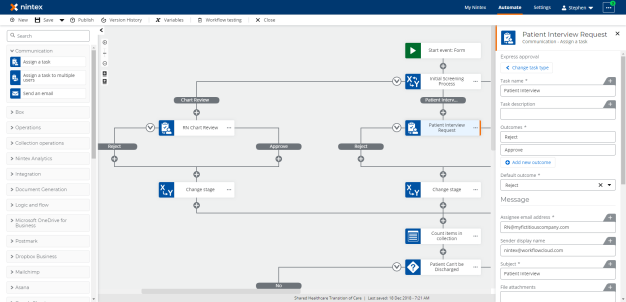
Release 118: February 2, 2021
New features
Connectors
Nintex is accelerating a connector rollout over this next year and beyond. We have released two new connectors and will be delivering lots more in the coming months. The two new connectors are:
-
Trello
-
Google Directory
See our blog post for more details.
Xtensions
In Xtensions, you can now display object input fields in a nested tree structure to show the hierarchy, or in a flattened structure to keep things simple.
As part of this release you may notice some styling updates to the user interface of the action configuration panel. More exciting updates will be rolled out in future releases.
Federation
Nintex Workflow tenants that are federated to Azure Active Directory via SAML now support Guest Users. Once a Guest user is added to Azure Active Directory they will be able to sign into the Nintex Workflow tenant.
Assign a task to multiple users
The new action, Assign a task to multiple users, will allow you to assign a task to up to 10 individuals and decide on the outcome by waiting for one or all users for a 'majority wins' scenario.
This is the first of many updates coming to tasks, with many more enhancements in the coming months.
See our blog post for more details.
Release 117: January 11, 2021
New features
-
Save and Continue for Authenticated Start Forms
With this release, we are excited to announce that we have released Save and Continue for Authenticated Start Forms. Participants can now save the progress when filling forms and resume later by opening the draft form available in My Nintex. For more information, check out this blog post.
Performance improvements and resolved issues
-
Fixed an issue with displaying the tooltip on the form during runtime.
Release 115: December 10, 2020
New features
-
Repeating Sections with Row Calculation:
Repeating sections have been added to NWC to allow users to solve a wide range of problems involving where form participants can build up lists of data, e.g. Inventory Lists, Incident Reports, Expense forms etc. With this new release, we have also added, easy to use row calculation functionality. For more information, visit our new blog post.
-
Data Source Permissions:
-
Data Source Deletion:
-
Generate Document Action:
Data source creators can now have the ability to control which users can edit and delete a data source and who can consume it to bind data to the data lookup control. For more information, visit our new blog post.
Users can now delete their data sources.
The number of images which can be inserted into a document using the Generate Document action has been increased from 20 to 50.
Release 114: November 25, 2020
New feature
Workflow Designer:
- Support added to use the email address and display name values when creating and updating a SharePoint Online People type column configured for single value (multiple values already supported)
Performance improvements
Form variables will now be returned as an object to the workflow designer, which will bring significant performance improvements to form designer. These improvements will reduce loading and save times, particularly for workflows with that are attached to very large forms.
- 6-8 times performance improvement when saving task forms
- 3 times performance improvement when saving start forms
- 30% improvement on load times of start and task forms
Note: These updates will be performed on that form the next time you save it. Saving will take a little longer on first save while updating occurs, and improvements will be apparent on subsequent form loads and saves.
Release 113: November 11, 2020
New feature
-
Support added to use the email address and display name values when creating and updating a SharePoint Online People type column that's configured to allow multiple values.
Resolved issues
-
Fixed the issue where the action panel of the SharePoint Online Create a site action failed to load when a collection variable was used.
-
Fixed the issue that caused the SharePoint Online Create an item action to fail when inserting values into a multi-choice column.
Release 111: October 14, 2020
Important:
-
The new My Nintex and Automate pages, Workflow filtering enhancements, and the Workflows list performance improvements are now available for all tenants.
-
Beginning November 1, 2020, we will support the new Microsoft Edge (Chromium), and no longer support IE11.
New features and performance improvements
- Variable panel
-
Upgrades to improve the accessibility of Objects:
-
Actions which return objects are now grouped into connector types, and are marked with the icon of the connector for easy identification.
-
Objects with multiple levels (or object property hierarchy) can be identified with an angled border at the start or end of the variable to represent having a parent or being the parent respectively.
-
Using the search bar within the Variable panel now returns results found within objects.
-
As you traverse through an object, breadcrumbs will appear for simple navigation and awareness.
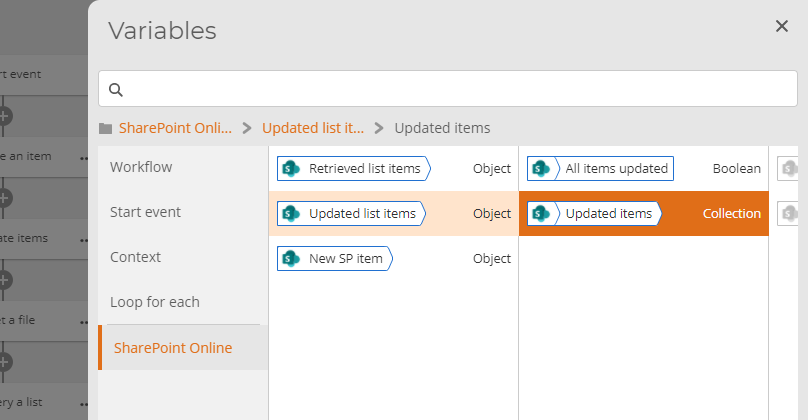
-
- Workflow Designer
The new variable connector icons and angled border indicators will also appear in action configuration panels.
Release 110: October 7, 2020
New features
New Microsoft Teams action
-
List members of a team action – retrieve all the members and associated properties (e.g. name, email, job title, etc) of a specified team.
The following features are currently rolling out and will be available in all tenants by 12th October 2020.
-
New My Nintex page (rolling out)
-
A new location where participants can view and manage their own tasks and submit forms to start a process.
-
The new Forms page allows users to submit forms. To set the title and description of forms, see the forms Settings topic.
-
-
New Automate page (rolling out)
-
The "Dashboard" tab has been renamed to "Automate".
-
The “Designer” tab has been removed. Designers will now create, manage workflows, and view instances in the Automate tab.
-
-
Workflow filtering enhancements (rolling out)
-
The list of workflows on the Automate tab can now be filtered by start events.
-
-
Performance improvements (rolling out)
-
Improved performance and loading times of the workflow listings page.
-
Performance improvements and resolved issues
-
Xtensions - Fixed an issue where custom Xtension actions could not be deleted when workflows were imported into another tenant.
-
Forms - Fixed an issue where the Data lookup control may not display all columns from a SharePoint Data source .
-
Forms - Fixed an issue where the value in Date/time controls were not completely visible.
-
Forms - Fixed an issue where a file’s extension may have been removed when uploading to Box .
-
Forms - Fixed an issue where the alt-text of an image did not change after the Alternative text field was updated.
Release 109: September 20, 2020
New features and performance improvements
-
SharePoint Online connector now updated with new actions across all regions.
-
Microsoft Lists now supported with the SharePoint Online connector.
Resolved issues:
-
Fixed an issue where custom Xtensions actions could not be deleted when the workflow was imported into another tenant.
Release 108: September 3, 2020
New features
Workflow Designer
New Microsoft Teams actions – In this release we have introduced two additional actions for the Microsoft Teams connector:
-
Get teams – an action to retrieve all the Teams and associated properties (e.g. created date, classification, description, etc.) within an Office 365 tenant.
-
List owners of a team – an action to retrieve all the owners and associated properties (e.g. name, email, job title, etc.) of a specified team.
Release 107: August 19, 2020
New features
Workflow Designer - New SharePoint Online connector start events and actions.
-
SharePoint Online start events – provides the ability to trigger a workflow when an item is created or updated in a SharePoint Online list or document library. Start events include ‘New list item’, ‘Update list item’, and ‘New or update list item’.
-
SharePoint Online actions – an additional 18 new actions have been added to the SharePoint Online connector to support and enhance the user experience when integrating with SharePoint Online including:
-
Working with lists and libraries:
-
Updating and deleting items from lists now supporting multiple items in a single action.
-
Querying a retrieving items from a list now supports objects outputs by returning all list columns in a single output.
-
New Query user profile action which returns a single output object with all profile properties
-
Creating and integration with document sets and folders.
-
Ability to work with documents and files supporting saving, retrieving, copying and moving files within the tenant.
-
Simplifying and making it easier to work with and consume list item attachments.
-
Supporting check-in and checking out of files.
-
-
Site Administration – focus on the provisioning and management of SharePoint sites and site collections supporting all templates including modern sites, also including the ability to add and remove users from the related SharePoint groups.
-
Additional enhancements - significant improvements have been made to applying item level permissions by allowing applying multiple sets of permissions within a single action.
-
For a full listing of all actions is provided in the help documentation located here.
Important: Start events and connectors are rolling out over the coming weeks.
Release 106: August 7, 2020
New feature
Nintex Workflow API:
-
Create Apps which provide administrator access to all tasks, workflows and instances in your Nintex Workflow tenant. Read the guides and explore the Nintex Workflow API here: https://developer.nintex.com/
Resolved issues
-
Fixed an issue where Nintex Workflow Start Forms were missing controls in the designer.
Release 104: July 10, 2020
New features and performance improvements
Workflow Designer:
-
Added new date format “dddd, dd MMM YYYY” in the Format date to string action.
Forms:
-
The Data lookup control now filters the data by a date variable.
-
The Query string parameter in embedded forms can now be read in Safari.
Resolved issues
-
Fixed an issue when the second page of a form loads at the bottom of the page instead of the top when navigating from the first page of the form.
Release 102: June 11, 2020
New features and performance improvements
-
SharePoint Online Retrieve an item action - Managed metadata fields in the Retrieve an item action now supports the label in addition to the term GUID. As a result of this update, if you have existing workflows with the Retrieve an item action that is configured with a managed metadata field, you must re-add the managed metadata field.
Release 100: May 13, 2020
New features and performance improvements
-
Nintex platform API– The 'Get an instance' API has a new query parameter that will return the workflow instances' start data in it's response payload.
Release 99: April 30, 2020
New features
Workflow dashboard:
-
You can now see the user roles you have been assigned in the Settings tab under the License and Subscription page.
Forms features:
-
Read-only/Visibility/Required properties can be driven from variables/formulas.
-
Regular expression validation in the 'Text – Short' control.
Resolved issues
-
A label cannot use a mailto link
Announcement: April 2, 2020
New feature
Data Lookup Control
We are excited to announce that we have released a powerful new control to NWC Forms - the Data Lookup Control. This control will enable form designers to bind data from a 3rd party service to a drop-down in a form. Creating a data-bound drop down is as simple as configuring a data source in the dashboard and selecting that data source it in the options available of the data lookup control.
Note: This control is not supported on Nintex Mobile, however, support will be included in a later release of Nintex Mobile.
For more information, visit our new blog post.
Release 97: April 3, 2020
New features and performance improvements
-
Workflow tagging – Ability to add custom tags to a workflow to improve findability through the new dashboard filtering control.
-
Workflow testing - Updated Workflow testing to support file variables from Nintex Forms start events.
Release 96: March 18, 2020
New features
Workflow designer:
-
Nintex Gateway has been released - Start an RPA job that will run an unattended Botflow as part of your workflow
Forms features:
-
A control can now be duplicated in the designer
-
Optimised performance when deleting a control in large forms
-
Improved the readability of a read-only control
Announcement: March 10, 2020
New feature
Workflow testing
We are excited to announce that we have released Workflow testing, a new capability which allows you to run and test your draft workflows directly from the designer, speeding up your build-test cycle. Workflow instance details and tasks can be viewed in the Workflow testing dialog and tasks can be completed/responded to right from the task tab.
For more information, visit our new blog post.
Release 95: March 4, 2020
New features and performance improvements
-
Added link to the Nintex privacy policy on the Nintex Workflow sign-in screen.
-
Authenticated Task forms: When enabled, Nintex Workflow task assignees must sign into Nintex Workflow to submit a Task form.
Announcement
New features
User directory lookup and Authenticated Task forms
With this release, we are thrilled to announce the ability for Tasks to be assigned to users within your linked user directory, and Task form authentication in the Assign a task action.
User directory lookup:
-
If your tenant is federated, you will now find the "User directory lookup" configuration page in Settings. If you don't have access, reach out to your Tenant Administrator.
-
By connecting your tenant to a User directory lookup, Task forms can be easily assigned to users found within your connected directory.
-
When a task is successfully assigned to a user, they will automatically be added into your Nintex Workflow's Users list as a Participant.
Task form authentication:
-
Upon selecting "Form based task" in your Assign a task action, note the new field "Assignee authentication". If enabled, task assignees must be found within your user directory or the Users list. When the assignee opens the form, they will be asked to sign into Nintex Workflow before the form is displayed.
Release 94: February 19, 2020
New features and performance improvements
-
User groups has been added to the User management page in settings, which allows you to create and manage groups of users. Also, User groups allow you to share Workflows and Connections with groups of users.
-
The Domain Management page has been added to Settings. The Domains management page enables Nintex Workflow tenant admins to manage primary and additional domains for their tenants. Once a primary domain has been verified by admins, it allows them to update single sign-on settings. Primary domain admins are also able to add and verify additional domains for user management and signing-on to Nintex Workflow.
Forms features:
-
Formulas can now be used in Rules engine on the IF condition.
-
The Image control can now accept variables or a formula.
Release 93: February 5, 2020
Performance improvements and resolved issues
-
General bug fixes, performance improvements, and security enhancements.
Release 92: January 22, 2020
New features and performance improvements
-
Nintex Apps page has been added as an option in the dashboard menu. The Nintex Apps page allows users to access information for various applications to extend the Nintex Workflow experience.
-
The auto-acceleration setting has been enabled in the user management page. Tenant admins that configured the SSO connection can toggle the auto-acceleration setting on or off. If you enable auto-acceleration, the NNintex Workflow sign-in screen will be skipped when users sign in. The Nintex Workflow sign-in screen is not required for federated tenants.
Form features
-
Formula builder - Implemented a date now function - datenow().
-
‘Choice – single’ now allows fill-in choices.
Resolved issues
-
Fixed a problem in Nintex Mobile - Choice control does not display full value exceeding more than 40 characters.
-
Fixed a problem in Nintex Mobile - New Responsive form is not allowing Numeric keypad entry on Numeric fields.
Release 91: January 8, 2020
New features and performance improvements
-
General bug fixes, performance improvements, and security enhancements.
Release 89: December 11, 2019
New features and performance improvements
-
Apply a regular expression – The Apply a regular expression action now has a new Group operator. Use the Group operator to search the Input text for sub-strings that match the Group Pattern.
-
Assign a Task – You can now access Task forms from the Tasks list.
-
Tasks list – “My active tasks” is now the default filter in the Tasks list.
-
Tasks list – Users with Participant only access can now access the Tasks page to respond to and interact with their assigned tasks.
Release 88: November 27, 2019
New features and performance improvements
-
Workflow versioning:
-
Added the ability to automatically capture and store unique versions of a workflow during save or publish. At any stage designers can view and open any version of a workflow in case there is a need to roll back to a prior version.
-
Includes the ability to provide comments for each version.
-
-
Microsoft Teams connector:
-
Enhanced Add member to team action to support guest users.
-
-
Nintex Workflow for Box for Europe:
-
Enabled the Nintex Workflow for Box start event for Nintex Workflow tenants based in Europe, which allows Box users to start and view the workflow status on a file from the Nintex Workflow for Box app.
-
Release 87: November 13, 2019
New features and performance improvements
-
General bug fixes, performance improvements, and security enhancements.
Announcement: November 8, 2019
New features
Microsoft Teams in Nintex Workflow
We are excited to announce our new set of workflow actions that provide deep-level integrations with Microsoft Teams!
Our new connector allows you to develop formalized and managed processes to assist in introducing a level of governance and consistency around how organizations roll out Microsoft Teams.
Beyond roll out, we also help manage the life cycle of a Team, both from adding and removing team members and channels all the way through archiving a Team when it's no longer in use.
Just some of the actions we provide with our new Teams integration include:
-
Create / Archive / Clone / Update a Team
-
Create Channels and Post to a Channel
-
Add Owners and Members to a Team
-
Add links to tabs (e.g., Nintex Forms and Process Manager processes)
For the full list check out the new Microsoft Teams connector category in the toolbox or read more about it on our new blog post.
Release 86: October 30, 2019
New features and performance improvements
-
Improved the styling for required secret inputs during connection creation/modification.
-
Added the ability to submit a connection creation/update with an Enter key press.
-
Added cursor focus into the first input field when creating/updating a connection.
-
The connection creation/update dialog now respects the defined order of connection properties for Xtensions connectors.
Form features
-
Dropdown control now supports type ahead.
Performance improvements and resolved issues
-
Fixed a problem where connections could share the same name for the same connector.
-
Fixed an issue in Forms, where a range validation would not apply when a field was Read-Only.
Release 85: October 16, 2019
New features and performance improvements
-
Added the ability to quickly view the instances of a specific workflow via the workflow’s menu – Instances option.
-
Added new versions of the "Apply a regular expression" and "Query JSON" actions with the ability to validate the expression. There is a plan to deprecate the previous version of these actions. For more information read below or visit help.nintex.com.
-
Updated the warning message in the workflow’s start event config when the connector in use is disabled.
Resolved issues
-
Fixed an issue with the Query JSON action to now correctly return the result in a stringify JSON object.
-
Fixed an issue where users cannot change who has access to a form when form variables are in use in the workflow.
How can I determine if my workflows are impacted?
Your workflows will be impacted if you have any workflows that contain Query JSON or Apply a regular expression action, that were configured before September 24, 2019.
When you edit your workflow, we will automatically assess whether any deprecated actions exist; these workflows will be identified with a warning banner on the Designer page.
If you do not have any workflows that contain Query JSON or Apply a regular expression action, no further action is required.
How do I fix my workflows?
Before January 31, 2020, you will need to apply the following steps to all workflows that use Query JSON and/or Apply a regular expression actions:
-
Identify a workflow that contains Query JSON and/or Apply a regular expression actions. Edit the workflow.
-
In the Designer, deprecated actions are identified with a warning. Open an action that has been marked with a warning.
-
Take note of your action configuration. Make the appropriate adjustments to convert the expressions from Ruby to .NET.
-
In the action toolbar, search for Query JSON or Apply a regular expression. All search results will only display the newest version of the action.
-
Drag on a new action and configure the action with the new .NET expression.
-
Delete the old version of the action.
-
Repeat the previous steps for all marked Query JSON or Apply a regular expression actions in the workflow.
-
Publish your workflow.
Repeat this for all workflows containing a Query JSON or Apply a regular expression action.
If you need more guidance on identifying workflows that may be affected, contact Nintex Support.
What happens if the actions are deprecated and I still have published workflows using the old versions of the actions?
On January 31, 2020, we will deprecate the old versions of Query JSON and Apply a regular expression actions. If you have not updated these actions before the deprecation date, your workflows will begin to fail.
What do I do if I have further questions or need assistance with this change?
Contact Nintex Support to ask any questions or to schedule a call.
Release 83: September 18, 2019
New features and performance improvements
-
Tenant settings - User management - Added the ability to update a user’s name for any tenants that are using the default Nintex Workflow username and password. A tenant with identity federation will still retrieve the users' name from Microsoft Azure Active Directory.
-
Tenant settings - Component workflow tokens - Added the ability to easily manage all component workflow tokens for a tenant. An Administrator can regenerate or revoke tokens for any published component workflows.
Release 81: August 21, 2019
New features and performance improvements
-
Tenant settings - User management - Added the ability to update a user’s name for any tenants that are using the default Nintex Workflow username and password. A tenant with identity federation will still retrieve the users' name from Microsoft Azure Active Directory.
-
Tenant settings - Component workflow tokens - Added the ability to easily manage all component workflow tokens for a tenant. An Administrator can regenerate or revoke tokens for any published component workflows.
Release 80: August 7, 2019
Performance improvements and resolved issues
-
General bug fixes, performance improvements, and security enhancements.
Announcement: July 25, 2019
New features
Nintex Sign powered by Adobe Sign connector is now available.
-
The Adobe Sign connector has been renamed to Nintex Sign powered by Adobe Sign, and Get signature action has been enhanced with new capabilities:
-
Expanded Recipient Roles to offer: Signer, Approver, Certified recipient, Acceptor, Form filler and Delegator
-
Added Recipient authentication modes: Email, Password, Phone (SMS), Social, Knowledge-based, Adobe Sign and Government ID
-
Password protect - Completed documents can now be secured with a password
-
Post Signing URL redirect - When an agreement is complete, redirect your recipient to a URL of your choice
-
Multiple agreement support - Collate multiple documents in a single agreement
-
CC email - Send the agreement to a user's email for informational purposes
-
Reminders - Added reminder frequency options
-
Days until expiry - Set a date for when the agreement will be expired
-
Existing workflows that use Adobe Sign actions will automatically be upgraded to Nintex Sign powered by Adobe Sign, and will be enabled with the above capabilities for quick configuration.
Sign up to a Nintex Sign powered by Adobe Sign trial here.
Release 78: July 15, 2019
New features and performance improvements
-
Added support for bold, italics and hyperlinks in the workflow description.
-
Updated all dropdowns in the action configuration panel, to ensure a consistent experience.
Xtensions
-
Xtensions can now include information about how to validate a Connection during Connection creation or update.
-
Xtensions will now attempt to refresh certain OAuth connections to prevent them from expiring. Previously, no refreshing of these connections was done, and any expired connections used at workflow execution time would cause the workflow to fail.
Performance improvements and resolved issues
-
Fixed an issue where an Xtensions could not be deleted if it had too many connections.
-
Ensured that the right error message is displayed in the instance details page when a workflow instance fails to start.
-
Improved the performance of the workflow designer when there are a large number of variables defined in the workflow.
Release 76: June 12, 2019
Performance improvements and resolved issues
-
General bug fixes, performance improvements, and security enhancements.
Release 75: May 29, 2019
New features
Form features
-
Rule builder can now compare a control against another control (Insert tab can now access Form controls)
-
Designer column improvements – The designer is now divided into six columns (previously four).
-
Controls that require
-
6 columns: Group control
-
3 columns: File Upload, Signature
-
2 columns: Barcode, Choice – Multiple, Currency, Date/time, Geolocation
-
1 column: Choice – Single, Email, Image, Label, Number, Text – Long, Text – Short, Yes/No
-
Release 74: May 16, 2019
New features and performance improvements
-
Nintex platform API: Added the Task URL to the List Tasks and Get a Task API endpoints.
-
Nintex platform API: Updated the Tasks API responses to return accurate response codes.
-
Improvements around the notifications of tasks assignments and reminders. i.e. the duplication of notifications.
Resolved issues
-
Fixed an issue in the Generate document action where selections were being cleared when additional templates or images were added.
Release 73: May 1, 2019
New features and performance improvements
Form features
-
Currency control – Collect numeric values with number formatting and currency symbol.
-
Variables: Now includes the ability to create variables from over 30 different functions. Set field values using variables and functions.
-
Default value inline formulas – Added new Lookup functions (e.g. getQueryStringParameter).
-
Improved the performance when designing large forms.
-
Increased the character limit for Options in Choice controls.
Release 72: April 16, 2019
New features and performance improvements
-
Added preconfigured filtered views to the Tasks list.
-
Added a Refresh button to the Instances list.
-
Added support for overriding properties for built-in security definition properties in Xtensions.
-
Added support for defining multiple keys for API Key authentication in Xtensions.
-
Added support for Azure Active Directory v2 in Xtensions.
-
SharePoint Online Connector now uses Azure Active Directory v2 when establishing a connection.
-
Note: Microsoft Graph still uses Azure Active Directory v1.
Performance improvements and resolved issues
-
Fixed an issue in Xtensions where the error message could not be dismissed if the uploaded security definition did not match the original security type.
-
Fixed an issue in Xtensions where the Accepts header was not based on the Content-Type for the request.
Release 71: April 3, 2019
New features and performance improvements
-
Added the ability to sort the Sequence order of the Instance activities on the Instance details page.
-
Added a Refresh button to the Instance activities panel on the Instance details page.
-
Updated the Instance activities panel to group an action’s start time with its corresponding end time within the same activity sequence.
-
When importing a workflow, if a connection of the same type and name (case insensitive) exists in the tenant, the workflow design will automatically pick those connections when editing the workflow.
Performance improvements and resolved issues
-
Fixed an issue where unchecking an option in the Alerts settings page does not apply after clicking on Save.
-
Fixed an issue where users that only had the participant role could be selected in the workflow alerting settings page.
Release 70: March 20, 2019
Performance improvements and resolved issues
-
Fixed an issue where older variables in a workflow weren’t clickable in the variable panel.
-
Fixed an issue where if there was a trailing separator such as , or ; at the end of the CC field in the Send an email action, the action would fail.
Release 69: March 6, 2019
New features and performance improvements
-
Authenticated Start Forms:
-
Added the ability to limit a form to authenticated users in the tenancy only, or anyone with the form URL.
-
If an authenticated user submits a form, that user can be referenced in the workflow using the “Workflow initiator” object variable.
-
-
Added sorting capability to the Connections list.
-
Updated the instance list filter for “Running workflows” to “Running last 5 days” to accurately reflect the returned instances.
-
Added the ability to return all tasks in the Tasks page regardless of the status.
-
The List tasks API now supports returning a list of all tasks without needing to specify a specific status.
Performance improvements and resolved issues
-
Generate document action:
-
Fixed a rich text issue with misaligned bullets.
-
Fixed an issue with dynamic hyperlinks for certain hyperlinks in Word.
-
Fixed an issue that occasionally prevented strikethrough content in Rich Text fields from displaying accurately in generated documents.
-
-
Fixed an issue where some actions' start time was showing as 31 December 1969.
-
Fixed an issue where the status text on an expired Personal Access Token was incorrect.
Release 68: February 20, 2019
New features and performance improvements
-
Further improvements to styling and pages ensuring consistency throughout the portal
-
Updated the Connection settings menu icon in Settings
-
Styling on User management and Personal access tokens updated
-
Performance improvements and resolved issues
-
Fixed an issue where when creating a connection, the user was not presented with a ‘Done’ option, but instead a permission change was required before the connection could be saved.
-
Fixed an issue where navigating to the dashboard after a design session via the global navigation menu did not refresh the Workflow list.
-
Fixed an issue where there was a slight delay in the loading indicator when navigating to the designer.
-
Removed the Reset password process for federated tenants.
Release 67: February 6, 2019
New features and performance improvements
-
Send an email – Added the ability to set a ‘Reply to’ email to ensure that any responses can be sent to a defined email address.
-
Added the ability to sort on the columns in the Workflows list.
Form features
-
Form based Task – Additional Outcome controls can be added from the toolbox. All Outcome controls on a form are linked, where a selection in one control will be mirrored across all Outcome controls.
-
Form based Task – Workflow variables, including Start Event Variables, are now available in the toolbox.
Performance improvements and resolved issues
-
Fixed an issue with the Salesforce – Query record action, where if the Salesforce object had an excessive (500+) number of fields, the action would fail.
-
Fixed an issue where if a connection's permission had the same person specified in the Owners and Users fields, then that person could not be removed from the Users field.
-
Fixed an issue with the link to the Default file storage page for the connector on the Connector availability page.
-
Fixed the alignment of icons in the left-hand navigation.
Release 66: January 23, 2019
New features and performance improvements
-
ServiceNow Connector: Add create, read, query, retrieve, and delete record actions to workflow for the following tables:
-
Catalog Item
-
Catalog Item Category
-
Catalog Items Catalog
-
Request
-
Requested Item
-
Task
-
User
-
-
Improvements made to the overall portal user experience including navigation, content pages, and settings. Noticeable improvements include:
-
Lists now load once and brings back delta changes instead of reloading each time.
-
Workflow list, updated the Manual start form to render fields according to their types – i.e. date time field, Yes/No.
-
Workflow list, the Description column has been removed and now will display below the workflow name.
-
Instance and Tasks list, the filtering control has been updated.
-
Connections, adding a new connection now opens a new window to complete the connection creation process.
-
Alerts and Connection settings, save and cancel options have been added.
-
Connector availability, rearranged the layout of the connector’s availability toggles.
-
Connector sorting, interaction of reordering the Connectors has been improved.
-
Progress indicators when things are happening
-
Better error handling and success messages when a sync saves/deletes happen
-
-
Date time variable types can now be created without the need to specify a default value.
-
Notification of the upcoming Default EFSS deprecation added to the Default file location settings page. For more information, click here.
Release 65: January 9, 2019
New features and performance improvements
-
General bug fixes, performance improvements, and security enhancements.
Release 63: December 13, 2018
New features and performance improvements
-
Branch by value action has been updated to support evaluating an integer variable.
-
Updated the Query JSON action to support array slicing, current-object references, filter and script expressions.
-
Added support for YYYY-MM-DD HH:mm:ss format in the Convert date to string action.
-
Assign a task’s Express approval can now limit who can respond to the Task email.
Forms features
-
Task Form - Default Value property can now accept Workflow variables.
-
Date/time control can now restrict dates in the past.
Help files
-
The Nintex Workflow online documentation has been updated with a new look and feel, which makes it easier to navigate and read. Check it out here.
Release 62: November 28, 2018
New features and performance improvements
-
Added support for tenants that have federated with Azure Active Directory, when a user’s UPN is not the same as their email address.
-
Improved the loading speed of the workflow action toolbox.
Forms features
-
Regional settings support
-
Regional settings will be inherited from the browser. This will pass the date/time to the workflow in UTC format.
-
This feature is supported with the date/time control and the number control (decimal place separator).
-
-
Default value in config panel
-
Email
-
Number
-
Text - Long
-
Text - Short
-
Choice - Single
-
Yes/No
-
Date/time
-
-
Messages can now be customized in the following properties:
-
Required
-
Minimum/maximum files error message, and
-
Non-supported file format
-
Range validation
-
-
Custom Multipage button text
-
Next/previous button text can now be changed.
-
Resolved issues
-
Fixed an issue where a user is unable to select a file variable in EFSS actions.
-
Fixed an issue where if a variable that already has a value is used in an action’s output field to store a newly retrieved value, the variable's previous value would remain if the retrieved value is empty or blank.
Release 61: November 14, 2018
Performance improvements and resolved issues
-
General bug fixes, performance improvements, and security enhancements.
Release 60: October 31, 2018
New features and performance improvements
-
Collection actions – Check if item exists in collection now returns the matching index if a match is found.
-
General bug fixes, performance improvements, and security enhancements.
Resolved issue
-
Fixed an issue where on saving a large Form configuration, the Workflow became unresponsive.
Release 59: October 17, 2018
New features and performance improvements
-
New connector – Azure Active Directory Administration.
-
Design and automate user provisioning with: Create user, Update user, Assign manager to user, and Disable/enable user.
-
-
Included the category of the action when searching in the action toolbox. Each action’s category name is also displayed in the configuration panel.
Forms features
-
On Submit Rules – This feature allows custom validation rules to be displayed when the form is submitted.
-
Long Text control now includes an 'auto-grow' option.
-
Updated the default font and system font to Open Sans for easier readability. Lato is still available for existing forms.
-
Yes/no control in Toggle mode now includes the ability to set the layout to horizontal or vertical.
Resolved issues
-
Fixed an issue where if a value retrieved from a collection was stored into a Boolean variable, it would be invalid, causing conditions to always evaluate to false.
-
Fixed an issue in the Call web service action to now store response values in a valid JSON string format.
Release 58: October 3, 2018
New features and performance improvements
-
Connection governance
-
Added a new page ‘Connection Settings’. At a tenant-wide level, Administrators can now determine which user roles can create connections, and which user roles can assign permissions for connections.
-
In the workflow designer at connection creation time, and in the Connections page, permissions can be assigned to users on a connection by connection basis. Users can be assigned Owner level privileges (Assign permissions to other users, edit, delete and use the connection) or User level privileges (use the connection in a workflow design only).
-
-
Updated the variable panel, to close both variable and action config panel when clicking on the designer canvas.
-
Added support for converting values to number or integer that have comma and spaces. i.e. 1,000, 000 will be 1000000.
-
Added the ability to evaluate start event variables and variables to determine if they contain a value.
-
Members of an Azure Active Directory connected to Nintex Workflow that authenticated into a tenancy with participant level permissions are now listed as users in the user management listing.
Resolved issues
-
Fixed an issue where copying and pasting text from one action to another adds additional space into the copied value.
-
Fixed an issue where variables could not be inserted into the Subject and Message body of customize emails for Reminders and Escalation within the Assign a task action through the variable panel.
Release 57: September 19, 2018
New features and performance improvements
-
Improved variable experience when designing workflows – ability to insert and manage variables with the panel being next to the action configuration. With the panel being active next to the action configuration, insert variables with ease by selecting the field that you want to use them in.
-
To quickly look for a variable, search capability has been added to the new variable panel.
-
Updated the styles and Nintex logo used in the platform to reflect the latest Nintex brand updates.
-
Create support ticket – Creating a support ticket now also generates an export key, and accepts comments and screenshots.
Resolved issue
-
Connection creation – Updated the message displayed when a connection creation attempt is discontinued.
Release 56: September 6, 2018
New features and performance improvements
-
Nintex Xtensions – To assist with developing Xtension based actions, when a workflow’s assigned use is set to ‘Development’, a detailed error message is displayed in the instance details page for Xtension actions when they fail.
-
Document Generation – Increased the template limit for Single PDF File Generation type to 50.
-
Document Generation – Included the ability to store the files generated into a Collection variable.
-
User Management – Search and filtering capability is added to Settings' User Management page.
-
SharePoint Online connections – Improved the experience of configuring the SharePoint site URL.
-
Geolocation control – The Geolocation control allows a user to automatically populate their current location into a geolocation control.
-
Rule builder - Else condition has been added, which will allow users to ensure an alternative form behavior occurs when a rule condition is not true.
Resolved issues
-
Fixed a styling issue when a category name in the toolbox was wrapping to the next line.
-
Fixed styling issues when loading the What’s new panel.
Release 55: August 22, 2018
New features and performance improvements
-
Users in an Azure federated NWC tenant are now automatically granted a participant role when logging into the Nintex Mobile App or an App created via App Studio. This will allow users to easily respond to tasks from within the Nintex apps without needing to be explicitly added into the Nintex Workflow tenant as a user.
-
Updated the variable representation within the workflow action configuration to show the variable type making it easier to identify the type of variable used within your actions.
-
Extended the ‘Apply a regular expression’ to include a new Replace operation.
Resolved issue
-
Fixed an issue where some Zendesk New and Updated ticket events were duplicated, causing workflows to execute twice. Re-authenticate all Zendesk connections to receive the update.
Release 54: August 8, 2018
New features and performance improvements
-
Box Connector – Where applicable, Box actions now accept File or Folder ID alongside object paths, and also store the File or Folder ID for use in later actions.
-
Assign a Task – Form variables are available in the Nintex Document Tagger for Document Generation.
Release 53: July 25, 2018
New features and performance improvements
-
Designer – Updated the “Assign a task” action with support for Form based tasks. In addition, “Assign a task” and “Express approval” actions have been consolidated into a single action. Read more about it here.
-
Box Connector – Added a new Lock/Unlock a file action to allow the lock and unlocking of files.
-
Session behavior has been updated to sign you out after 2 hours of inactivity. However, 5 minutes prior to this, you will be provided with an option of renewing the session.
Forms features
-
Barcode – The Barcode control allows you to add a barcode scanner to your form to be used in Nintex Mobile (this control will render as a text box in web).
Resolved issues
-
Ensured that long start variable names and their value fit within the viewing area of the instance start data panel.
-
Updated the error message displayed when a workflow could not successfully make a request back to the specified callback URL.
Release 52: July 11, 2018
New features and performance improvements
-
Designer – Added a new action to convert a value to a specific workflow variable type. You can now convert a 'number' value stored in a text variable to a number variable type.
Release 51: June 27, 2018
New features and performance improvements
-
Designer – Allow comparison between integer and decimal variables within actions that support conditions.
-
Component workflow – Values sent at time of workflow start will convert to the start event variable type where possible; For example, sending string value ‘true’ to a start event variable of Boolean type will convert the string value to a recognized Boolean value of ‘True’.
-
Portal – Instances of deleted workflows are now no longer included as part of the default view. To include them, check the “Include deleted workflows” option.
Form features
-
Signature control
-
This control allows you to sign on a form using either web or Nintex Mobile. The signature will be passed to Nintex Workflow as an image. This will allow you to place the signature into a document with Document Generation.
-
-
Label control
-
Deprecated the Heading control. Headings can now be created in the Label control.
-
Deprecated the Rich text control. Rich text can now be created in the Label control.
-
The Label control (Previously Rich Text) can now be resized using the Shrink/Expand buttons.
-
-
Rules enhancements
-
Increased the number of WHEN conditions to 15.
-
Increased the number of THEN conditions to 15.
-
Increased the number of OR conditions to 15.
-
If the control title and variable name are not same, the rule builder will show the variable name in the control selection e.g. First Name (txt_firstname).
-
Added Is empty for Date/Time, Email, Number, Text – Long, and Text – Short.
-
Added Is filled for Date/Time, Email, Number, Text – Long, and Text – Short.
-
Resolved issue
-
Fixed an issue where some workflows were failing with "Invalid variable error" when attempting to attach files to a Salesforce record.
Release 50: June 13, 2018
New features and performance improvements
-
Portal – Introduction of a What’s new panel to inform users on new features, improvements, announcements and releases.
-
Portal – Updated the top navigation by collapsing Help, Feedback and What’s new options into a single shared dropdown menu.
-
Portal – The subscription and trial status for a tenant has been updated to provide better clarity on the state of the tenant and the time remaining until expiration.
-
Designer – Navigate the workflow designer by clicking and dragging on the empty workflow canvas area.
-
Designer – Reordered the Nintex category to the top of the Connector dropdown in the start event configuration.
-
Designer – Added the ability to store an item in a file variable when looping through a collection of files.
-
Xtensions – The actions in an Xtension category within the toolbox are ordered as defined in the swagger definition.
-
Building on the recently released feature of including the instance start data on the Instance details page; it has now been enabled for all start events, namely Nintex Forms start events with form attachments.
-
Docusign – Updated fields in the DocuSign Get signature action; the Recipient and Message fields are now optional when using a DocuSign template, to cater for when templates already have these values.
Release 49: May 30, 2018
New features and performance improvements
-
Portal – Workflow instances executed from this release onward will show the start event data that started the workflow within the Workflow instance details page.
-
Designer – The ability to quickly expand or collapse all container type actions, i.e. Action set, Loops, Branching actions, Express approval.
-
Designer – Enabled variable typeahead support in actions that have a query builder, e.g. Branch by condition, Run if, Query a record, etc.
-
Added action execution retries if an EFSS account errors due to “Too many requests”.
Form features
-
Group control – This control allows you to put multiple controls into a group so you can hide or show through rules. The group control can also include a border and heading with rich text.
-
Space control – This control allows you to put a space in a row or next to other controls.
-
Resize – This feature allows you to resize a control if it is next to another control.
Resolved issues
-
Fixed an issue where workflows were failing with an expired or invalid variable error when a Dropbox or Salesforce File variable was used in subsequent file actions.
-
Designer – Fixed an issue where copying and pasting some actions causes the workflow designer to freeze.
-
Designer – Updated the loading indicator when checking the name of the workflow at time of save and publish.
Release 48: May 16, 2018
New features and performance improvements
-
Designer – Added variable typeahead for date time field.
-
Designer – Added additional informational help text to path pickers, informing users that the path picker field displays 200 items per selected directory.
Resolved issues
-
Fixed an issue where values in the path field are cleared when a changing a Connection.
-
Fixed an issue where a user can copy and paste variables into fields where the variable type is not allowed.
-
Fixed an issue where error messages returned from non-English services were returning “\xC3" from ASCII-8BIT to UTF-8.
-
Fixed an issue where uploading a file to SharePoint with special characters in the file name caused the workflow to fail.
Release 47: May 2, 2018
New features and performance improvements
-
Designer – Added variable typeahead for integer and decimal fields.
-
Designer – Improvements to field validation on email fields.
-
Increased retries around workflow action execution when specific errors are encountered.
-
Slack connector – Improved the error messages that are displayed when a Slack action fails during workflow execution.
-
EFSS Connectors – Updated the Path fields to handle nuances of when '/' is appended or not appended when constructing a path to a folder.
-
EFSS Connectors – Updated all Path fields to use the path picker which enables easy directory browsing from within the designer.
Form features
-
Multipage - this feature allows you to break up a large form into multiple steps. Each page will load asynchronously to ensure the form loads quickly.
Resolved issues
-
Fixed an issue where clicking on the highlighted variable when using type-ahead will not insert the variable.
-
Fixed an issue that prevented workflow instances from displaying for deleted workflows.
Release 46: April 18, 2018
New features and performance improvements
-
Box Actions – Enhanced Share file link to include Access level, to enable the limiting of access to generated links. To use this new functionality, drag on a new Box Share file link action to your workflow.
-
Box Start Events – Extended the Box Update metadata event to "Allow concurrent workflows on a single item". When enabled, it allows simultaneous instances of a workflow to run on the same Box item.
-
Designer – Improved the load time in the folder picker control when navigating through folders.
-
Designer – Workflow actions that use the default file location shows a message if a default file location has not been specified within the tenant settings.
-
Execution – When evaluating a variable that has a NULL value (conditions), the condition will evaluate to false instead of failing the workflow.
-
Execution – Updated error messages when operating on a variable that has a NULL value to clearly inform users that the operation cannot be completed due to an empty value. i.e. Adding time to an empty date variable.
-
Azure Active Directory Single Sign-on – Organizations with an Azure Active Directory connection can request to add additional email domains to their connection via a customer support request.
Resolved issues
-
Share workflow – The people picker now only displays users with Administrator, Designer, Developer roles.
-
Variables – When setting a long default value for a variable, the value now breaks onto a new line and no longer scrolls out of the variables modal.
-
Designer – Fixed an issue where a where an unconfigured action placed within a container action (Action set, Run if, etc.) that has been disabled, did not allow the workflow to be published even if all the enabled actions were configured correctly.
Release 45.1: April 8, 2018
Resolved issues
-
Fixed an issue where large content sized emails would cause the workflow to fail.
-
Fixed an issue where Boolean variables was returning true/false when used in Send an email action. Now updated to use Yes/No.
Release 45: April 4, 2018
New features
-
Added the ability to rename user defined variables.
-
Box Connector – Added a new action to manage folders:
-
Box Move folder.
-
-
New Nintex branded spinners applied to the workflow designer.
Performance improvements
-
Improved the save and publish workflow experience. The workflow name check is carried out at the time of entering it. Values are retained in the save / publish dialog if an error occurs at time of save / publish.
-
External start workflow is renamed Component workflows.
Release 44: March 21, 2018
Resolved issues
-
Fixed an issue where HTML encoding used in “Create a text string” action wasn’t being formatted correctly when used in “Send an email” action.
-
Fixed an issue where the “Apply a regular expression” action was failing due to encoding.
Release 43: March 7, 2018
New features
-
Designer experience – Introduced the ability to add inline variables by typing [[ and selecting the variable.
-
Actions that have a condition builder now support up to 10 conditions, i.e., For each, Branch on condition, Run if, Start a loop, Query record, etc.
-
Added the ability to select and terminate multiple workflow instances within the Instance page.
Form features
-
Rich text control - the text can include bold, italic, underline, add/remove link, heading text, numbered list, bulleted list, and increase/decrease indent.
Performance improvements
-
Improved the action toolbox search to return actions that match the exact search terms.
-
Box Connector – Enhanced the ability to interact with files and folders:
-
Update folder details
-
Add comment to file
-
-
Improved EFSS Start Events to provide a more consistent experience when switching between Connectors.
Resolved issues
-
Fixed an issue where placing the End workflow action in a parallel branch causes the workflow to go into an infinite loop.
-
Fixed a bug for supporting parenthesis in file names in EFSS connectors.
Release 42: February 21, 2018
New features and performance improvements
Workflow features
-
Identity federation – Organizations can now connect their Azure Active Directory to Nintex Workflow.
-
Box Connector – Added a new action to manage folders:
-
Box Delete folder.
-
-
SharePoint Online Connector – Added new actions to support file retrievals:
-
Get a file – Retrieve a file from a SharePoint document library.
-
Get attachment names – Retrieve all attachment names for a SharePoint list item.
-
Get attachment by name – Retrieve an item's attachment from a SharePoint list.
-
-
Workflow instance error alerting – Once enabled, email alerts will be issued when a workflow instance encounters an error.
-
Nintex platform API – Users can make requests to the Nintex platform API to interact with workflows.
-
The Developer Portal and API explorer is available at
https://developer.nintex.com
-
Nintex Workflow users with the "Administrator" or "Developer" role can generate a personal access token for use with the Nintex platform API.
-
Release 41: February 7, 2018
New features and performance improvements
-
SharePoint Connector – Added new actions to support files:
-
Store a file – Store a file into a SharePoint document library.
-
Add attachment to an item – Add attachment to a SharePoint list item.
-
-
Box Connector – Updated Get file metadata action to also retrieve Created by and Modified by file properties.
-
Xtensions – In addition to storing output files into File variables, File output picker now allows users to select an EFSS Connector and location to store the returned files.
Release 40: January 24, 2018
New features and performance improvements
Workflow features:
-
Replaced "Copy" text buttons with an icon button, and added a "Launch URL" button for immediate navigation.
Resolved issues
-
Fixed an issue where Salesforce was absent as a storage destination from Docusign's Store signed documents action.
-
Fixed an issue where Salesforce Formula fields was not being processed successfully.
Release 39: January 10, 2018
New features
Workflow features
-
Connections – Added the ability to rename and re-authenticate Connections.
-
Document generation – Added support for the selection of file variables in the template picker.
-
Governance – Added the ability to sort connector picklists and toolbox groups based on how they are sorted in the 'Action and connector sorting' page.
-
Box Connector – Added 'Created by' for all Box new and updated start events, and 'Modified by'.
Form features
-
Image control now supports HTTP protocol.
Performance improvements
-
Document Connectors – Updated the ability to browse the folder directory within the Path field in the Get folder contents action for:
-
Box
-
Google Drive
-
Dropbox
-
ShareFile
-
OneDrive for Business
-
-
Workflow designer – Improved the search and the order of results for the workflows action toolbox.
Resolved issues
-
Fixed an issue where the flyout menu of a workflow action takes on the context of another workflow action.
-
Fixed an issue when copying and pasting actions in nested containers (Action set, Loops, Run ifs) where actions are un-editable or have not been copied correctly.
-
Fixed the positioning of the loop icon on the designer for the “Start a loop” and “Loop for each” actions where it was overlapping on other elements when viewed in the smallest size.
-
Fixed an issue where Twilio connections could not be created in the designer.
-
Twilio connection – Removed Sandbox option from connection creation.
-
Adobe Sign – Prompt user for login details when creating connections.
-
Fixed an issue where a JavaScript error may appear in Preview mode, if a references a deleted control.
-
Fixed an issue where a rule may become invalid when setting a heading style in a rule.
-
Fixed an issue where a Nintex Workflow for Salesforce form may not send Context information to the workflow.
Release 37: December 13, 2017
New features and improvements
Workflow features
Important: To use the 'Box - File metadata update' start event, create a new Box connection, as the connection requires updated permissions.
-
Workflow Designer - Added a Remove all & Replace all assistant, to quickly action variable references associated with deleted Form controls.
-
Workflow Governance - Added administrative feature to customize workflow action and connector order.
-
Workflow Governance - Added administrative feature to turn connectors on or off.
Form features
-
Easily convert a string based control from one to another (Email, Short text, Long text, Single choice).
-
Date/time picker improvements
-
View 10 years at a time in year selector
-
Scrollable selection (Year, Month, Hour, Minute, AM/PM)
-
Today button to show today's date
-
-
File upload improvements
-
Files will upload on submit
-
Confirmation message on file delete
-
Default file types in designer (Documents, Images, and Compressed files)
-
Custom file type no longer requires a period
-
-
Support autocomplete on form fields
Resolved issue
-
Fixed an issue where the single instance locking (where "Allow concurrent workflows on a single item" is not checked) does not release the lock after the workflow has completed which then stops new events from starting a new workflow instances.
Release 36: November 30, 2017
New features and improvements
Workflow features
-
Improved the connection selection experience within the workflow action where the last used connection is automatically selected when configuring a new action for the same Connector.
-
Share a workflow – A designer or administrator can share a workflow with other users. All existing workflows by default will be shared with all users in a tenancy. Users without access to a workflow will not be able to see the workflow in the list page, associated tasks, or associated instances. Administrators can access all workflows.
-
Import workflow – When importing a workflow that have “Call a workflow” actions, the workflows are remapped if the name of the referenced workflow exists in the same tenant.
-
Workflow designer – Optimized the vertical spacing between workflow actions on the canvas
Resolved issues
-
Fixed an issue on the License and Subscription page where names with special characters were not displayed correctly.
-
Fixed an issue where when renaming a workflow action in Firefox the editable region extends beyond the workflow action.
Release 35: November 16, 2017
New features
Workflow features
-
Nintex for Salesforce – Design, manage and track Nintex Workflow workflows directly within your Salesforce tenant.
-
Nintex Forms variables – Added helper text when using a “File upload” control in Nintex Forms.
** Nintex Mobile support for file attachments is planned for release on 11/23.
-
Nintex Workflow for Box – Removed the unused Form field variables table from the designer.
-
Connection management – Added a folder picker for Default storage location.
-
Designer – Updated the loop icon for Loop for each and Start a loop actions.
-
Designer – Improved the action configuration layout for all actions that use the Condition Builder.
-
Tasks – Emails can be now customized for any escalated tasks, in addition to the original task email and reminder emails.
-
Tasks – Improved the task override experience.
-
Salesforce – Added support to output file (attachment) ID in the Attach a file action.
Form features
-
File Upload control
-
Form Load rules now support reading query string parameters in the WHEN condition
-
Heading control now supports vertical alignment
-
Heading control now support divider line
Resolved issues
-
Tasks – Fixed an issue where Task actions appeared configured even though the Message body fields were empty.
-
Tasks – Fixed an issue where completed custom email configuration cards were not showing as configured.
-
Tasks – Fixed an issue where custom escalation footer preview was showing incorrectly.
-
Designer – Fixed an issue with imported workflows, where the Start event's introspection was failing for Salesforce and Microsoft Dynamics CRM.
-
Xtensions – Fixed an issue where the Connections field was being unnecessarily updated when many file input controls existed.
-
Get signature – Fixed an issue where the execution would always fail without a default storage location, even though a collection variable was not assigned to Signed files.
-
Copy and Move a file actions – Fixed an issue so that Store new path will always return the full file path.
-
Forms – Fixed an issue where the Google reCAPTCHA popup would not fit into a small embedded form.
Release 34: November 1, 2017
New features
Workflow features
-
Tasks – Added support for the creation of custom email messages for task assignment and reminders.
-
Document Generation – Added support for images when generating documents.
-
Designer – Improved the loading time of the workflow designer.
-
Designer – Improved the loading time of the connection creation dialog when creating connections within the designer.
-
Designer – Added helper text when using the “Nintex Workflow for Box” start event.
-
Nintex Xtensions – Improved the UI configuration of file inputs for custom actions.
-
EFSS – EFSS Move and Copy actions now support returning the file path.
Resolved issues
-
Workflow List – Fixed an issue where if a Published workflow had a draft and was Paused, the draft version would be removed from the Workflow list.
-
Designer – Fixed an issue where when editing a branch label name there is a lag that causes newly entered characters to disappear.
-
Designer – Fixed an issue where action configuration gets cleared when reconfiguring an imported workflow.
-
Designer – Fixed an issue where when attempting to evaluate an empty/null variable that has been retrieved from Salesforce with the Branch by condition action, the workflow will fail.
-
Box Connector – Minor UI fixes for Box metadata actions.
-
Tasks – Fixed an issue where negative reminder times caused multiple task assignments.
-
Tasks – Fixed an issue to where a negative subsequent reminder interval lead to high volume reminder emails.
Release 33: October 20, 2017
New features
Workflow features
-
Nintex Workflow for Box
-
Box users can now start and view workflow status on a file from the Nintex Workflow for Box app.
-
New start event – create a workflow that can be started from the Nintex Workflow for Box app.
-
-
Workflow designer – Added the ability to toggle the size of the actions on the designer canvas.
-
Workflow designer – Adjusted the default size of the workflow actions.
-
Workflow designer – Improvements to the load sequence and layout of the workflow designer.
-
Workflow designer – Updated the action label name change to ensure the active textbox was within the action
-
Connections – Create connections directly within the workflow designer.
-
Context variables – Added the Workflow Name and Workflow ID as a field that can be used in a workflow action configuration.
-
Tasks – Added support for task due date & reminders.
-
Instances – As the “Running last 5 days” shows workflows initiated in the last 5 days, updated the label to “Initiated last 5 days”.
-
User Management – Updated the Nintex Mobile role to Participant. This is to be more reflective of user's who interacts with workflows, as we roll out new workflow participant capabilities.
-
Files – Added support for ShareFile as a default file storage location.
-
Files – Added support for Microsoft One Drive as a default file storage location.
Form Features
-
Submit button is now in the Action Panel (Footer element)
-
Action Panel includes Google reCaptcha support
-
Action Panel allows Submit button to be renamed
-
Action Panel allows custom redirect URL
-
Single Choice control now supports Read only in config panel and rules
-
Multiple Choice control now supports Read only in config panel and rules
-
Text mask for Short text control
-
Variables
-
Customize the name of a workflow variable
-
Readable IDs for doc gen
-
Auto generate workflow variable name controls with the same title
-
-
Rules
-
Form Load rules (Set default values/properties)
-
Rules builder UI update (Moved out of a modal to match styles)
-
Added rules operators
-
Short text (not equals, does not contains)
-
Long text (does not contains)
-
Email (contains, does not contains, ends with, does not ends with)
-
Multi choice (selection includes, selection does not includes)
-
-
Resolved issues
-
Fixed an issue where if a workflow instance was Terminated, there was no user feedback to show that the instance was in the process of terminating.
-
Box metadata actions - allow to get custom metadata with the same key as template metadata.
-
Fixed an issue where importing a workflow with Set Variable (file) action causes configuration completion check to break in that action
-
Fixed an issue where a date variable for task due date errors out workflow.
-
Fixed an issue where Express approval action layout had Approve/Reject switched in outcomes.
-
Fixed an issue where an imported workflow with a Salesforce start event workflow errors.
-
Fixed an issue where the Assign a Task escalation was being logged as Express Approval escalation in instance details.
-
Fixed an issue where a workflow imported by a user with an apostrophe in their name shows ampersand encoding in workflow `Edited by` field.
Release 32: October 4, 2017
New features
-
Nintex Xtensions – Custom actions now support files. Custom actions can now transfer files as a stream, as a Base64 encoded string, or as a file reference.
-
New action: Box Set file metadata – Append or update Enterprise Metadata and custom attribute values for a file.
Performance improvements
-
Box Get file metadata – Added support to specify Enterprise Metadata or custom attribute fields to retrieve data from.
-
Express Approval – Added the ability to customize the email message's footer, by allowing the system-generated footer to be disabled.
-
Tasks – Added support to toggle a task email footer on/off and show a preview of the footer to the designer.
-
Adobe - Added the ability to output signed files into a Collection.
-
Adobe – Added support for a metadata selection for output in the Get Signature action.
-
DocuSign – Added support to output signed files into a Collection.
-
Designer - Added support for converting datetime values into a specific time zone.
-
Document Generation - Added support for dynamic merge type values based on template format.
Resolved issues
-
Salesforce Connector – Fixed an issue where Start event variables could not be added.
-
Rich Text Editor - Fixed an issue where a large number of variables in the Rich Text Editor was causing unexpected variable substitutions.
-
Tasks – Fixed an issue where Express Approval and Assign a Task tasks did not appear in Mobile app if they are escalated.
-
Tasks - Fixed an issue where Express approval action layout had Approve/Reject switched in outcomes.
-
Tasks - Fixed an issue where the email footer was included in Invalid Response/Task Escalated notification.
-
Import/Export – Fixed an issue where Importing a workflow with Set Variable (file) action caused configuration completion check to break in that action.
-
Import/Export – Fixed an issue where a workflow import done by a user with an apostrophe in their name resulted in a ampersand.
-
Salesforce – Fixed an issue where an imported Salesforce start event workflow errors on object introspection.
Release 31: September 20, 2017
New features
-
Nintex Forms for Nintex Workflow – Added support for an anonymous form entry in a responsive design providing the ability to custom brand and embed forms into web pages or mobile application with a variety of new form controls including - images, headings, date/time, text, single choice, multi-choice, yes/no and number.
-
Document Generation – Added support for multiple templates, conditional inclusion of templates, merge types and support for multiple file outputs.
-
Assign a Task – Added a new task action called “Assign a Task” that will provide designers with a single outcome task to utilize.
-
Files – Added support for the use of file collections in 'Express Approval' and 'Send an email' actions.
-
Files – Added support for the use of file collections in the Store a File EFSS actions.
-
Adobe Connector – Added support for multiple recipients/signers in the Adobe Get Signature actions.
Performance improvements
-
Express Approval – Improved Express Approval default text insuring the default text size and font to have the same font as the email font.
-
Express Approval – Moved task outcomes field to the outcomes section in action config.
-
Designer – A connection is automatically selected when there’s only one connection of the Connector available in the tenant.
-
External start – Streamlined and simplified the publish and contextual dialogs.
-
Salesforce Connector – Updated the user experience when adding fields to the action configuration. Now able to filter and add multiple fields at a time.
-
Microsoft Dynamics CRM Connector – Updated the user experience when adding fields to the action configuration. Now able to filter and add multiple fields at a time.
-
EFSS Connector – "Copy a File" actions now have consistent path field "ghost text".
-
EFSS Connector – Improve path behavior in Copy/Move file actions to enable the use of either a fully-formed path inclusive of filename/extension, or a directory path which only indicates the target folder location.
-
DocuSign Connector – Improved the DocuSign experience by signed files to a collection as an output variable.
-
Adobe Connector – Improved the store output picker so that a designer can capture additional output metadata in the Adobe Get Signature action.
Resolved issues
-
Nintex Xtensions – Fixed an issue in the specification import process, where a validation error was not reset once the specification had been corrected/updated.
-
DocuSign Connector – Fixed an issue in the DocuSign Get Signature action where an invalid recipient could be added.
-
Dropbox Connector – Fixed an issue where deleting a Dropbox Business member who was being used in default EFSS connection irrecoverably broke a default EFSS page.
-
Dropbox Connector – Fixed an issue where a Dropbox for Business Store a file action file picker failed to retrieve folders.
Note: With the introduction of Forms for Nintex Workflow, workflows built with the legacy Public web forms or Nintex Mobile start events will continue to run and will remain editable. However, we have deprecated these as options, and they will no longer be available to select from as start events when creating new workflows.
Release 30: September 6, 2017
Performance improvements
-
The instance activities table – Additional details such as the branch route that the action took, is now added into the into the instance activities table without a 'Status' or 'Start time'. Each activity in the table that has a 'Start time' now has a corresponding 'End time'.
-
Call a Workflow action – When a parent workflow is terminated, related child workflows also terminate. If a child workflow configured to complete before the parent resumes is terminated, then the parent will also terminate.
-
Adobe Sign – Improved the Get Signature action with the grouped action configuration panel.
Resolved issues
-
Nintex Xtensions – Fixed an issue where icons were not displayed in Microsoft Edge.
-
Box Start events – Fixed an issue where a new file event triggered but a file wasn’t returned.
-
File picker control – Fixed an issue where activating/typing into a file picker field and quickly closing the action config panel was causing the designer to lockup.
Release 29: August 24, 2017
New features
-
File Management – Added actions to “Store a file” and “Get a file” for each EFSS Connector.
-
Salesforce – Added the ability to get a file from a Salesforce record. This will augment the “Attach a file to a record” feature provided previously in R28.
-
Designer – Added the ability to group workflow actions using the Action set. There’s also support for notes, to assist with adding descriptive context to the workflow actions grouped.
-
Designer – Added the ability to collapse and expand workflow actions – manage navigating large workflow designs by collapsing and expanding branching and containerized workflow actions. In addition, the collapse and expand state of an action is retained on save and publish.
Performance improvements
-
Instance Dashboard - Updated the labelling status of workflow instances from ‘Running’ to ‘In progress’ on the instance list. Also, removed the different colors of status for workflow instances and only retaining red for failed workflow instances.
-
Instance Dashboard - Updated the labelling and styling of the instance details page.
-
Designer - Updated each EFSS to ensure consistent access to a file and folder picker experience in all “path” configuration fields.
-
Designer - In the workflow designer, improved the variables modal to support inline selection of default values and output checkbox.
-
Designer - External start will now show default file storage location requirements/warning/info text for file variable use.
Resolved issues
-
In SharePoint Query action, fixed the bug where ‘Condition’ was not refreshed when connection / list is cleared.
-
Some modal dialogs were appearing blurry – this is now fixed.
-
Fixed an issue where the ‘Action name’ column on the instance details page was showing the action’s default name instead of the customized names.
-
Fixed an issue that allowed a workflow with a Call workflow action configured with a that has been deleted or paused workflow to be published.
-
Fixed a problem where in some cases special characters were breaking request payloads in Xtensions causing the request to fail.
-
Fixed an issue with Adobe Store Signed output filename format. Now allows a handle to the file.
-
Fixed an issue where old Express Approval actions were failing.
Release 28.1: August 15, 2017
New features
-
Salesforce - Added the ability to pull a file from a Salesforce record.
Release 28: August 10, 2017
New features
-
Azure AD Connector – Added the following new actions
-
Get user details – retrieve various details about a user by providing their email address
-
Get manager details – retrieve a user’s manager by providing their email address. Great for escalation use cases.
-
Query users – retrieve a list of users email addresses based on the condition/s.
-
-
Salesforce – Added the ability to attach a file to a Salesforce record.
-
Context variables – Added the Workflow instance ID as a field that can be used in workflow action configuration. This will allow a user to build a link back to the instance detail page.
Performance improvements
-
Files – Added a file as a start event variable in each EFSS start event. This will make managing the easier and save the designer an unnecessary step of creating in the design canvas.
-
Designer – Updated the Add field interaction for the SharePoint Connector.
-
Export / Import – added the ability to export and import draft workflows.
-
Xtensions – Adding text to the description parameter of a property in the custom action definition will use that text as watermark/user guidance text in corresponding text, integer and decimal fields in the workflow designer action configuration.
-
External Start – Added support of a single file variable as a part of each external start event.
Resolved issues
-
Fixed an issue where if the Log to instance details action was disabled, it will still be executed.
-
Fixed an issue where a 'Call a workflow action' imported in a workflow into a different tenancy was not reset to un-configured.
-
Fixed an issue that in the DocuSign get signature action that didn’t handle special characters in file path.
-
Fixed an issue where active-escalated tasks couldn’t be overridden in task-search page.
-
Fixed an issue where a task wasn’t being terminated when workflow/instance was deleted/terminated if the task is in active-escalated status
Release 27: July 27, 2017
New features
-
Task Expiration – Added the ability to configure a task expiration date along with a choice of two options at expiry:
-
Escalate – Allow the designer to configure an escalation assignee email address. When escalated both parties can respond and complete the task.
-
Complete the task with a default outcome.
-
-
Designer – Added the ability to disable actions in the workflow designer which allows a designer to selectively choose which actions are ran during workflow execution. Especially useful when debugging and troubleshooting workflows.
-
Call web Service action - Added support for PATCH in the Call web service action.
Performance improvements
-
SharePoint Connector - When retrieving Person or Group type columns, in addition to the ID, the email address can be returned when using the SharePoint Connector - Retrieve an item (excludes fields which allow selection of People and Groups).
-
EFSS Start Events - A file variable will now be created at the start event for each EFSS “New File” start event.
Resolved issues
-
SharePoint Connector retrieve and query actions now supports a list name that contains reserved characters.
-
Fixed an issue where the Add fields section now displays "No connections available" instead of "An error occurred" when the site is changed.
-
Fixed an issue where a child workflow fails with a non-descriptive message if the parent workflow is terminated.
Release 26: July 13, 2017
Performance improvements
-
Improved the speed and responsiveness of the workflow designer when copying large sets of actions
-
Improved the speed and responsiveness of the workflow designer when configuring actions in a large workflow
-
Updated the Generate document action with sections to provide greater clarity on input and output fields when configuring the action
-
Nintex Xtensions vendor extension x-ntx-query-builder now supports static schema
Resolved issues
-
Fixed an issue with SharePoint Online Connector actions where if list is selected and then Site URL is changed then the lists doesn’t get refreshed.
-
Fixed an issue where DocuSign Get signature output variables were not rendering correctly in the instance page.
-
Fixed an issue where workflows starting on an enterprise file sync and share new file event may get triggered inadvertently when using the same connection.
Release 25: June 29, 2017
New features
-
Nintex Xtensions framework – Users have the ability for create custom actions in their tenancy by defining API operations in a Swagger/OpenAPI file, and uploading it via the custom connector portal.
-
New action: Generate document – Users have the ability to generate documents based on templates using workflow data
-
Files – Users will have the ability to use file variables in all “copy a file” actions for each EFSS. This will allow the designer to copy/store a document into all supported EFSS connector.
-
DocuSign Files – Users will now have the ability to push documents into Salesforce via the "Store signed document" action.
-
This feature supports attaching a file to a specific SFDC object otherwise known as "Attachments". Attachments are an object on their own, but must be associated with another object. Users will be able to attach a document within a workflow to the following SFDC objects:
-
Account
-
Asset
-
Campaign
-
Case
-
Contact
-
Contract
-
Event
-
Lead
-
Opportunity
-
Solution
-
Task
-
-
Files - Get metadata about DocuSign documents. Once a document is signed, users can pull information about the document to store or use elsewhere within the workflow design.
-
Performance improvements
-
Updated the workflow instance details page to include logic and flow actions in the instance activities list. This now provides an increased verbose-ness when the action started, path taken and completed
-
Updated the “Branch by stage” action to reserve the term ‘exit’ when defining stages. In addition, you can now exit the state machine by implicitly specifying ‘exit’ as a value in the variable that the ‘Change stage’ action is configured to use.
-
Introduced the concept of continuous scrolling in the Instances list.
-
Updated the License and subscription page to include document generation entitlement and usage.
Resolved issues
-
Fixed an issue where the radio button was misaligned in some action configuration
-
General bug fixes, performance improvements, and security enhancements.
Release 24.1: June 20, 2017
New features
-
You can now add multiple recipients to sign a DocuSign document and elect to enforce the signatures are signed sequentially based on the order of the recipients specified.
-
Recipient order is based on the order they are added in (first recipient added is 1, second added is 2, etc.). If the user wishes to reorder recipients, they must manually delete recipients and re-add them in the correct order
-
Performance improvements
-
When designing an external start workflow, the designer can select which variables are 'output variables' of the workflow in the variables modal.
-
The 'Call a workflow' action now supports the ability for the designer to choose if the calling workflow should run concurrently with the called workflow, or wait for the called workflow to complete before continuing.
-
The 'Call a workflow' action supports the ability for the parent workflow to pause while the called workflow completes and post values back to the parent.
Release 24: June 15, 2017
New feature
-
Enabled support for embedded custom tags in documents being sent for signature at DocuSign.
Performance improvements
-
When creating variables, set cursor focus to the variable name field after a variable has been added.
-
Updated the Branch by stage action to support case insensitive stage names when driven by variable values. i.e. if there is a branch defined as Default and the variable value is default, the workflow will still resolve to the Default branch.
Resolved issues
-
Fixed an issue where if a workflow instance is terminated any associated tasks pending an outcome is not terminated.
-
Fixed an issue with the Session expiry warning where the time shown on the warning message was wrong.
-
Fixed an issue in the workflow’s instance detail page where the instance activities were showing in the wrong sequence when an “End this workflow” action is used.
-
Fixed an issue by which, in e-Signature scenarios, responding to one instance might have impact on other instances.
-
Fixed an issue with connection refresh when new connection is selected.
Release 23: June 1, 2017
New features
-
Participants can respond to a task (Express Approval) with comments and file attachments, which can be stored as variables and used throughout a workflow.
-
New SharePoint Online actions:
-
Create an item
-
Copy a file
-
Update an item
-
Delete an item
-
Retrieve an item
-
Query a list
-
Performance improvements
-
In response to the new default engine behavior introduced in Release 22, there is now an option when configuring the start event to allow executing multiple instances of a specific workflow for a given record.
-
Updated the “Change state” action to allow supporting setting a variable in the “Set next stage” field.
Resolved issues
-
Fixed an issue for Chrome v58 where when using the Full Screen dialog for the rich text editor (RTE) would cause the browser to stop responding.
-
Fixed styling issues to the font size picker when using the Full Screen dialog for the rich text editor (RTE).
-
Fixed an issue where if an action is copied and updates were made to the copied action, the action could not be pasted.
-
General bug fixes, performance improvements, and security enhancements.
Release 22: May 18, 2017
New feature
-
Updated workflow execution behavior to only run a single instance of a specific workflow definition for a given record. This reduces unnecessary workflows starting on update events if the workflow updates a record as part of a step within the executing workflow.
Performance improvements
-
Search parameters on the Instance list no longer reset after terminating an instance.
-
Improved the error messaging in the Branch by stage action if trying to change to a stage that does not exist.
-
Updated Connection management page to delete configured default file storage location if a user deletes the corresponding connection in the Connection list.
Resolved issues
-
Fixed an issue where the list of available fields did not refresh when the object selected was changed. E.g. If a user selects Account for an on object and starts adding start event variables, if the user then updated the object to Contact, a list of Account fields will still be displayed.
-
General bug fixes, performance improvements, and security enhancements.
Release 21: May 4, 2017
New features
-
New actions
-
Pause for duration
-
Call a workflow - Users will be able to configure a workflow action to start an External start workflow.
-
Performance improvements
-
Multiple condition statements for logic and flow actions, support we have added – Run if, Branch by condition, Start a loop.
-
Updated the Slack – Create channel action to support creating Private channels.
-
Added the ability to store a task outcome as a variable.
Resolved issues
-
Updated in-product help links.
-
Participants that respond to a task that has been terminated will receive an email indicating that the task was previously terminated.
-
Improved error messaging when file streaming fails.
Release 20.1: April 24, 2017
Performance improvement
-
Added support for selecting a variable when setting the initial stage in the “Branch by stage” action.
Release 20: April 20, 2017
New features
-
Workflows can be configured to ingest files as part of “External start” start events. Designers will specify the location to store the files for the duration of the workflow, and the files will be referenced by collection(s) variables.
-
New connection management page allows users to set a tenant level default file storage location to store any files that are included in a Nintex start event to be used in subsequent workflow actions.
-
Collections variables and collection actions now support working with files as part of or all of a collection.
-
-
You can now pick the folder location when configuring the start event for Dropbox Business and Box Connectors.
Performance improvements
-
When searching for workflow instances that are running, the Date column defaults to Date initiated and Date completed has been disabled from the selection.
-
Updated error messaging when workflows that have duplicate start event variables would fail – workflows published prior to Release 18.
Resolved issues
-
Fixed an issue where the Log to instance details action would cause the workflow to fail if the variable value is NULL.
-
Fixed an issue where a workflow may be inadvertently started if a Dropbox member added a new file or folder to a similar path as one that a workflow is configured for a different Dropbox member.
-
General bug fixes and performance improvements.
Release 19: April 6, 2017
New features
-
New Connector event:
-
Zendesk – Update ticket
-
-
New Connector actions:
-
Dropbox Business – Share file link
-
-
New action - Log to instance details will provide the ability to log variable values and data to the instance detail page.
-
Availability of Nintex Hawkeye workflow analytics for Nintex Workflow (Trial / Enterprise Subscription). The following Hawkeye beacon actions are now available to be included in your workflow to provide greater insights into your processes:
-
Beacon
-
Beginning beacon
-
Ending beacon
-
Performance improvements
-
Updated the Dropbox Business events to return the Member ID of the user that triggered the event, which can then be used for Dropbox Business actions to run in context of the user that triggered the workflow.
-
Improved load time of retrieving Connections when configuring an action.
-
Conditional start options now display known values for picklist fields. For example, if you define a condition using Account Type when specifying the Opportunity object for a Salesforce connection, you can now select from known values rather than manually entering a value.
-
Send an email action now allows designers to specify the “From email address” field.
-
Express Approval action “From email address” field is now optional and will auto-populate if not specified by the designer.
Resolved issues
-
Optional fields in Salesforce and Dynamics CRM “Retrieve a record” actions were incorrectly marked as required and have now been updated to be optional.
-
Connections created with special characters such as “@” in their name were being encoded. This bug has been fixed, and all impacted connections have been corrected.
-
Fixed an issue where the Connections list does not show the complete list of Connections when more than 200 items are available.
Release 18: March 23, 2017
New features
-
New Connector actions:
-
Slack – Create a channel
-
Slack – Invite user to a channel
-
Slack – Remove user from a channel
-
-
Zendesk – Delete a ticket
-
Adobe Sign and DocuSign Get signature actions now support getting a file from an EFSS or a configured file variable to send for signature.
-
Introduction of 'Developer' role in user management to support the upcoming release of Nintex Xtensions.
Note: Any existing Slack connections will need to be re-created to update permissions required for the new actions.
Note: Any previously configured Get signature actions will need to be replaced in order to access this new functionality.
Performance improvements
-
To alleviate the likelihood of reaching API usage limits for events that require polling, we have decreased polling frequency to once every 5 minutes.
-
Increased the number of conditions from 3 to 5 when configuring the conditional start for a workflow as well as general improvements around interactions when adding a condition.
-
Updated Zendesk – Update a ticket action to support retrieving values on default picklist fields – Priority, Status and Type
-
Slack Post a message can use both Channel Id and Channel Name as variable input.
-
Updates to instance details page
-
Added the action default name into the instance activities table to assist with identifying actions that have been relabeled.
-
Updated the layout of the instance detail page making it more legible.
-
General improvements to messaging and displaying of error messages.
Resolved issues
-
Fixed an issue where workflows that have a large file size could not be published.
-
As always, this release includes general bug fixes and improvements.
Release 17.1: March 9, 2017
Resolved issues
-
Fixed an issue that didn't allow designers to include a space when specifying values in conditional start criteria.
-
Fixed an issue that caused workflows to fail if the "Express Approval" action had been renamed.
Release 17: March 8, 2017
New features
-
Support for conditional start of workflows. This will allow the designer to set specific criteria on when a workflow should execute. Reduces unnecessary start of workflows particularly on update events.
-
Support for creating a share link for the following Enterprise File Share and Sync Connectors:
-
Box
-
Google Drive
-
Citrix ShareFile
-
OneDrive for Business
-
-
New Connector actions:
-
Dropbox Business – Delete folder
-
Performance improvements
-
Updated the SQL Connector actions by removing mandatory fields that did not apply when executing an insert, update, delete statement.
-
Included the ability to set default values for datetime type user defined variables.
-
Updated tasks to terminate if a workflow instance is terminated, or a workflow is deleted.
-
Added help text to fields in EFSS action configuration to guide users to input acceptable values.
Resolved issues
-
Fixed an issue that caused Express Approval responses with special characters to be rejected.
-
Fixed an issue where Unicode characters were causing workflow instances to fail.
-
Fixed an issue with Salesforce query record to allow null values to appear at the bottom.
-
Removed the ‘Include deleted’ option from Salesforce query record action since deleted records cannot be retrieved via the Salesforce retrieve a record action.
-
Fixed an issue with Slack post a message action.
-
Fixed an issue where a design session would be discarded without the need for user confirmation, even though a variable was created.
Release 16: February 23, 2017
New feature
-
Set default values for user defined workflow variables.
Performance improvements
-
Updated the Instance details page with a link back to the search results on the Instance page.
-
When configuring Salesforce actions, the relevant fields to each action is returned depending on attribute set on the field in Salesforce. E.g., Create a record will only return fields that have the attribute of creatable.
-
Box actions now support file path instead of file id, keeping in standards with other Enterprise File Sync and Share Connectors. Published workflows that use the existing Box actions that support FileID will still run as expected.
-
Updated date time start event variables in Box, Dropbox Business and Twilio to return as datetime type where previously it was returning as text type.
Resolved issue
-
Minor bug fixes and improvements.
Release 15: February 8, 2017
New features
-
Nintex Mobile App users can now view and act upon tasks from within the app.
-
Files are now a supported variable which references a file in an external system, and can move and manipulate the file within a workflow.
-
“Set variable value” allows designers to create a file variable that references a specific path of a stored document for subsequent workflow actions.
-
-
“Send an email” and “Express Approval” actions now support email attachments.
Performance improvements
-
Dropbox Business actions now pull in a list of team members, eliminating the need to configure the “Get member details” action in order to configure any Dropbox Business actions.
-
DocuSign and Adobe Sign “Store signed documents” actions now support uploading the documents to Dropbox Business.
Release 14: January 24, 2017
Performance improvements
-
Task search page now has pre-defined search parameters so the page will load with the most recent active tasks.
-
Adobe Sign “Store signed documents” action now inherits certain configuration settings from the “Get signature” action.
-
Added checks to ensure that variables inserted into mandatory fields contain a value at runtime. If no value is available, appropriate error messaging will be displayed on the instance details page.
Resolved issues
-
Email address field in task search is no longer case-sensitive.
-
Fixed an issue where newly started workflows were not displayed in the “Running last 5 days” view due to date time formatting issues.
-
Fixed an issue where workflows that were terminated were being displayed as part of the Running view.
-
Fixed an issue that only allowed connections to certain DocuSign environments.
Release 13.1: January 16, 2017
New features
-
Added in product chat support where a user will be able to initiate a chat with an agent or send an offline message if there are no agents available online
-
Added in product help guide for first time users in trial tenancies
Performance improvements
-
Added predefined search criteria for the Instance list to retrieve workflow instances that were initiated in the last 5 days or that have errored in the last 5 days
Resolved issues
-
Fixed an issue where the designer hits exception if a workflow is saved with no start event but includes a Connector action (e.g. Salesforce – Update record)
-
Fixed an issue where the child action configuration values are not saved in a container action when it is copied and pasted
Release 13: January 12, 2017
New features
-
New Connector: Adobe Sign actions
-
Get signature
-
Store signed documents
-
-
Export and import workflows using a token key within and between tenants
Performance improvements
-
Updated the workflow instance list and added the ability to search for workflow instances
-
Improved the workflow instance detail page to return details of all the activities executed in the workflow instance
-
Workflow start event and action(s) now show as unconfigured in the designer if a Connection that was previously used in its configuration is no longer available
-
DocuSign “Store signed document” action will inherit Connection and Envelope ID from the “Get signature” action if it is included within the branches of that action
-
Updated email notifications for “Invalid response” and “Task already completed” to include relevant information for troubleshooting
Resolved issues
-
Fixed an issue where a Salesforce formula field type was not returning as per data type specified in Salesforce. e.g. a formula field of date was returned as string into the workflow
-
Fixed issue where license and subscription data sometimes failed to load.
-
Scheduled Workflows - Fixed issue where selecting a frequency value was optional.
-
Note: As we have improved the way we display workflow instance details, some of the existing workflow instances that have completed prior to this release may now be marked as running. We are updating the workflows to reflect their correct status.
Release 11: December 14, 2016
New features
-
New events for Connectors
-
Citrix ShareFile – New folder
-
Zendesk – New ticket
-
-
New actions for Connectors
-
Microsoft Dynamics CRM – Query records
-
Zendesk – Get user details
-
Microsoft One Drive for Business – Get folder contents
-
Box – Get folder contents
-
Google Drive – Get folder contents
-
Citrix ShareFile – Get folder contents
-
DocuSign – Store signed documents
-
When included in a “Get signature” action branch, designers can build a workflow that stores the signed documents in Google Drive, Box, or OneDrive for Business
-
-
Performance improvements
-
Updated the successfully saved workflow feedback to display briefly instead of requiring of dismissal modal
-
Updated the successfully published workflow dialog to now include options to continue designing or exiting the designer
-
Updated the user interactions when adding new start event variables and user defined variables
-
Updated the Box – Get file metadata action to return created date and modified date in date/time type
-
Updated the Dropbox Business – Get file metadata action to return modified date in date/time type
-
Improved the Microsoft Dynamics CRM create connection experience by providing an example of the URL required
-
License & Subscription page - Added warning Icon to over entitlement information pane.
-
Scheduled workflow - Improved UI of start event configuration. Workflows can now be scheduled to run once and not recur.
-
Enabled session timeout warnings where a user will be notified when their session is about to expire and when it has expired
Resolved issues
-
Fixed an issue where the Switch by value action does not error out when none of the values evaluate to true
-
Fixed an issue where Boolean values returned in the email body was displayed as true/false. It now returns Yes/No.
Release 10: November 30, 2016
New features
-
New events for Connectors:
-
Citrix ShareFile – New file
-
-
New actions for Connectors:
-
Dropbox Business Team Mgmt – Invite member
-
Dropbox Business Team Mgmt – Delete member
-
Dropbox Business Team Mgmt – Suspend member
-
Dropbox Business Team Mgmt – Unsuspend member
-
Microsoft OneDrive for Business – Get file metadata
-
Microsoft OneDrive for Business – Copy a file
-
Citrix ShareFile – Move a file
-
Citrix ShareFile – Create folder
-
-
Support for Dynamics CRM custom objects when configuring the start event of a workflow (after selecting new or update event)
-
New logic and flow action, Loop for each – loops through each value in a collection variable
Performance improvements
-
Added support for using variable in a link name in the rich text editor
-
Added support to overwrite an existing file in the OneDrive for Business – Move file action
-
Included __c to Salesforce objects when selecting objects to help denote custom objects
-
Included a confirmation warning when clearing the Connection value for the action configuration
-
Updated the styling of the toolbar in the workflow designer
-
Improved the Save / Save as functionality in the workflow designer, where the Save now does not prompt for Name and Description again once the workflow has been initially saved
-
Reordered the categories in the workflow actions toolbox
-
Limited the allowed characters that can be entered for the outcomes in the Express Approval action
-
Improved formatting and information provided in automated responses to Express Approval if a task has already been completed or if the participant responds with an invalid outcome
-
Updated text labels in the Dropbox Business – Get member details
-
Updated the styling of the date time picker resulting in a better experience when configuring Nintex Workflow for Box – workflow scheduler event
-
Improved the depth of information provided when publishing an External start workflow
Resolved issue
-
Fixed an issue where inconsistent error messages were displayed in the Object name field for broken connection
Release 9.1: November 22, 2016
Performance improvement
-
Updated workflow schedule to support hourly, daily, weekly, monthly and yearly recurrence
Resolved issues
-
Fixed an issue where negative values could not be entered for number fields
-
Fixed an issue where the Run parallel paths had invalid action configuration help instructions
-
Fixed an issue where percent values from Connectors were rendered as text type. This has now been updated to use decimal type
-
Fixed an issue where the Number of records returned in the Salesforce Query record action was being returned as a string value causing issues when used in a loop action
Release 9: November 18, 2016
New features
-
Scheduled workflows - workflows can be configured to start on a specified date/time and run at a specified frequency and interval
-
New actions for Connectors:
-
Salesforce - Query records
-
Slack - post a message
-
Dropbox Business - Get folder contents
-
-
New events for Connectors:
-
Microsoft OneDrive for Business - New file
-
Microsoft OneDrive for Business - New folder
-
-
Support for Salesforce custom objects when configuring the start event of a workflow (after selecting new or update event)
-
Expanded mode available for the rich text editor in "Send an email" and "Express Approval"
Performance improvements
-
Updating the Connection for an event or action retains existing configurations
-
Standardized and updated the "Add variable" label across text, integer and datetime fields to just “+ Variable”
-
Updated messaging to specify the required variable data type when variables are not available for selection
-
Added confirmation dialog when deleting a branch for logic and flow actions that allow multiple branches to be added
-
Updated modal dialog styling across the product
-
Deleting or pausing a workflow will update the connection to no longer poll for events
-
User management page no longer displays number of roles at the top of the page
-
Updated the date time control on the Public web form and Manual start form
-
Updated the interaction and styling when reordering start event variables for Nintex Connector type events
-
Updated task search date fields to notify the user if the specified date range is invalid
-
Added information to License and subscription page (formerly called Tenancy information): Primary tenancy contact, Subscription entitlement, and Current tenancy usage
Resolved issues
-
Fixed an issue where inputs could not be entered in a number field on Safari
-
Fixed an issue where variables can be created with an empty name
-
Fixed an issue that the DocuSign template list never loaded if no templates exist
-
Fixed an issue where text values were being encoded when submitted via the Public web form and Manual start form
-
Fixed an issue where the reordering of start event variables for Nintex Connector type events was not available (was inadvertently removed in the last release)
-
Fixed an issue where the Publish dialog had a link in the Assigned use information panel that was not linking to anywhere
-
Fixed an issue where text could be pasted into a number only input
-
Fixed an issue where horizontal scrollbars did not appear in the designer in Chrome and Safari on a Mac
-
Fixed an issue where start event variables were appearing in the Set a variable value action
-
Fixed an issue where a long Connection name was flowing over to the next line
-
Fixed an issue where the dialog headings were taking a long time to load
-
Nintex Mobile form access: Users will need to sign in again for access.
-
When editing existing workflows that are configured to start on a Salesforce event, designers will need to reselect the Object and republish the workflow.
-
NetSuite (ERP) has been temporarily removed from our connector catalog. All workflows that previously used the NetSuite connector for actions or events will fail and users will need to reconfigure and republish their workflows without the NetSuite actions or events.
Release 8: November 8, 2016
New features
-
New connectors and actions:
-
Microsoft SQL Server
-
Execute a query
-
-
MySQL
-
Execute a query
-
-
PostgreSQL
-
Execute a query
-
-
Zendesk
-
Create a ticket
-
Update a ticket
-
Retrieve a ticket
-
-
Google Drive
-
Copy a file
-
Move a file
-
Delete a file
-
Get file metadata
-
Create a folder
-
-
ShareFile
-
Copy a file
-
Delete a file
-
Get file metadata
-
-
Microsoft OneDrive for Business
-
Create a folder
-
Delete a file
-
-
Delete a folder
-
Move a file
-
-
Marketo
-
Add lead to a list
-
Create a lead
-
Update a lead
-
-
New workflow action "Format date to string"
-
Rich text formatting is now supported for "Send an email" and "Express Approval" actions
-
Introduction of Workflow "Type" to support the concept of assigned use in the context of subscription licensing:
-
Workflow list now includes a "Type" field that will indicate whether the workflow is production or development.
-
Publishing a workflow now allows the designer to indicate whether it is a development or production workflow.
-
-
Instance detail page:
-
"Create support ticket" have been added at the top of the instance detail page. This allows users to automatically submit relevant information to our Customer Support queue if they need assistance
-
Instance ID is now displayed at the bottom of the list of instance activities
-
-
New Tenant information page.
Performance improvements
-
Added validation to email, phone number, and URL fields in action configuration
-
Email address fields now support a semi-colon or a comma to separate multiple email addresses
-
Updated the "Switch by value" action to only support text variables
-
Updated the Start event configuration to support selectively adding start event parameters
-
Updated "End this workflow" action to not require any configuration
-
Workflow list and Task list no longer display number tiles at the top of each page
-
Task list has been updated to be a "Task search" page to allow admins to more easily complete outstanding tasks and search for completed tasks for audit purposes.
-
Task search page has been updated to include additional information about tasks:
-
Workflow name that the task is associated with
-
Initiated date and Completed date
-
User that completed or overrode a task
-
-
Updated connection creation to ensure the user authenticates against the connector, even if they are currently logged in to the specified system (applies to Salesforce, Box, Dynamics CRM, OneDrive for Business
-
Added restrictions to length of first and last names in User Management to 30 characters
-
Trial tenancies now have an indication that it is a trial tenant and the time remaining
-
All references to "NWC" have been updated to "Nintex Workflow"
-
Limited workflow name to 50 characters and workflow description to 255 characters to prevent columns in the workflow list from being merged
-
Limited user email address field to 255 characters
-
Limit user first name and second name to 35 characters each
-
Updated alignment of column headers on Workflow list
-
Updated row height on incomplete tasks to match the height of completed tasks
-
Updated the "End this workflow" action to exclude the reason field from the action configuration
Resolved issues
-
Fixed an issue where the hovering on the start event variables and user defined variables were inconsistent
-
Fixed issue in User Management where email validation displayed error messages as soon as a user started typing
-
Connector dropdown list in Create Connection is now alphabetical
-
Fixed alignment of the error message displayed when site maintenance is in progress
-
Fixed an issue that left a user logged in when closing out their browser
Release 7: October 19, 2016
New features
-
New events - Microsoft Dynamics CRM
-
Ability to search for actions within the workflow action toolbox
-
Support for multiple and custom outcomes in 'Express Approval' action
-
Support for selecting current date or current date and time from the Insert variable dialog
-
User Management – Administrators can delete a user
Performance improvements
-
Reduced the spacing between the variables when used in fields of workflow action configuration
-
The workflow instance page now retains the workflow name even after the workflow definition has been deleted. Previously the instance detail page would say "Workflow has been deleted".
-
'Call a web service' action only allows calling a HTTPS URL
-
Added ability to select a variable from a dropdown list
-
Start event variables that have a type of integer now appear in the External start and Manual start.
Resolved issues
-
Fixed an issue where deleting a workflow would not terminate all instances of the workflow that was deleted.
-
Fixed an issue where boolean type variables are passed as “text” when submitted via form
Release 6: October 5, 2016
New features
-
New connector: Microsoft Dynamics CRM
-
Create a record
-
Update a record
-
Retrieve a record
-
Delete a record
-
Performance improvements
-
Added support for retrieving picklist options when configuring fields that are of picklist type in Salesforce
-
Added the option to create variables through the Insert variable dialog when selecting a variable for output fields within the action configuration
-
Added support for storing the first item in the returned collection to a variable for the Apply a regular expression action
Resolved issues
-
Fixed an issue where the result returned of the Apply a regular expression were placed in a collection within a collection
-
Fixed an issue where the breaking of lines in the body of an email wasn't starting on a new line
-
Fixed an issue where the instance detail page's workflow published date displayed the latest published date instead of the published date of the workflow the instance started with
-
Fixed an issue where the link to the published workflow on the instance detail page was not opening the published workflow used at time of execution
-
Fixed an issue where time was being appended to a date/time variable when no time was set
-
Fixed an issue where the workflow failed to publish if the workflow definition was more than 1MB in size