Identity Providers
Nintex Automation supports using different Identity Providers (IdPs) that you can use to authenticate and authorize users in your environment. For example, you may have a repository of user accounts in Google, and you want these users to use their Google logins to authenticate against and use your environment.
There are two main aspects for Identity Providers in Nintex Automation:
- Provisioning of user information from an identity store to the product.
The product leverages the System for Cross-domain Identity Management (SCIM) specification to provision/retrieve user information from SCIM 2.0-compliant IdPs that support OAuth Bearer tokens. Using SCIM to synchronize user identities from your identity store to the product requires that you implement a SCIM provider application that calls the K2 SCIM endpoint. For reference information to create a SCIM provider to pass user identity information to the K2 SCIM endpoint, see the SCIM integration with an Identity Provider: Manual/Custom approach and the SCIM API Reference topics. - Authenticating users when they log in to applications.
The product leverages OpenID Connect (OIDC), which is an authentication layer on top of OAuth 2.0. This mechanism allows the product to authenticate users against IdPs that support OIDC.
While the product uses OIDC OAuth flow, it does not support every authentication provider supported by OIDC.
For more on the architecture of Identity Providers in the product, please see the topic Identity Providers Architecture.
-
- The name of the Identity Provider (e.g. Google, Azure Active Directory, etc.)
- For Okta, create an app in Okta to provide the following information:
- Client secret
- Client ID
- Authority (Issuer Domain)
- See the topic SCIM integration with an Identity Provider: Manual/Custom approach for more information on how to build the SCIM application. Note that other users will only be able to authenticate with the product once the initial user synchronization has completed, and the SCIM application should send updated user information to the product as necessary to keep user information synchronized.
 Create an app in Okta
- Create an app in Okta to
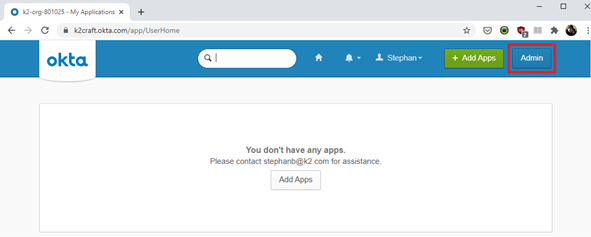
- From the Okta home page, navigate to the admin portal.
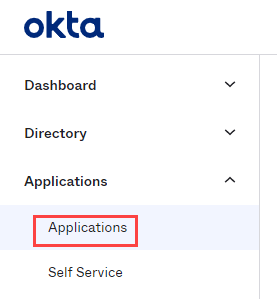
- Click Applications in the menu on the left.
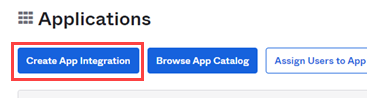
- Click Create App Integration.
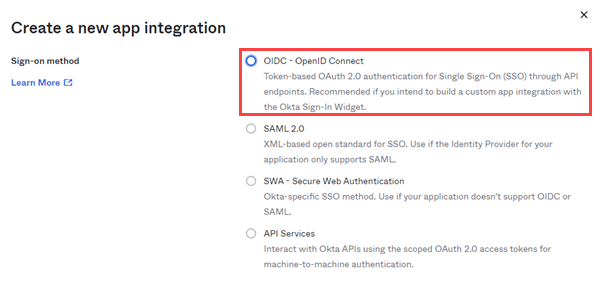
- Select OIDC – OpenID Connect.
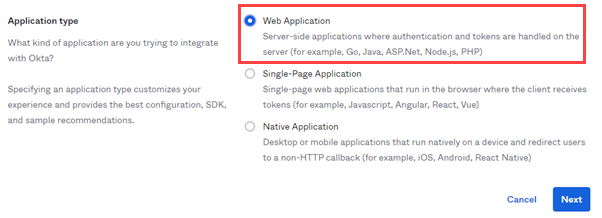
- Then select Web Application and click Next.
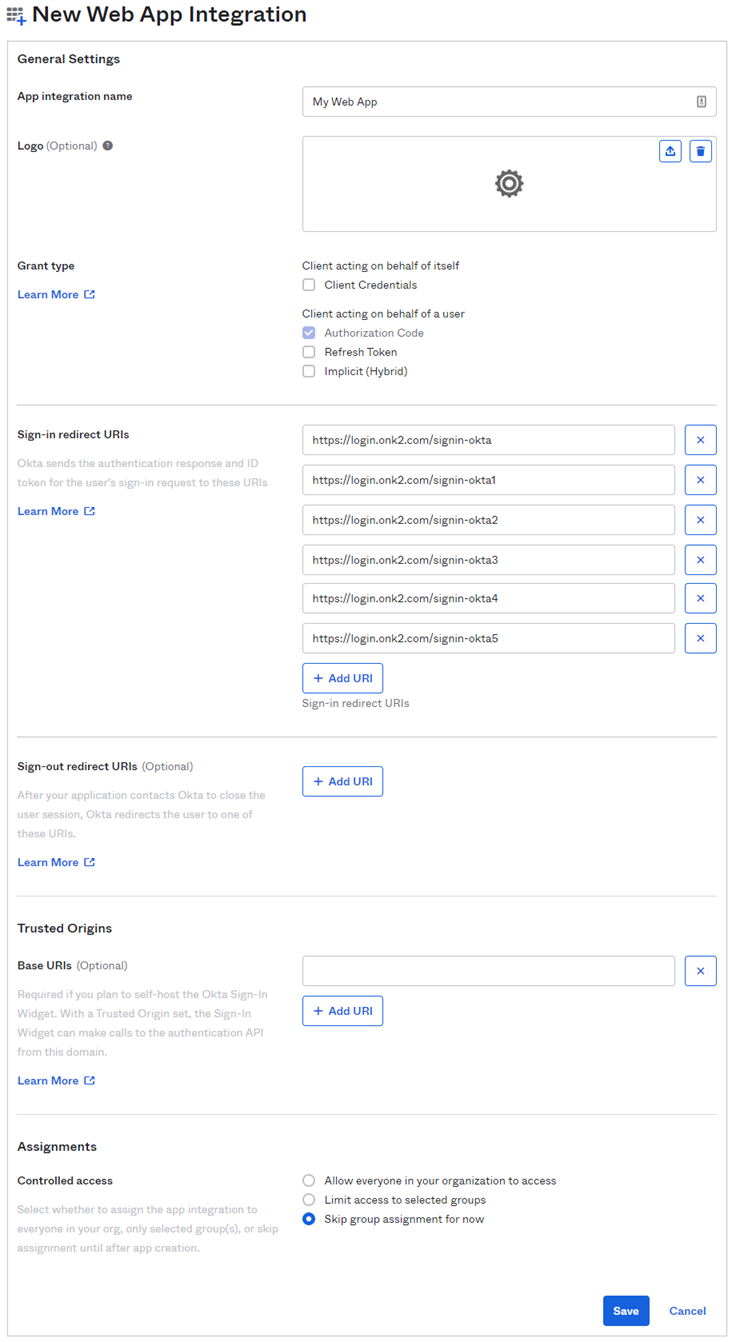
- Fill in the New Web App Integration form with the following information:
- Give your app a name in the App integration name field.
- Remove any Sign-in redirect URIs and add the following:
- https://k2domain.com/Management/account/signin-oidc
- https://k2domain.com/Runtime/account/signin-oidc
- https://k2domain.com/viewflow/account/signin-oidc
- https://k2domain.com/Workspace/account/signin-oidc
- https://k2domain.com/Designer/account/signin-oidc
- Remove any Sign-out redirect URIs and add the following:
- https://k2domain.com/Management
- Under Assignments, select the Skip group assignment for now radio button.
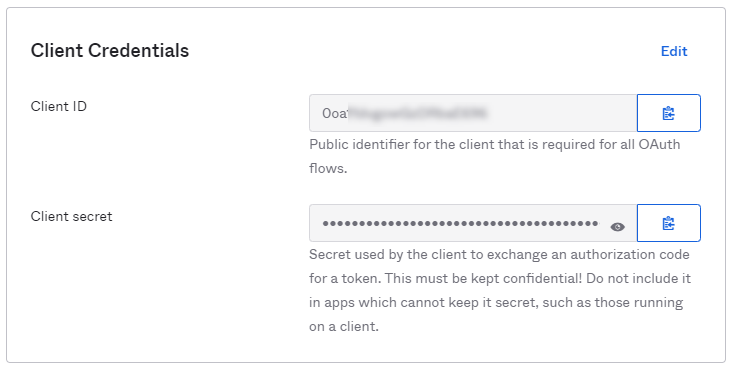
- Save the Client ID and Client secret.
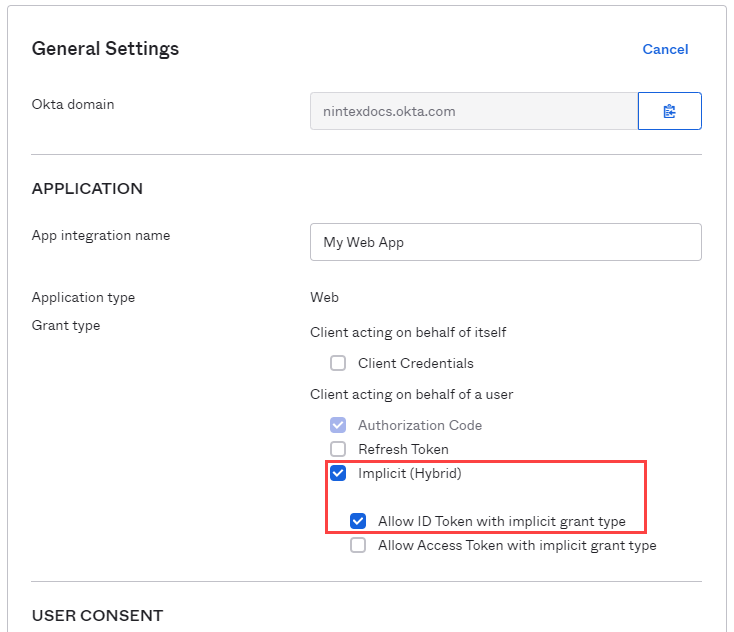
- Under General Settings, click Edit. Then select Implicit (Hybrid) under the Grant type / Client acting on behalf of a user section. Make sure the Allow ID Token with implicit grant type check box is selected. Click Save at the bottom of the form to save your changes.
- From the Okta home page, navigate to the admin portal.
- Assignments
- Navigate to the Assignments tab and use the Assign button to add assignments.
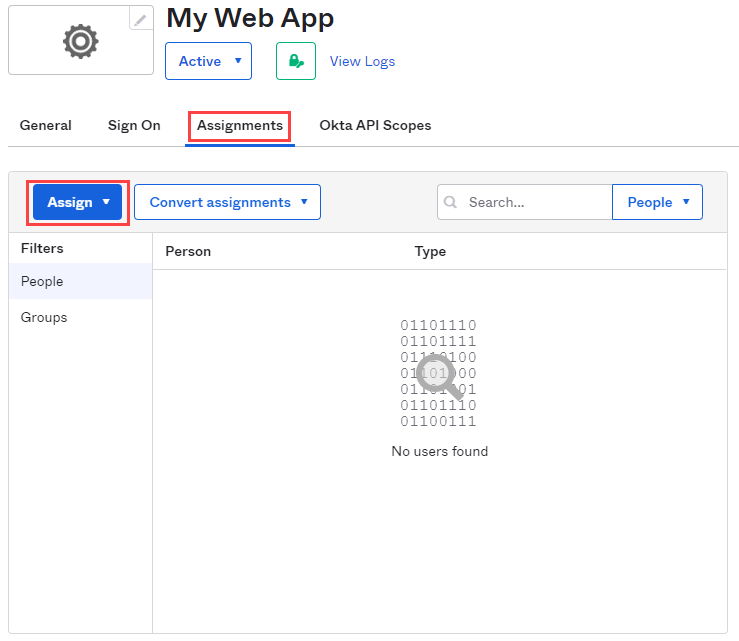
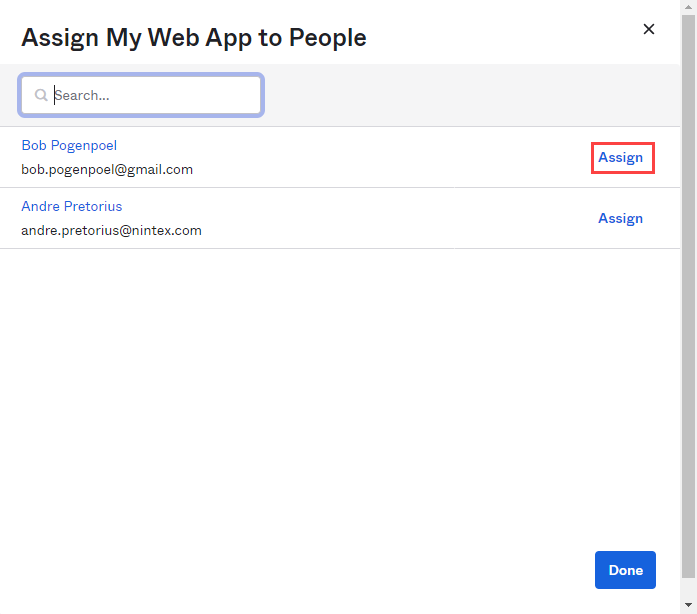
- Click Assign to People

- Click Assign next to the user you wish to add. On the next screen, click Save and go back, no modifications are needed.
- Once you have assigned all the desired users, click Done.
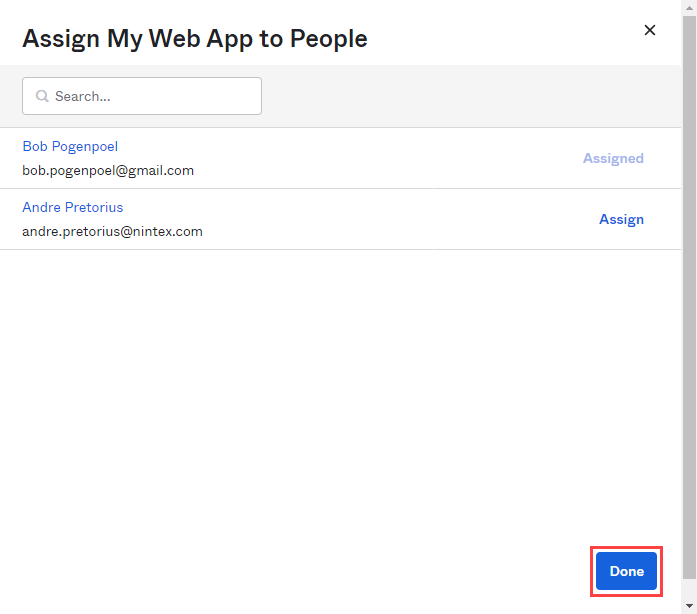 Users that are not assigned will not be able to successfully authenticate and login using the app.
- Navigate to the Assignments tab and use the Assign button to add assignments.
The Okta app creation is now complete.
Considerations
-
SharePoint OnPrem/Online login with K2 configured using OIDC not supported
-
K2 Mobile Workspace (API authentication limitations)