Configure Okta SCIM integration for Nintex Automation K2
Use this guide to configure and install the
Definitions:
- OKTA SCIM test app: the application in Okta set up to provision identities using the SCIM protocol.
Prerequisites
Ensure that you have the following before you start configuring Okta:
- An Okta account with admin privileges
- SCIM API URL
- K2 service account
Supported features
The following items are the current features supported by the Okta SCIM integration for Nintex Automation K2:
- SP-initiated SSO
- Create Users
- Update User Attributes
- Deactivate/Reactivate Users
- Group Push
Procedure
Use these steps to configure the
 Enable SCIM API integration in Okta
For this step you need the
-

-
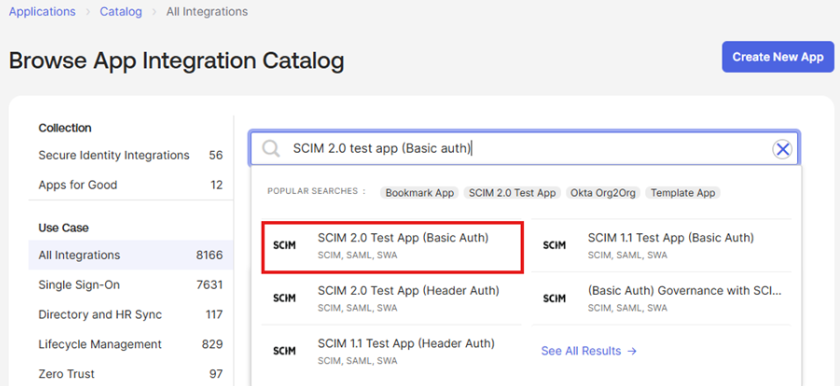
- Click Add
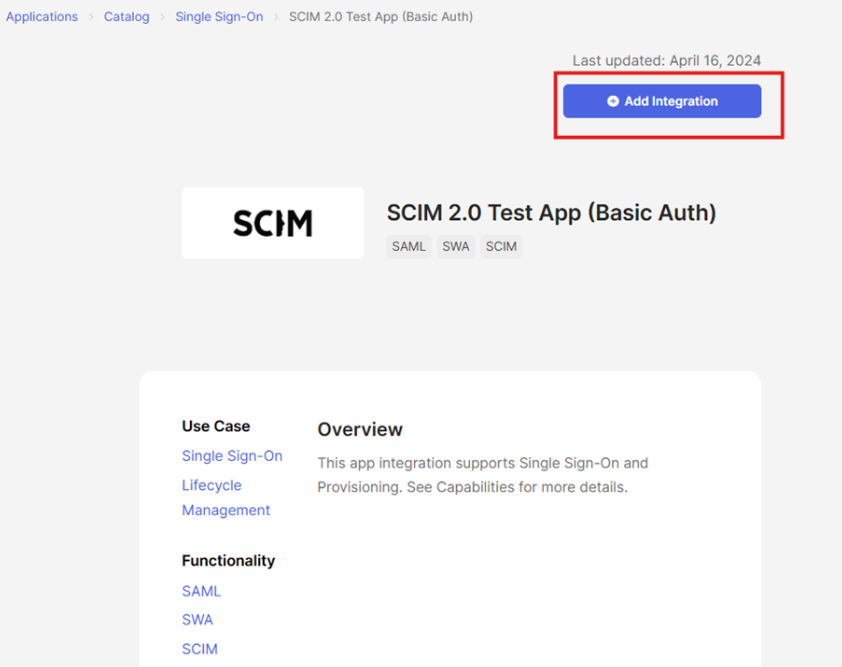
-
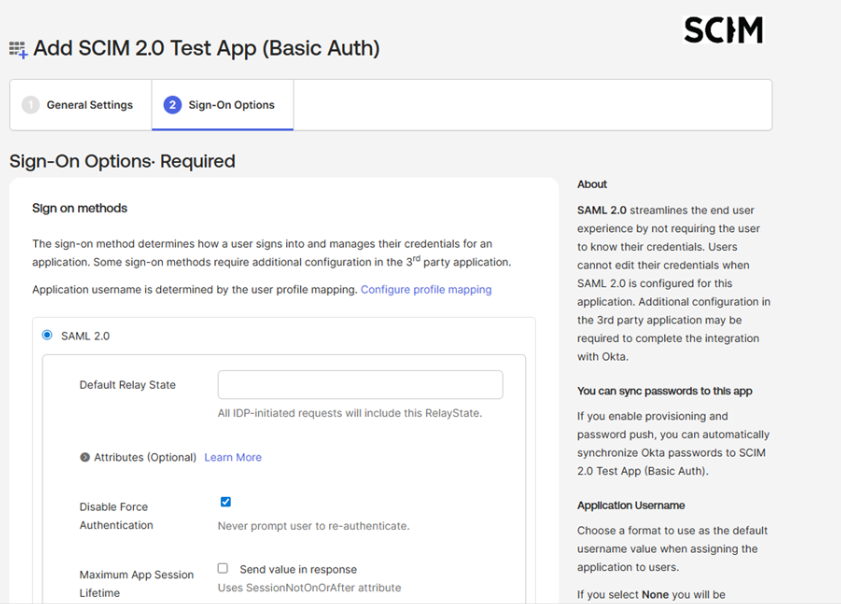
Name your app, and set Sign-On options. Leave this as SAML 2.0 and click done.
-
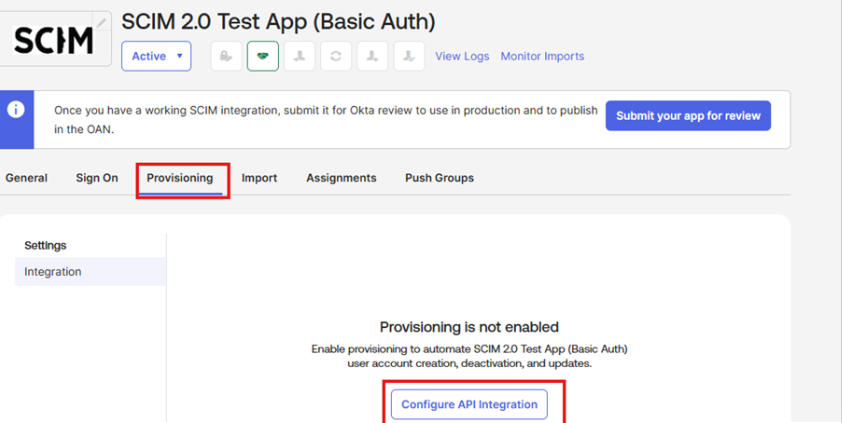
Click on the Provisioning tab and then Configure API Integration.
-
For example:Description Example
This URL is the endpoint of SCIM on your environment 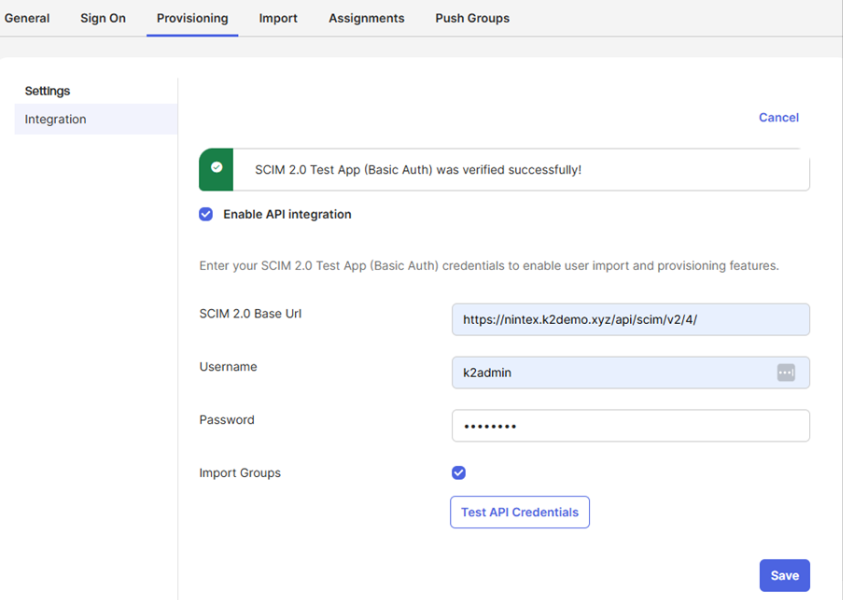
-
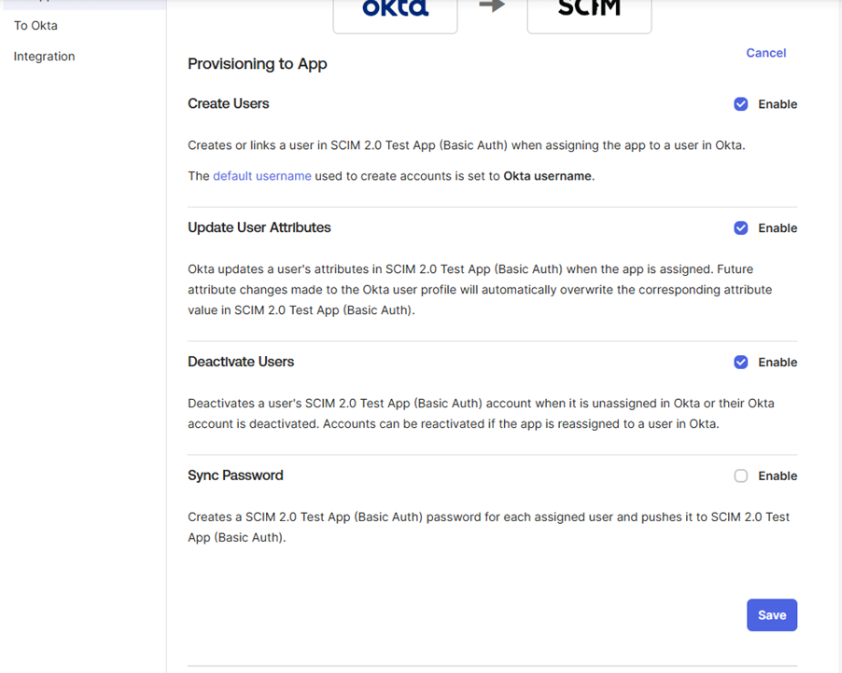
Click To App under Settings. Click Edit and select Enable for each of the options you'd like to have from the supported features listed above. For example:
- Create Users
- Update User Attributes
- Deactivate Users
- Click Save to continue.
 Configure your environment for OIDC
- Clientid – ID for you client app
- Authority – Domain for you IDP
- Client Secret - GUID generated by your client
Follow the steps below to configure OIDC for your environment
Extract OIDC preview from {K2 install location}\Setup\Features\ K2OIDC Preview.zip
Run ConfigureOIDC.exe as administrator
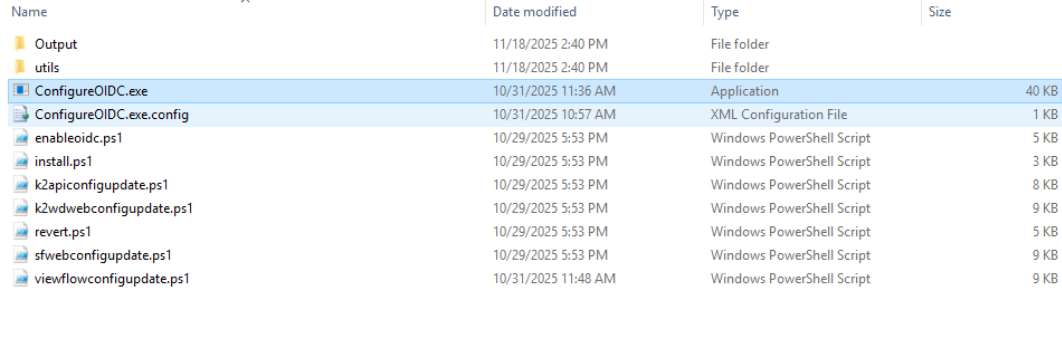
Provide the K2 database connection string and press Enter. The default option will connect to localhost SQL instance database, named K2.
CopyK2 database connection string example
Data Source=Localhost;Initial Catalog=K2;Integrated Security=True;Pooling=True;Encrypt=True;TrustServerCertificate=TrueProvide the K2 host server connection string and press Enter. We recommend using the integrated authentication to localhost, as this will work correctly if the current user has rights to execute SmartObjects.
CopyHost server connection string example
Integrated=True;IsPrimaryLogin=True;Authenticate=True;EncryptedPassword=False;Host=Localhost;Port=5555Run step 1 to install the OpenID assemblies. Once completed, you will be returned to the main menu.
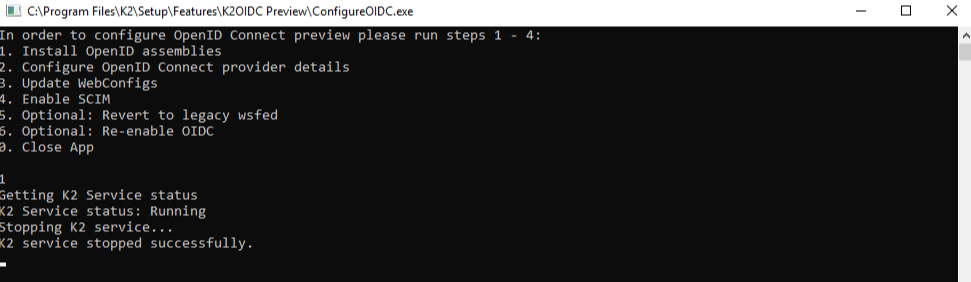
Run step 2 and provide the following values:
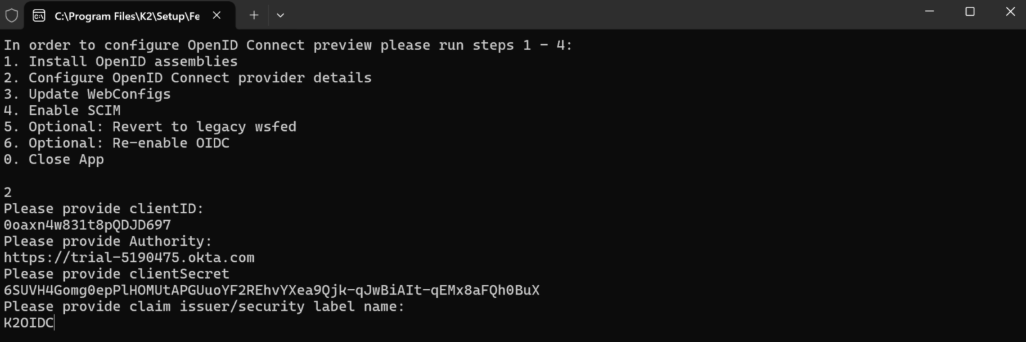
Client ID – the client Id from the OIDC application created.
Authority – the issuer base url eg https://trial-5190475.okta.com (to check locate the OIDC metadata endpoint eg https://providerurl/.well-known/openid-configuration).
ClientSecret – the client secret configured for the OIDC application.
Claim issuer/security label name: K2OIDC.
Run step 3 to reconfigure your web configurations.
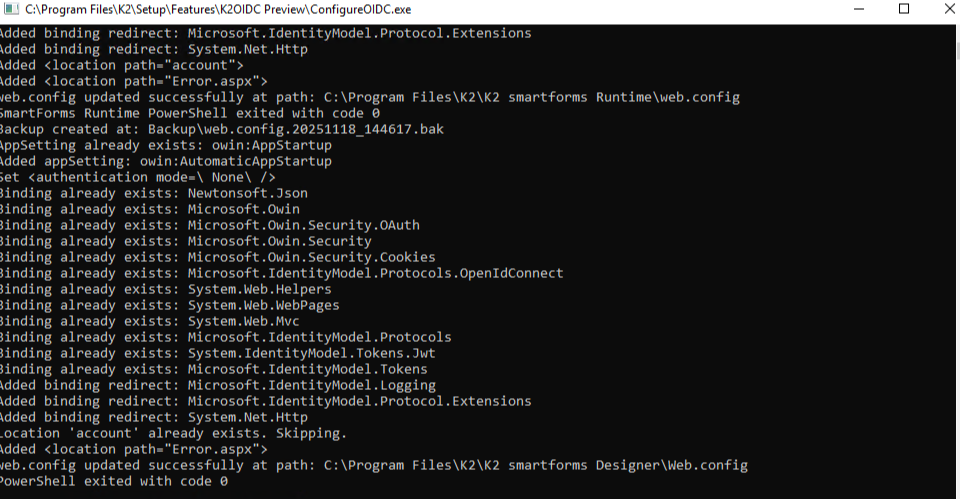
Run step 4 to enable SCIM. This option will enable Sync Engine and the K2 SCIM endpoint.
After creating the
- Click on the Assignments tab and select People from the left-hand pane. Then click Assign and choose Assign to People.
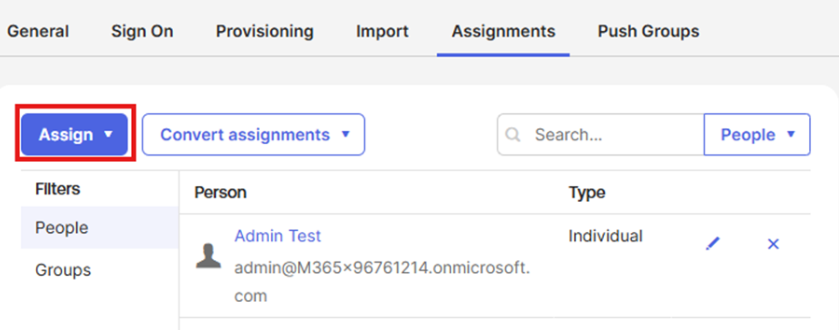
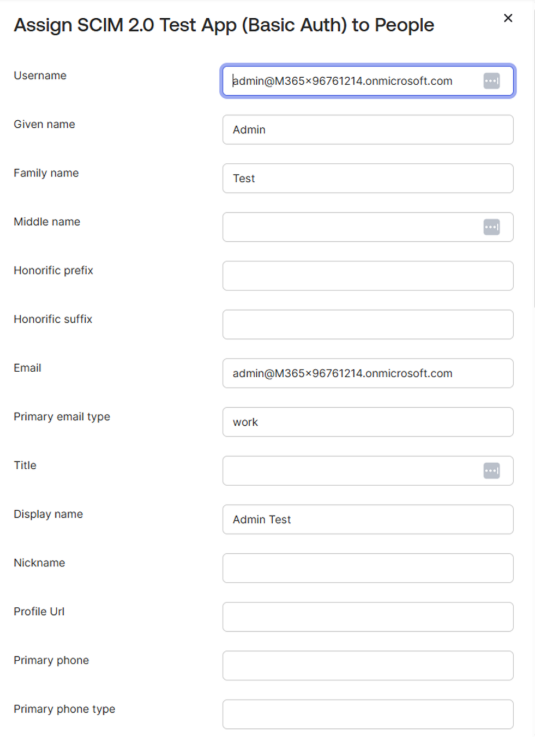
- Search for and Assign the required people. When you click Assign, a page of details for the chosen person opens, as shown in step 3 below.
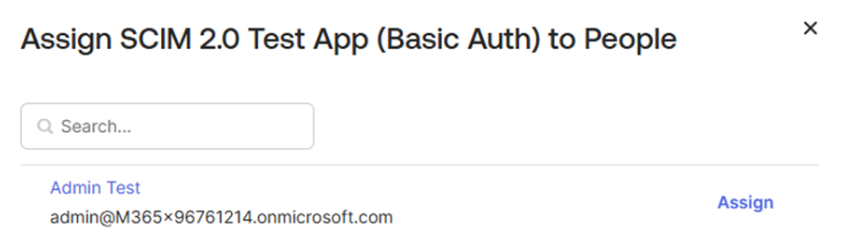
- Click Save and Go Back to assign another person, or click Done when you have assigned everyone you want to.
Considerations
-
SharePoint OnPrem/Online login with K2 configured using OIDC is not supported
-
K2 Mobile Workspace using OIDC is not supported
Run the following script , BEFORE upgrading to Nintex Automation K2 (5.9.1). This will update the webconfig file.