Configuring the SCIM 2.0 REST API
Use the SCIM 2.0 REST API to manage users and groups in custom ASP.NET pages, custom apps, and third party tools, such as Okta and KeyCloak.
Prerequisites
-
SCIM must be enabled in Management
-
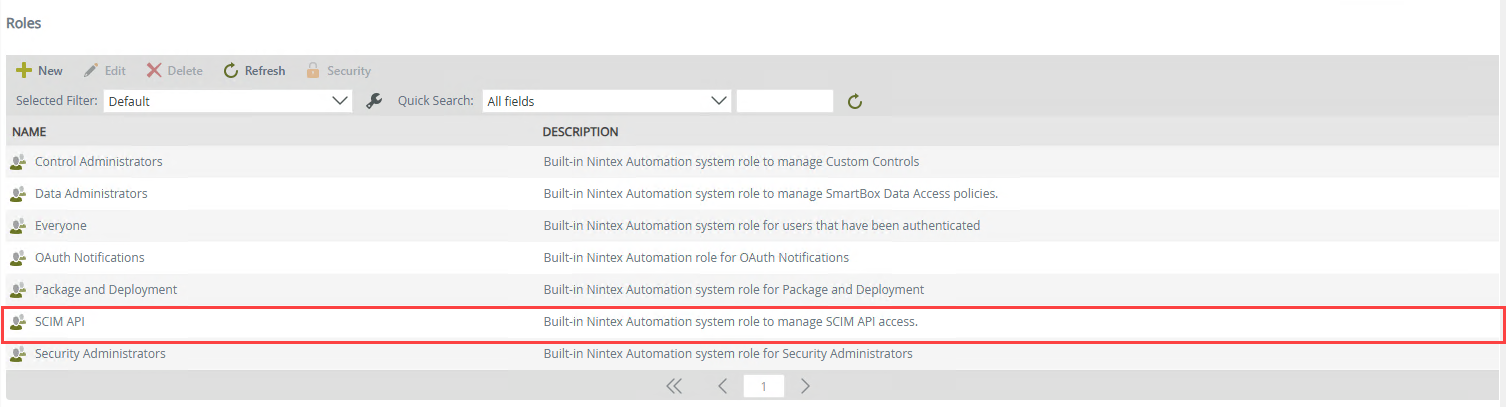
You must be part of the SCIM API role
 Enable the SCIM 2.0 REST API
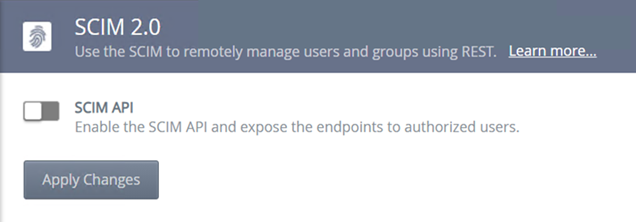
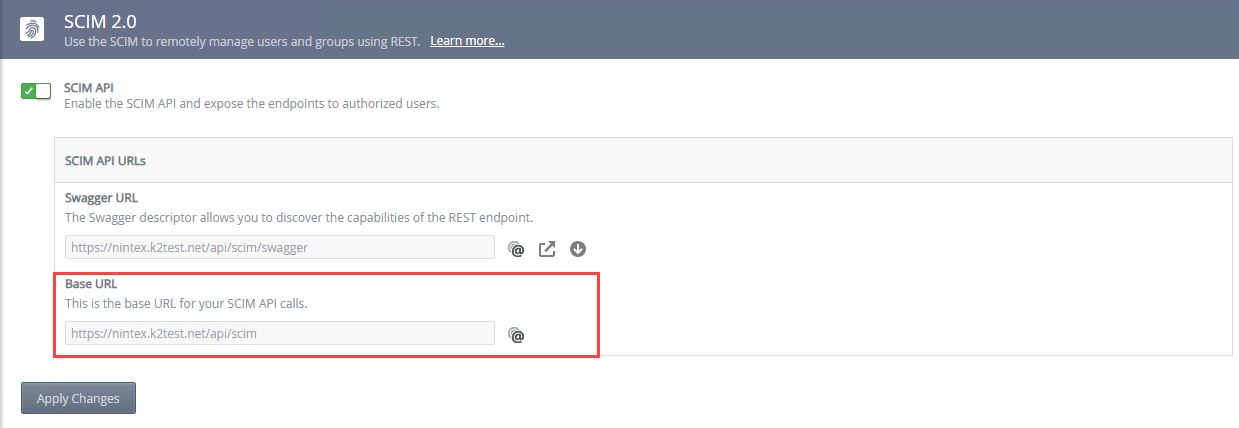
You must turn on the SCIM 2.0 API feature before using the service. Navigate to Management > Integration > APIs > SCIM, and click the SCIM API slider to activate the SCIM 2.0 REST API.
Once enabled, navigate to Management > Users > Roles to add users and\or groups to the SCIM API role that need access to the API.
Swagger URL (Service endpoints and service operations reference)
The Swagger file describes the SCIM 2.0 REST API endpoints to third party software, such as Okta. Navigate to Management > Integration > APIs > SCIM, to find the Swagger URL.
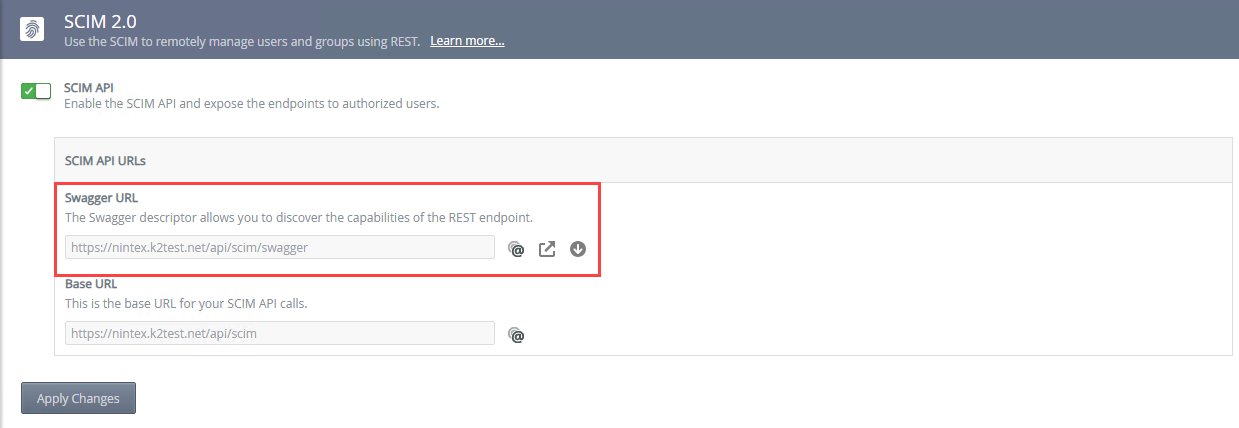
Click Copy to copy the Swagger file URL address to your clipboard.
Click Open Link to open the SCIM 2.0 REST API swagger page and access the list of users and group functions.
Click Download to open a new web page displaying the JSON swagger file. Then use File - Save As from your browser to save the descriptor file. You can now use the descriptor file in a third party application, like Okta.
Swagger page
Use the swagger page to test, use, or familiarize yourself with the endpoint functions.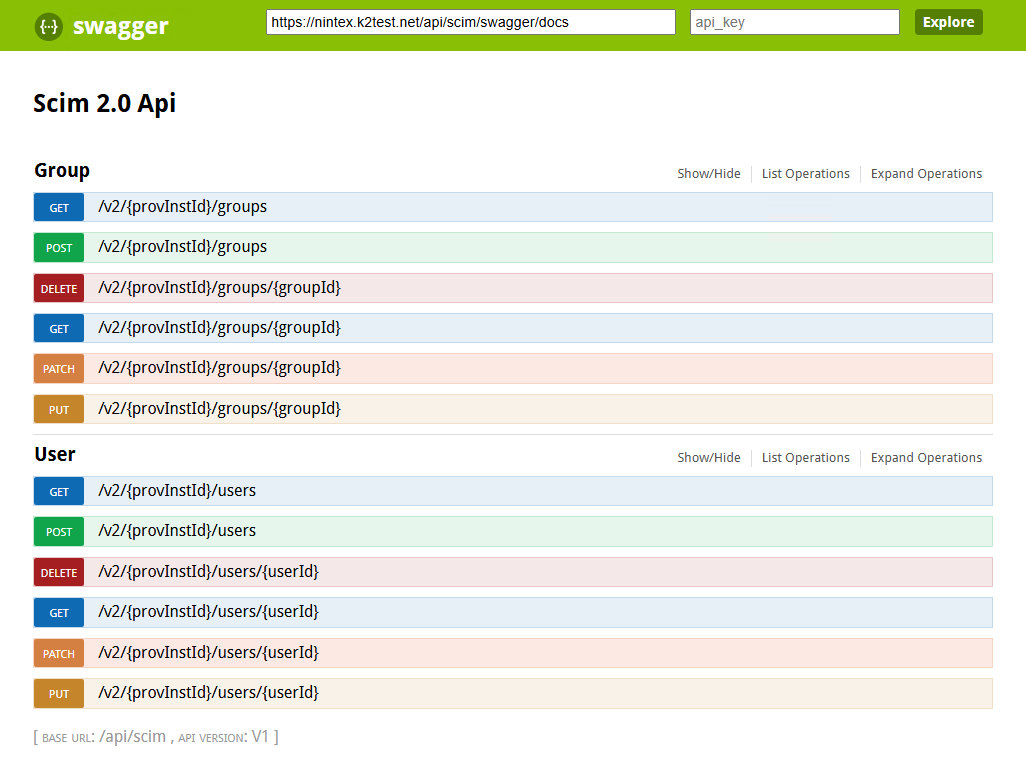
User endpoints
| Function | Endpoint | Description |
|---|---|---|
| GET | v2/{procInstId}/users | Retrieves a list of users. Supports filtering, pagination, and attribute selection. |
| GET | v2/{procInstId}/users/{id} | Retrieves a single user by their unique SCIM ID. |
| POST | v2/{procInstId}/users | Creates a new user resource. |
| PUT | v2/{procInstId}/users/{id} | Replaces the entire user resource with the provided representation. |
| PATCH | v2/{procInstId}/users/{id} | Updates specific attributes of a user using SCIM Patch operations. |
| DELETE | v2/{procInstId}/users/{id} | Deletes (deprovisions) a user resource. |
Groups endpoints
| Function | Endpoint | Description |
|---|---|---|
| GET | v2/{procInstId}/groups | Retrieves a list of groups. Supports filtering, pagination, and attribute selection. |
| GET | v2/{procInstId}/groups/{id} | Retrieves a single group by its unique group SCIM ID. |
| POST | v2/{procInstId}/groups | Creates a new group resource. |
| PUT | v2/{procInstId}/groups/{id} | Replaces the entire group resource with the provided representation. |
| PATCH | v2/{procInstId}/groups/{id} | Updates specific attributes of a group (e.g., add/remove members). |
| DELETE | v2/{procInstId}/groups/{id} | Deletes a group resource. |
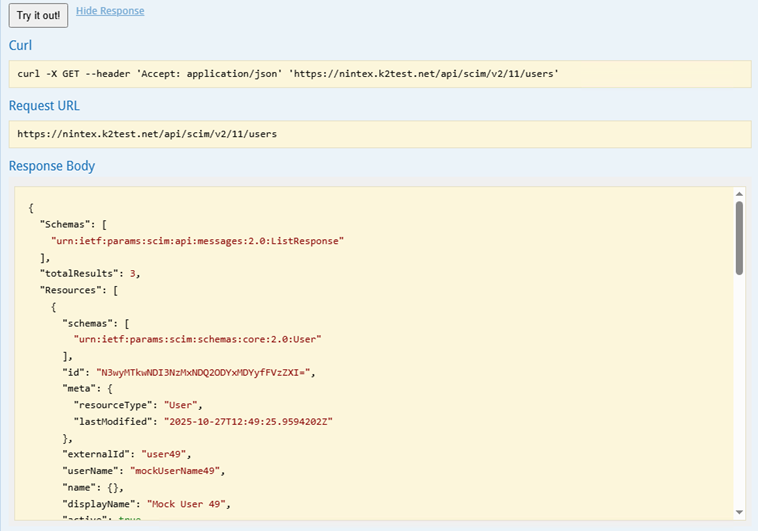
You can use the Try it out! button on the swagger page to get a JSON response from the web service. For example, the GET Users GET function will return the users
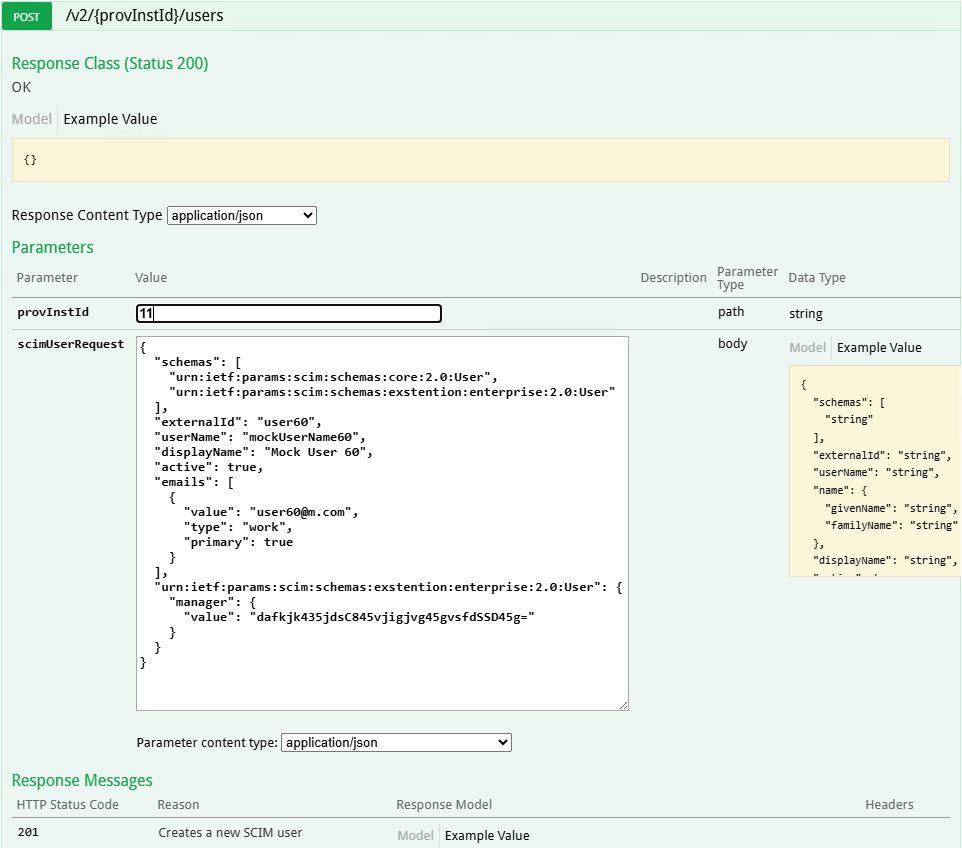
A POST swagger function
Base URL
The Base URL contains the server address followed by the API path, such as https://domain.com/api/scim. Click on the Copy "@" icon to copy the SCIM 2.0 REST API endpoint URL.
Authentication
The service uses Basic and OAuth authentication.
You must use a custom connector when using OAuth for authentication.
SCIM Rest API uses the same authentication as Workflow REST API. For more information see Authentication with the Workflow REST API.
SCIM Core Schema Attributes:
- Common attributes: userName, displayName, emails, name (givenName, familyName), groups, active, meta.
- Example User object: {"userName": "jsmith", "displayName": "John Smith", "emails": [{"value": "jsmith@example.com"}]}
PATCH Operations:
- SCIM PATCH uses operations with fields: op, path, value.
- Example: {"schemas": ["urn:ietf:params:scim:api:messages:2.0:PatchOp"], "Operations": [{"op": "replace", "path": "displayName", "value": "John S"}]}
Filtering and Query Parameters:
- Supported operators: eq, co, sw, and, or.
- Example: GET /Users?filter=userName eq "jsmith"
Error Handling:
- Standard SCIM error response format: {"status": 400, "scimType": "invalidValue", "detail": "Invalid attribute value"}
Bulk Operations:
- Allows multiple operations in one request using /Bulk endpoint.
- Example: {"Operations": [{"method": "POST", "path": "/Users", "data": {...}}]}
Compliance Notes:
- SCIM API aligns with RFC 7643 (Schema) and RFC 7644 (Protocol).
- Ensure attribute mapping and provisioning follow these standards.
Best Practices:
- Always use HTTPS for SCIM endpoints.
- Implement pagination using startIndex and count parameters.
- Validate all incoming requests for schema compliance.
Considerations
-
The default page size for list methods is 100, which can be changed by adding this appSettings in the SCIM API web.config.
Path: [Install]\WebServices\API\Scim\Web.config
<add key="MaxListResults" value="200" />
Users will only be able to authenticate with the product once their user information has synchronized between the Identity Provider and the product. The SCIM application is responsible for sending updated user information to the product as necessary, to ensure that user information is kept synchronized. -
Known Issue
Issue:
An error occurs when trying to access group details using a URL such as: 'https://scim.onk2.com/tokens/{{token}}/scim/v2/Groups?filter=DisplayName eq CL_Sell in - Purchase Supervisor' for example. This happens when:-
The URL ends with OR or AND, and containing a space
-
The URL contains "OR " or "AND " (with a space after the keyword)
Error:"...Status:400 error scimType: InvalidValue Detail: "Value cannot be null.\r\nParameter name: text..."
Workaround:Add a double quote for the group name that has the issue, for example:filter=DisplayName eq CL_Sell in - Purchase Supervisor
must be:
filter=DisplayName eq "CL_Sell in - Purchase Supervisor"
-