Delete all versions
 |
The Delete All versions option, unlike the Delete all versions except the default version option, will delete the default version along with any other process versions that are available. There is also no way to recover the deleted processes and the associated data if deleted unless there are pre prepared backups from which to restore. |
 |
The user does not need to select a process version, select Delete Process to proceed | ||
 |
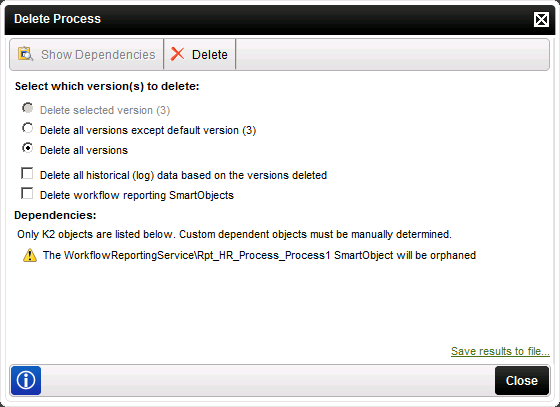
The Delete Process options dialog will appear and enable the option Delete all versions
 |
||
 |
Enable the option: Delete all historical (log) data based on the version deleted this will enable the option Delete workflow reporting SmartObjects at the same time. Note: The option to Delete workflow reporting SmartObject is only available when the option Delete all versions has been selected |
||
 |
|
||
 |
The following warning message will display: 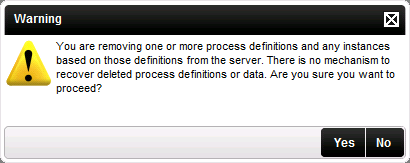
|
||
 |
Make a selection to proceed. | ||
 |
Optional Step : Click save results to file to export the dependencies to Excel (If Microsoft Office is available) or Notepad to save the items affected and dependencies |

