Disassociating a Process from the SharePoint Document Library
If a K2 process has been associated with a SharePoint Library incorrectly, or the process needs to be changed for a newer version or an alternate process, it must be removed from the SharePoint Library. To disassociate a process from a SharePoint Document Library perform the following steps:
- Go to the Document Library you would like to delete the process.
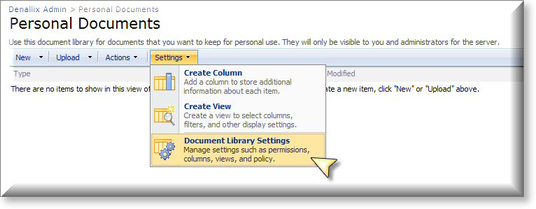
- Navigate to Settings > Document Library Settings
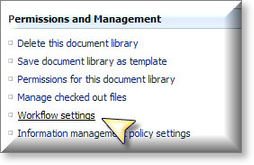
- Select Workflow Settings
- Select Remove a Workflow
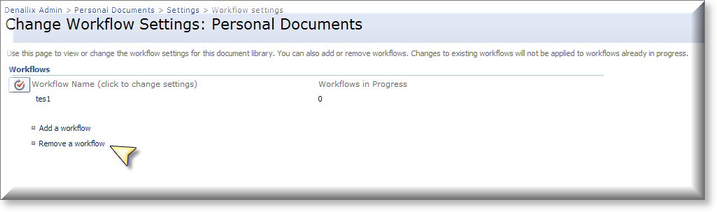
- Select the Remove radio button next to the process you would like to remove.
- Click OK
