Associate a SharePoint Document Library with a Process
To associate a SharePoint Document Library with a Process perform the following steps:
- Go to the Document Library you would like to add the process to.
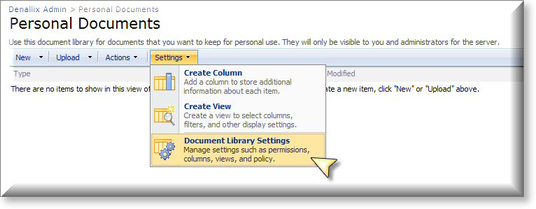
- Navigate to Settings > Document Library Settings
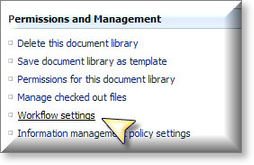
- Select Workflow Settings
- Select Add or Change a Workflow
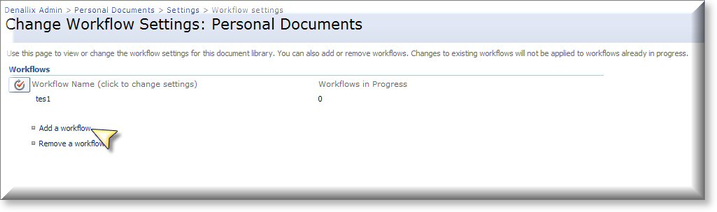

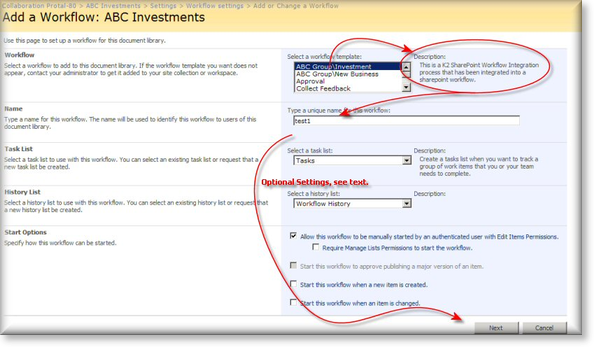
If a workflow was not previously added then you may not see the Workflow Settings screen above, instead the Add a Workflow screen will be displayed. - Select a K2 Workflow Template.
- Type in a Unique name for the workflow.
- Select a Task list if no task list currently exists, a task list will be created (Tasks(new) is the default).
- Select the Start Options.
- Click the Next button.
- The name of the workflow is pre-populated from the previous screen. Comments can be added if required.
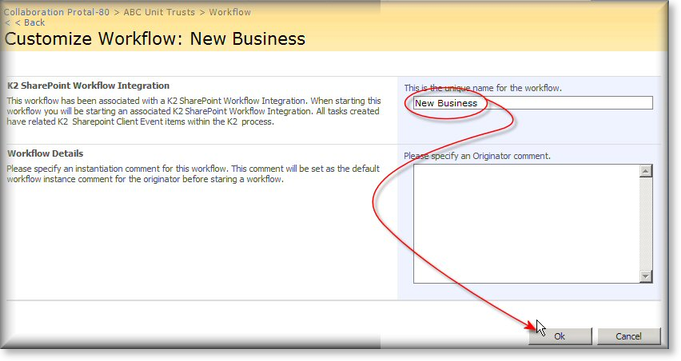
- Click OK
 |
Multiple K2 processes can be associated with a SharePoint List or Library, however, when the start process event is triggered such as adding a new document then all the associated K2 processes will be started. |
See Also
