Document Events
The Document Events allow you to manage documents and folders in your workflow.
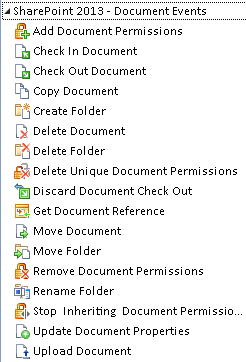
| Wizard Name | Function |
|---|---|
| Add Document Permissions | Adds unique user and group permissions for a document |
| Check In Document | Checks in a document, saving changes to SharePoint |
| Check Out Document | Checks out a document so that it can be modified |
| Copy Document | Makes a copy of an existing document |
| Create Folder (Documents) | Creates a new folder |
| Delete Document | Deletes a document from SharePoint |
| Delete Folder (Documents) | Deletes a folder and its contents |
| Delete Unique Document Permissions | Deletes unique user and group permissions set for a document |
| Discard Document Check Out | Discards the checked out document, making it available to be checked out by another user
|
| Get Document Reference | Gets a document reference for later use in the workflow |
| Move Document | Moves a document to a different library |
| Move Folder (Documents) | Moves a folder and its contents |
| Remove Document Permissions | Removes user and group permissions from the default inherited set of permissions for a document |
| Rename Folder (Documents) | Renames a folder |
| Stop Inheriting Document Permissions | Stops inheriting the default permission set from a document library for a document so that you can apply unique permissions |
| Update Document Properties | Updates a document's properties |
| Upload Document | Uploads a document to a SharePoint document library |
To launch a wizard, drag it from the toolbox onto the design canvas.