Manage Existing SQL SmartObject Connections
The existing SQL SmartObject connections can be managed ie edited by selecting one of the options shown in the drop down below.
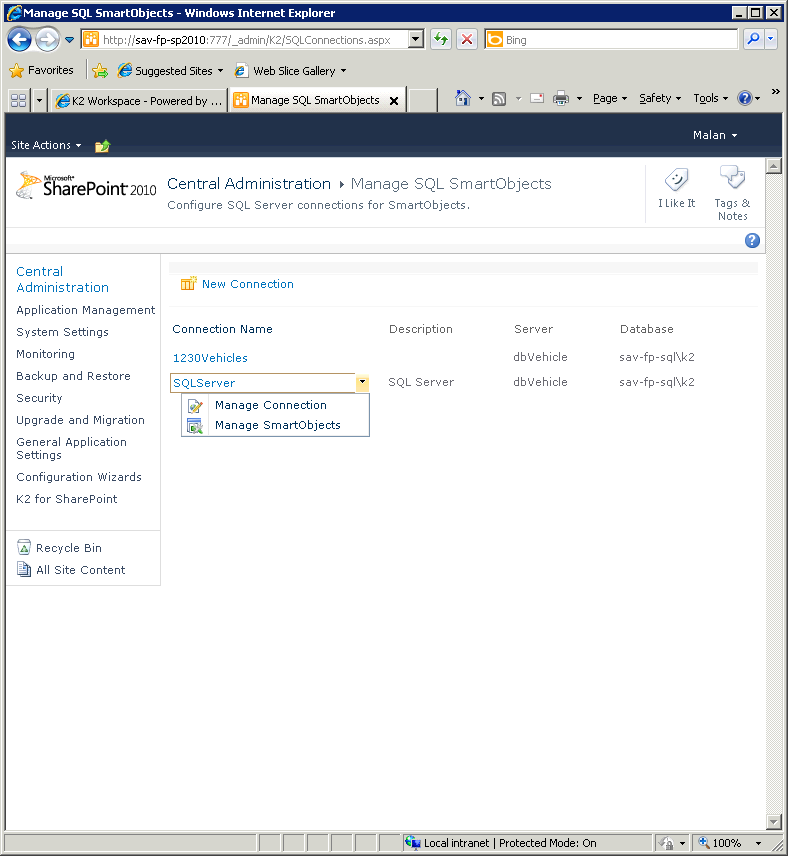 figure 1 - Manage Existing SQL SmartObject Connections
Alterations to SQL Databases
 |
The following content must be implemented if any changes are made to the SQL Database Tables. |
When changes are made to the SQL Server Database that has been used or consumed to create a SQL SmartObject, the Administrator must implement the following to ensure that the changes are reflected.
- The SmartObject Service instance must first be refreshed
- The SQL SmartObject Connection must be recreated
 |
The procedure above must be followed in order owing to the fact that the SmartObject is created based on the data provided by the Service Instance and not directly from the SQL Database. |
See Also
