 |
The feature to change the K2 SQL SmartObject does not return the items that already exist within the K2 SQL SmartObject. |
How to Edit an Existing K2 SQL SmartObject
The K2 SQL SmartObject can be edited from the SharePoint Central Administration page by locating the SmartObejct to change and the selecting the option to change the SmartObject.
What to Do ?
|
These steps must be repeated for every SmartObject that will be created. |
 |
From Central Administration > SQL Connections for SmartObjects, locate the SQL SmartObject to update 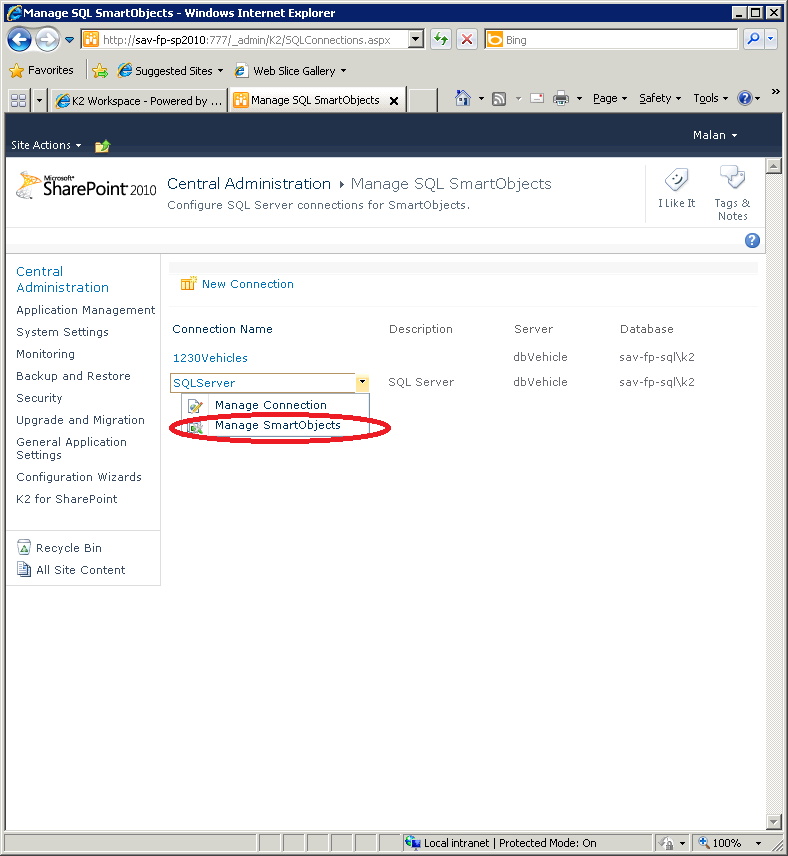 |
 |
Click on the drop down and select the option to Edit SmartObjects |
 |
When the Edit SmartObject page loads, select the options required and then select Create. |
