K2 for SharePoint Prerequisite Check
The prerequisite check will verify that the current installation meets the configuration requirements. Items that are not correct will have a red X in the status column and this will prevent the process from proceeding. The Next button will also remain disabled (grayed out) until such time as the status of the prerequisites has changed. When a change has been made, click the Refresh button to refresh the page. The prerequisites check that the required services are available and running.
 |
Distributed Installation: When installing a distributed installation and deploying solutions to WFEs, ensure that the services listed below are running on the remote machines. This check must be done manually for the WFEs. |
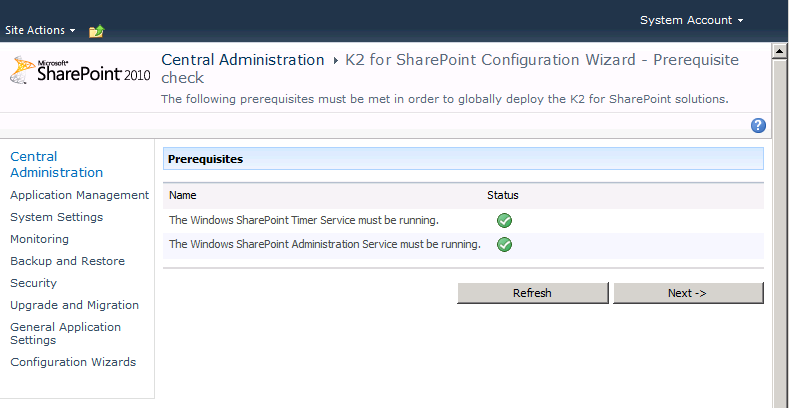
| K2 for SharePoint Configuration - Prerequisites check | |
|---|---|
|
Prerequisites |
There are two services which must be available for the installation to continue. If either of the two services listed above are not running rectify this problem and then the process can proceed. |
What to do?
 |
Refresh the page if required and this would only be required if a prerequisite has not been met |
 |
Click Next |
