Example: Creating a custom workflow step for Google Drive
This example demonstrates creating and using a custom step in a workflow. In this example you create a custom step for the Create service object method of the Folder service object of a Google Drive feature instance. The Create Folder step creates a folder in the Google Drive Service Instance created when using the Google Drive feature activation.
Steps
- If you haven't already done so, activate an instance of the Google Drive feature. See the topic in the K2 User Guide for more information. This will generate the Service Objects and SmartObjects that you need to use.
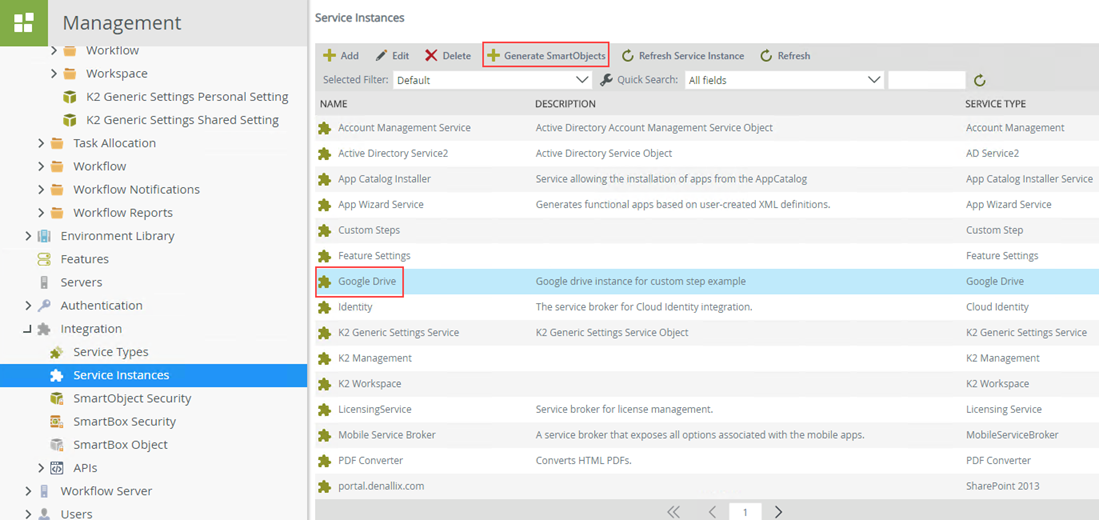
Once generated, you will find the SmartObjects in the Category Tree looking similar to this: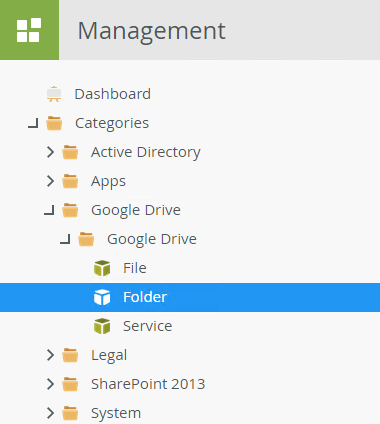
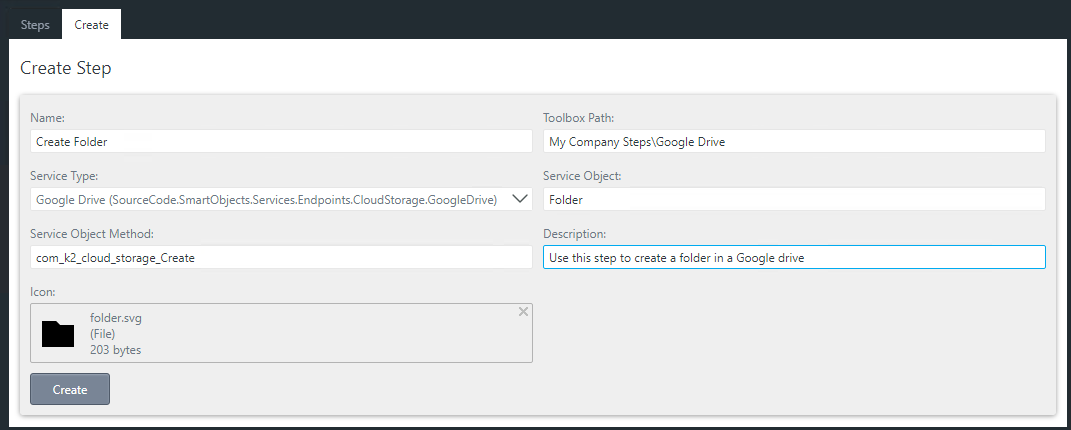
- Open the custom step management form and create the new step as described in the Creating custom workflow steps topic. The form should look similar to this:
- The custom step is now available in the toolbox of the K2 Workflow Designer in the path you specified. In this example, the path is My Company Steps\Google Drive and the step name is Create Folder.
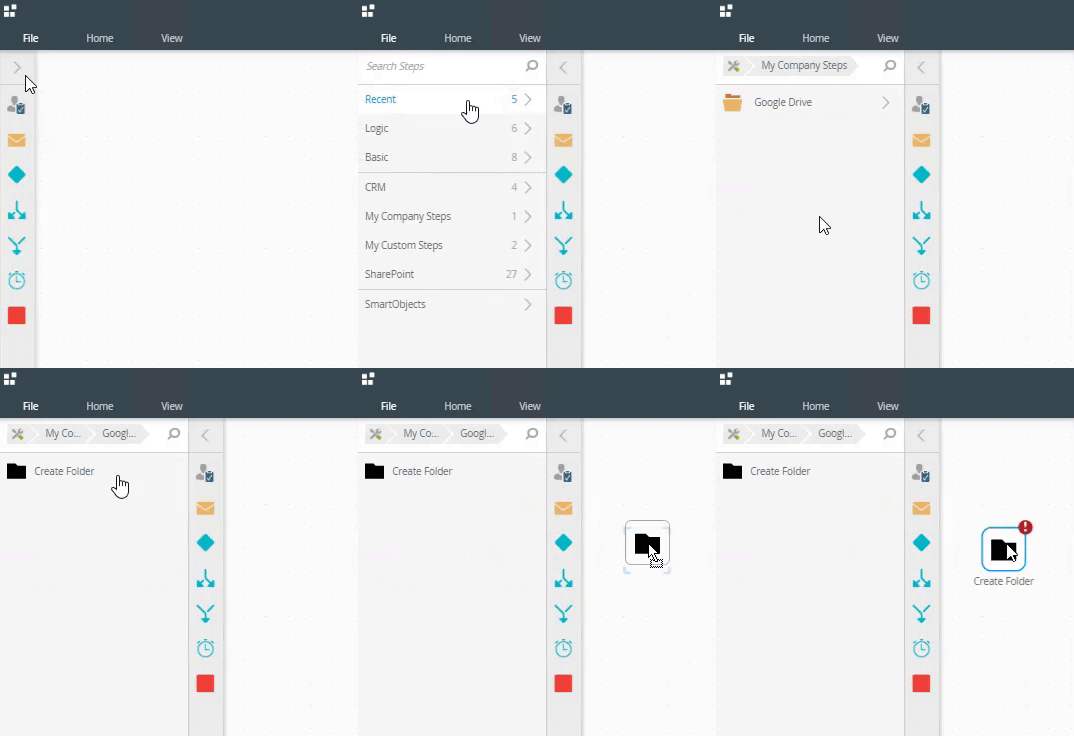
- Drag your custom step onto the canvas and expand the Configuration Panel. You can also double click the step to expand the panel.
- Select the Google drive instance where you want to create a folder from the Connection drop-down list.
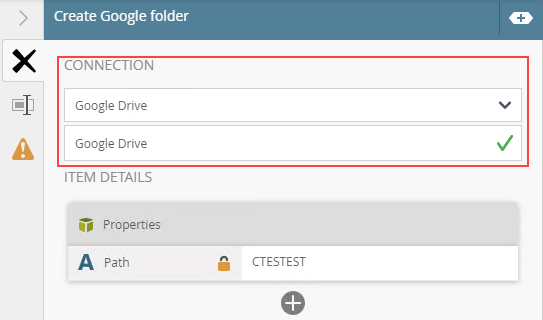
- You should see the required properties for the SmartObject appear in the Properties section for mapping. Use the plus button add and map non-required properties.
- Specify the folder name you want to create.
- Finish designing the workflow, then deploy it.
- Start the workflow. You will see the newly created folder in the Google drive account you set up for the Google feature instance.
Considerations
You will not be able to configure your custom step in a workflow if:
- The specified Service Type, Service Object, and/or Service Method do not exist.
- The specified Service Type does not have at least one Service Instance (connection).
- The selected connection (Service Instance) does not have SmartObjects that point to the specified Service Object.
- The specified Service Method is not linked to a SmartObject method of a SmartObject, pointing to the specified Service Object, that belongs to the selected connection (Service Instance).