PDDR Recorded Metadata
When the PDDR (Nintex Process Discovery Discovery Recorder) records user actions, it captures multiple types of metadata that are sent to MongoDB and the server for process analysis. System Administrators can export this data to a CSV file or build it to a BI dashboard.
By using a dashboard, business analysts can see the efficiency of applications and users.
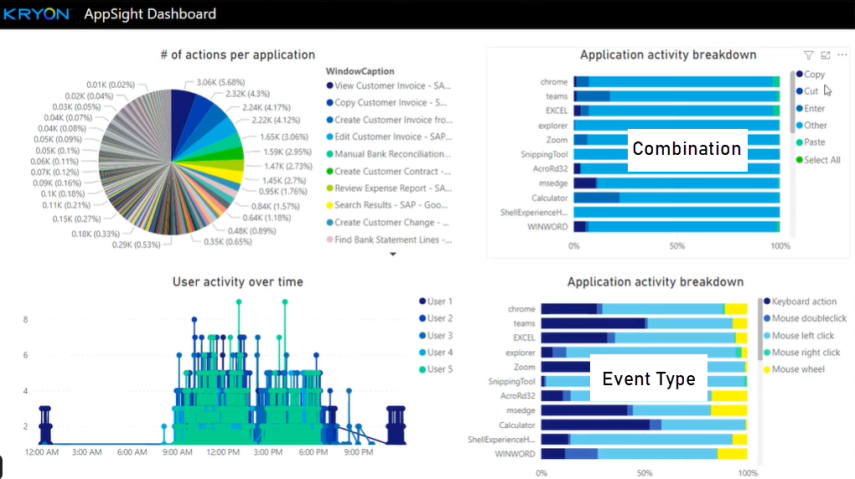
Each team in Nintex Process Discovery has its own collection in MongoDB with a unique team ID.
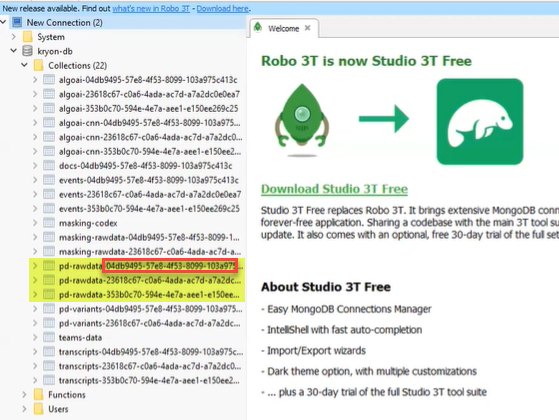
The Team ID can be referenced in the Nintex Process Discovery Console.
To access the Team information:
-
Go to Settings on the left navigation menu in the Nintex Process Discovery Console.
-
Click on the Cog icon on the right side of the page.
-
Select Teams.
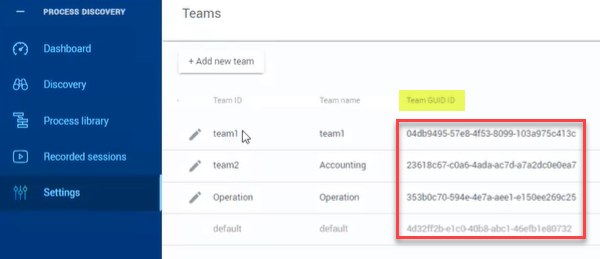
Within each team collection are all the captured user actions and timestamps.
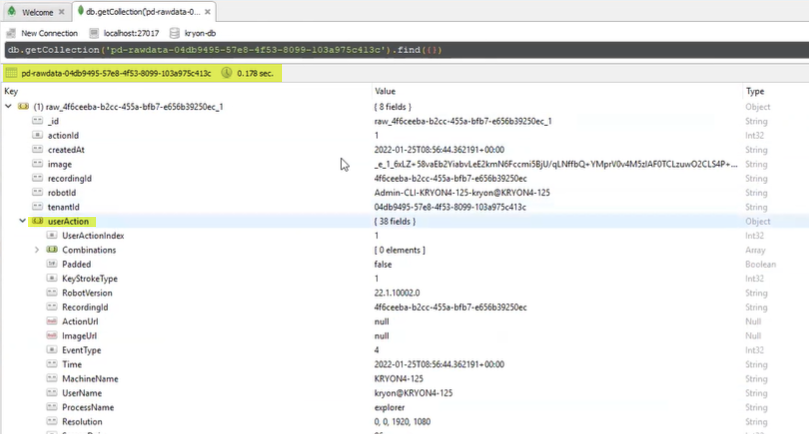
Some of this data is only available when transferred to BI dashboards, other data is shown within the Console:
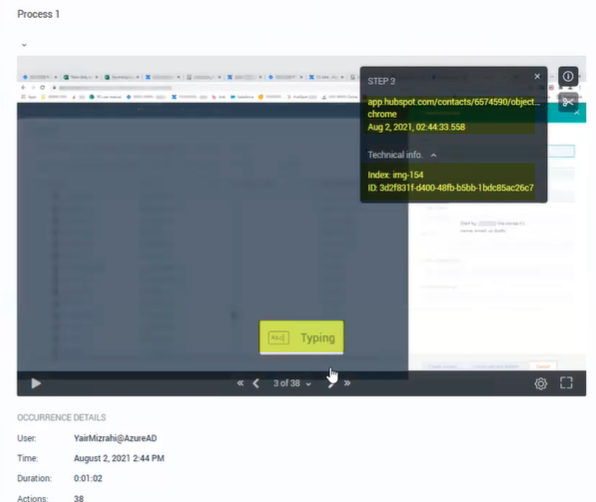
Here are some examples of how user actions are represented:
| Cursor Type | Enumeration |
|---|---|
| AppStarting | 3 |
| Arrow | 2 |
| ArrowCD | 27 |
| Cross | 4 |
| Hand | 14 |
| Help | 5 |
| IBeam | 6 |
| No | 1 |
| None | 0 |
| Pen | 15 |
| ScrollAll | 18 |
| ScrollE | 22 |
| ScrollN | 19 |
| ScrollNE | 24 |
| ScrollNS | 16 |
| ScrollNW | 23 |
| ScrollS | 20 |
| ScrollSE | 26 |
| ScrollSW | 25 |
| ScrollW | 21 |
| ScrollWE | 17 |
| SizeAll | 7 |
| SizeNESW | 8 |
| SizeNS | 9 |
| SizeNWSE | 10 |
| SizeWE | 11 |
| UpArrow | 12 |
| Wait | 13 |
| Event Type | Enumeration |
|---|---|
| MOUSE_MOVE | 0 |
| MOUSE_UP | 1 |
| MOUSE_DOWN | 2 |
| MOUSE_CLICK | 3 |
| MOUSE_DOUBLE_CLICK | 4 |
| KEYBOARD_DOWN | 5 |
| KEYBOARD_PRESS | 6 |
| KEYBOARD_UP | 7 |
| WINDOW_CAPTURE | 8 |
| WINDOW_OPEN | 9 |
| WINDOW_CLOSE | 10 |
| WINDOW_SNAPSHOT_BEFORE | 11 |
| WINDOW_SNAPSHOT_AFTER | 12 |
| MOUSE_WHEEL | 13 |
| MOUSE_LEFT_CLICK | 14 |
| MOUSE_RIGHT_CLICK | 15 |
| Key Stroke Type | Enumeration |
|---|---|
| None | 0 |
| SingleKey | 1 |
| AltStateKey | 2 |
| KeyCombo | 3 |
| KeyRepeat | 4 |
| AsciiGroup | 5 |
| WinTabGroup | 6 |
| ObjectTabGroup | 7 |
| MoveGroup | 8 |
| EmuAct | 9 |