Installation Troubleshooting
Issue: Error when registering the K2 connect 5.3 User Guide service instance
After installing K2 connect 5.2 and configuring the destination, you have to register the K2 connect service instance from the K2 connect Administration tool. When you do this for the first time, the following error may occur:
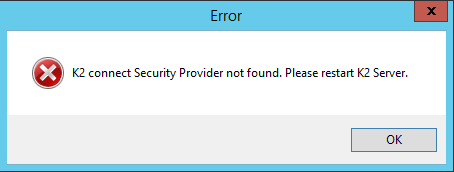
K2 connect Security Provider not found. Please restart K2 Server
Resolution
Simply restart the K2 server
Issue: Missing Environment field for Visual Studio > Object Browser
When you attempt to Publish a ServiceObject you may get the following error:
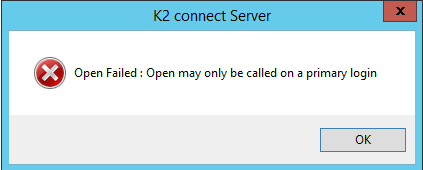
Open Failed: Open may only be called on primary login
Resolution
You need to add an Environment Field in Visual Studio > K2 Object Browser. Follow these steps:
- Open the K2 Object Browser and click on the Environment tab.
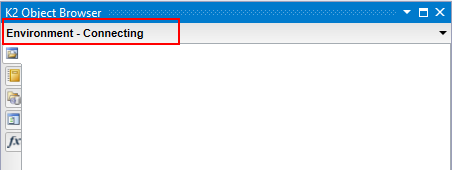
- Note there are no environments available and it seems to try and connect.
- Find the Category environment field in K2 Management and copy the Field Value.
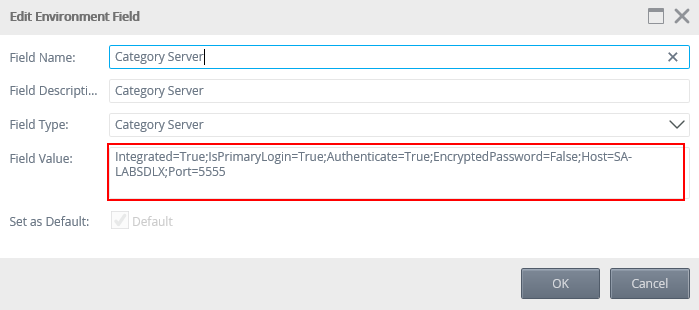
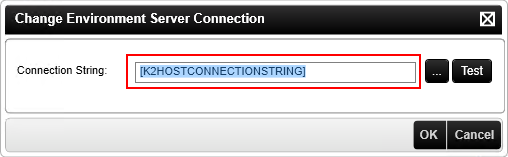
- In Visual Studio, click the drop-down next to environment and select Change Server.
- Paste the Field Value you just copied into the connection string value and click OK.
You will now be able to publish ServiceObjects