Assigning Variables
If the properties of packaged artifacts will be different in a target environment (for example, service instance credentials), create variables for those properties. If the environment information is not known at the time of creating the package, use the conflict resolution dialogue during deployment (for more information, see Conflict Resolution.)
Assigning Deployment Package Variables
- Right-click on the relevant field. Select the Assign variable option.
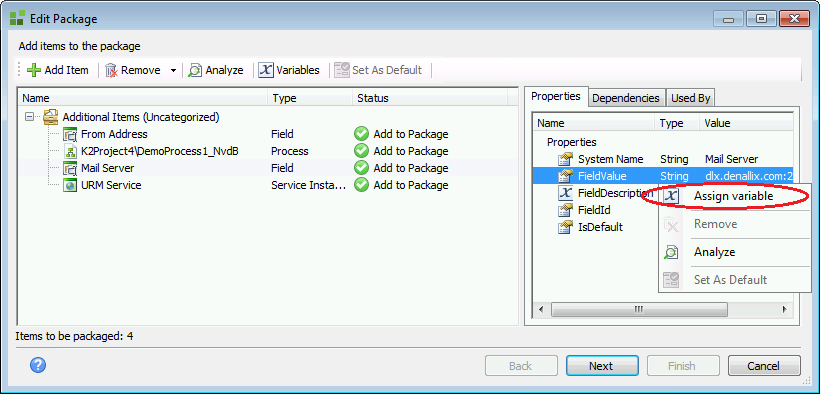
If the Assign variable option does not appear, the field to which you are attempting to assign a variable is not a property to which a variable can be assigned.
- The Variables window will open. Click the Add button.
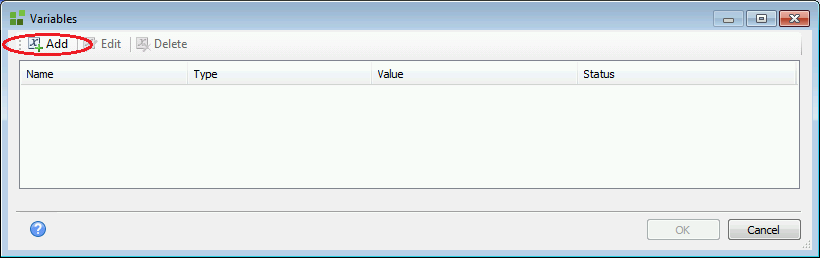
- If you have already created a variable for this field during this session, it will be listed here. You may choose to select it from the list instead of adding a new one.
- In the Edit Variable window, specify a Name, Description, and new Value for the variable.
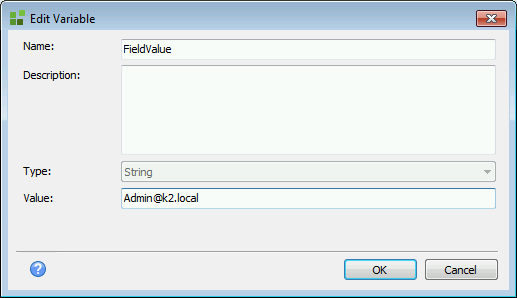
- Click OK to assign this variable to the selected field.
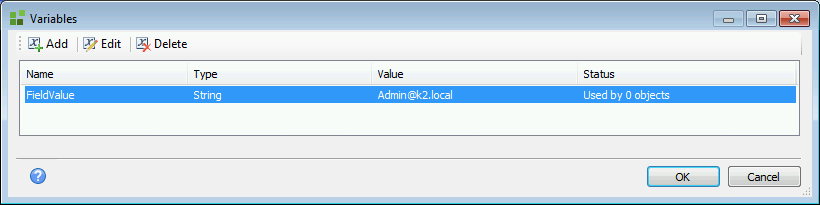
- Once a variable has been assigned, the Status column will show how many deployable fields have been assigned a new value from that variable.