Adapt an API payload
Sometimes an API sends or receives data in a way that Nintex Workflow can't directly use, like XML, or sends the data you want buried in a lengthy string payload.
When the API sends or requires data you can't immediately use in your work flow, you can:
- Use workflow actions such as Regular expression A seqence of symbols used to identify a particular pattern or piece of text within a larger body of text. Often used to validate input, such as valid URLs or email addresses.to extract the data you need
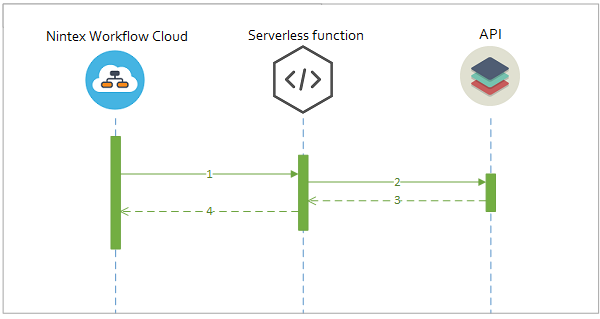
- Use a serverless function A cloud provider service that allows you to run code without provisioning and managing a web server to host it. Examples include Amazon Web Services and Microsoft Azure. to pre-process a request or response to a compatible format.
 What are serverless functions?
Serverless functions, also known as Function-as-a-Service (FaaS) or Platform-as-a-Service (PaaS), allow you to deploy applications or code in the cloud without having to provide the server or machine resources. The code runs on the cloud provider's servers, who manage the resource requirements and charge only for the resources consumed by the code, rather than a pre-purchased capacity.
Serverless function providers typically support:
- Node.js
- Python
- C#
Some services may also support other languages, such as Java and Swift.
Serverless function providers
There are several major providers of serverless architecture:
- Microsoft Azure. See https://azure.microsoft.com/en-au/.
- AWS Lambda. See https://aws.amazon.com/lambda/.
- Google Cloud Functions. See https://cloud.google.com/functions/.
- OpenWhisk by IBM. See https://www.ibm.com/cloud-computing/bluemix/openwhisk.
You can also create and host your own web service on the hosting provider of your choice.
Examples

|
Assess the opportunity cost of business proposals with WolframAlpha to automate their initial approval process, using a regular expression to extract the response. |

|
Create a serverless function to convert the XML format returned from an API A programming interface that defines how a software platform can receive and respond to requests from other software platforms. into JSON JavaScript Object Notation: a data format based on JavaScript that is commonly used for API request parameters and responses. that Nintex Workflow can use, and use it to send a motivational "word of the day" message to your Slack channel. |

|
Create a serverless function to pre-process parameters A piece of information passed to a third-party API during a request. into a format that the API will accept, so you can send emails from an external email server from within Nintex Workflow. |