Nintex Process Discovery Release Notes v. 22.3
The most requested feature is here - Advanced Snipping capabilities.
Nintex Process Discovery 22.3 brings new features and many improvements to our stability and performance.
The new snipping features will help you get the most out of Process Discovery, thereby providing you with a competitive edge in your automation journey.
New Features and Enhancements
 Advanced Snipping
You can now interact with the process algorithm to tailor it to your needs.
-
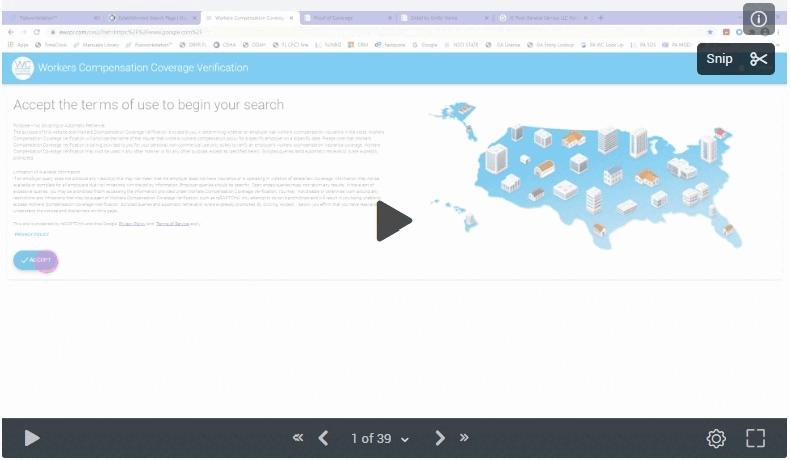
When you alter the start and end points of a process, you can check for any repetitions of that process in the discovered processes.
-
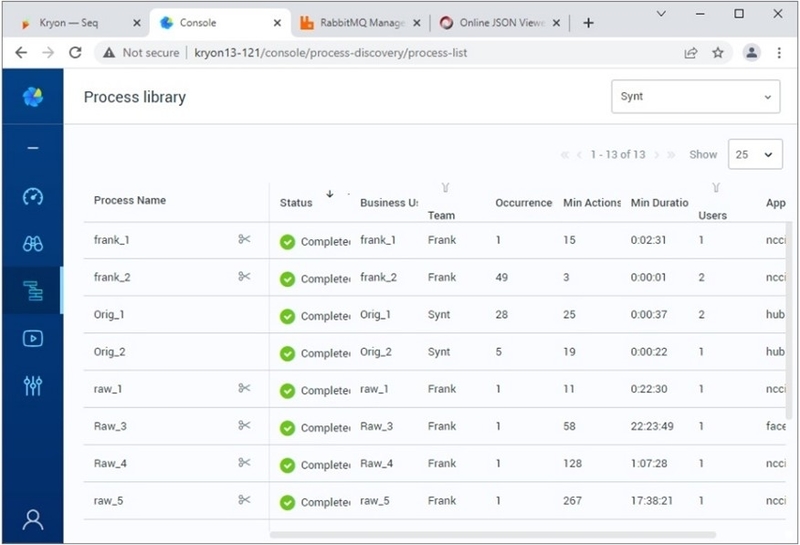
For easier navigation and orientation, you can now identify which of your saved processes have been snipped and which have been saved as-is to the library.
-
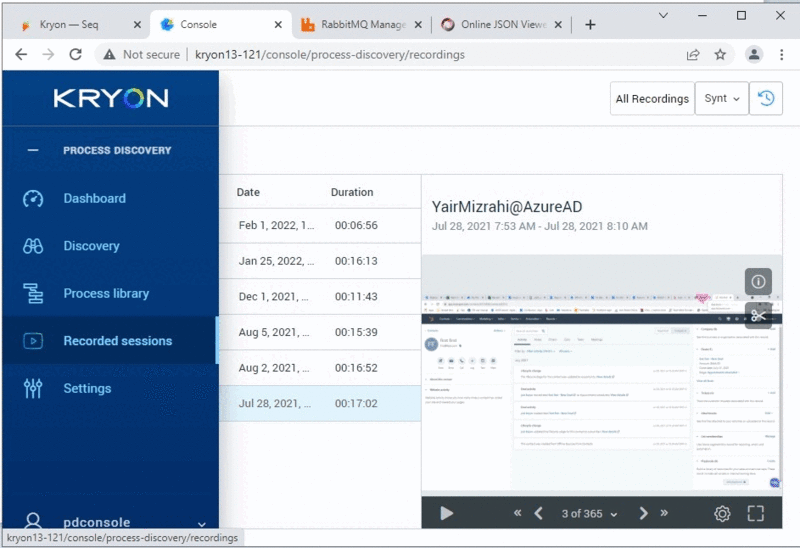
You can search for the process in the recording session and then ask Process Discovery to find any additional similar occurrences (snipping from recording sessions).
-
You can export a document while background masking is in progress and get notified about it.
-
You can easily see which processes are being masked in the background without having to enter each process separately.
Process Discovery Recorder Enhancements
We have studied and identified your recording stability challenges and have addressed them in the updated recorder.
Our team is already halfway through the process of isolating the deliveries of the PDDR recorder from the PD server, increasing our ability to serve all of our customers faster.
Masking Enhancements
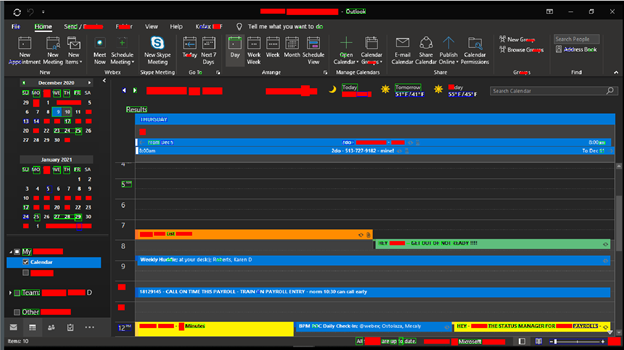
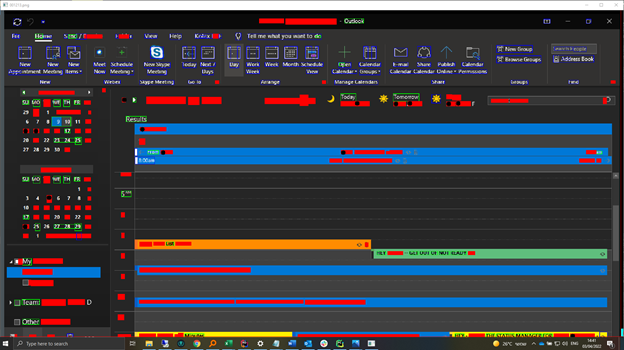
Masking is now supporting Dark Screens, dark gradients, falsely labeled icons, and missed text masking with edge detection.
The new "optimized OCR" offers up to a 2-second reduction in time per image when masking Process Discovery datasets.
BEFORE:
AFTER:
Discovery Algorithms Accuracy
We are bringing some AI lab features to our official release again.
This time, our process selection algorithm (Reduced Alpha) is much more selective, presenting highly relevant processes to the users.
Penetration Tests
Following the latest architecture changes, we ran a new penetration test and we cleared all Critical and High items.
The Medium items will be fixed in release 22.9.
Unified Graph
In addition to the Linear Graph, we now added a new process mapping mode! The Unified Graph presents all process repetition in one easy-to-read graph.
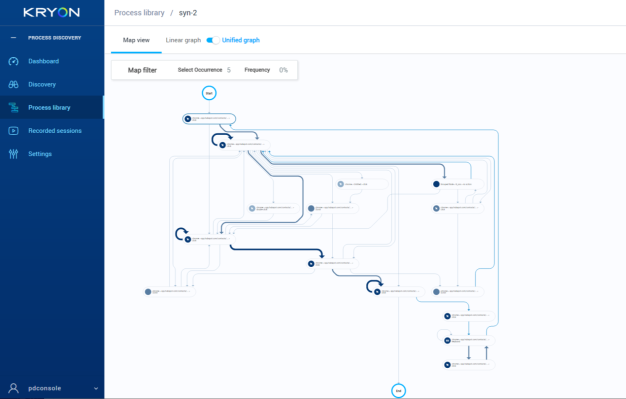
You now have:
- The option to highlight a selected occurrence on the top of the graph.
- The ability to filter each event by log ID and by frequency.
Advance Variants Presentation
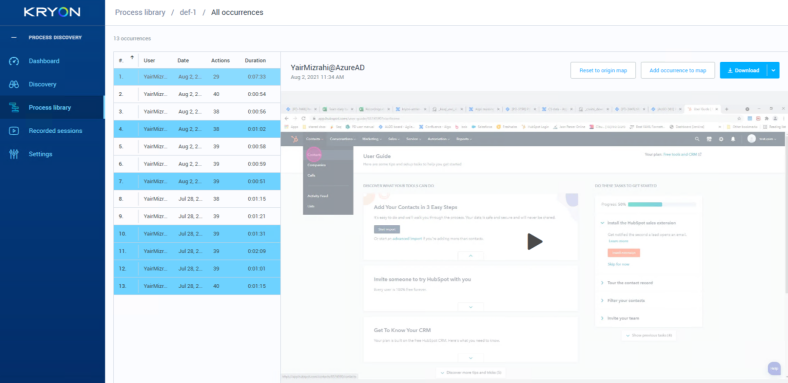
We implemented the Advance Variant feature to the process mapping modes:
- Variant View: Within the Linear Graph, you can navigate between the process variants.
- Occurrence View: You can pinpoint the location of the variant in different selected occurrences.
- You can select multiple occurrences and view the variant relative location among different occurrences.
Tagging
You are now able to tag an event ID.
There is now the option of adding a tag, or several tags, to your event ID. With tags, such as G_ for groups, you can select multiple event IDs to view or even export the CSV information.
Bug Fixes
Here are a few PS/CS and customer bugs that have been addressed:
| # | Issue | More Details |
|---|---|---|
| BUGS FIXED IN HOT FIX v. 22.3.1 | ||
| 2230 | Fallback in the wizard is ignored if its run with the Assistant | When running a wizard with a fallback, the fallback is not executed. |
| 2856 | "No results" for discovery when the analysis is not ready | On a tenant with raw data that is not processed by the analysis, Discover search results return "no results". |
| 3076 | "Tesseract not found" errors in baking OCR |
When the user presses the discovery button to look for processes, this error appears: Failure while handle_baking 56112390-1268-4081-9895-85739bea3ba4 - tesseract is not installed or it's not in your PATH. See the README file for more information. |
| 3116 | Done button behaves weird on hover | After adding/dismissing all variant cards in Variants, the Done button appears. When hovering over it, the color changes from blue to white and the location of the button changes. |
| 3207 | Installation error 'Could not update keycloak user password.' | Error message appears during installation when using a pre-installed MySql. |
| 3347 | Masking updates the same action more than once | Masking service can update the same action more than once. It should replace it if the action already exists in the masking collection in MongoDB. |
| 3664 | Default HTTPS port is 443 and not 80 | The default protocol is set as HTTPS but the port is set to 80. |
| 3733 | Uninstall of PD Server gets stuck because of Watchdog log | The installer will get stuck because of the Watchdog log-in used by another application. Only killing the PD server services manually will allow the setup to continue. |
| 3776 | PD v 21.6.0.110 - Unable to Delete Recordings | When attempting to delete a specific recording, the recording stays in the Console and shows an error. |
| 3817 | Number of actions on the setting page only sums up the recordings that are currently displayed on the page | On the Setting page, under data management, the sum for ‘number of actions’ is for recordings that display on the current page. Even though the number should be the total sum for all the recordings in the team regardless of what is currently displayed. |
| 3838 | Canceling discovery processes do not delete the message from the analysis/visual clustering queues | When canceling the discovery action in the middle, it cancels the search in the server but does not delete the message from visual clustering/analysis queues. |
| 3845 | Robot starts recording with no license/team assigned | The robot starts recording with no license or team assigned. |
| 3872 | Masking Issue | Credit card and account number information are visible. |
| 3889 | Mouse position in the console is wrong | The mouse position in the console presentation has a deviation for left and up. |
| BUGS FIXED IN v. 22.3 | ||
| 2974 |
Filter Function is broken on the Process Library page |
The Filter Function was not working properly. All processes were listed, but after selecting User/All Users, processes are blank. |
| 2601 |
PDDR Broken frames/Partial Images |
Sometimes, the image taken by the PDDR is only a partial image of the application. |
| 3233 |
Whitelisting application list not refreshing automatically |
When you add applications to the White List, the applications don't appear in the list after clicking Add, until you manually refresh the page. |
| 3701 |
PDDR states using GDI after a default installation |
Even when Mirror Driver is configured, after a default installation of PDDR, Capture Method says: GDI (BitBlt) |
| 3814 |
CNN-task queue is blocked if no formatter in 21.6 |
If the formatter and CNN-task are running for one tenant and you kick off the analysis of another tenant, it kills the queue of the CNN-task in the RabbtMQ and no new tasks come through. Not all recorded sessions are being formatted or analyzed to 100%. |
| 3815 |
The installation fails when using D: as install folder |
When using the D drive instead of the C drive during installation, the installer fails to finish successfully. |
| 3822 |
Application Whitelisting and Blacklisting |
When adding or deleting an application from Whitelisting or Blacklisting, it is not refreshed automatically. |
| 3839 |
No default tenant after installing the PD server |
After installing the PD server, no teams are visible in the Settings > Teams. |
| 3820 |
Hardcoded/plain text password for Aerobase in Aerobase-auth.json file |
admin-cli was added to the client list and the Aerobase password was hardcoded into the JSON file. Hardcoded/plain text passwords are not allowed within enterprises and need to be removed. |
| 3901 |
PDDR cannot connect to Server - User is locked on Aerobase |
After installing PDDR, the robot is not able to connect. The status says "Cannot connect to server". |
| 3849 |
File Dialog Bug |
When users click/enter values into a browser file dialog, the screen freezes for 10 seconds. |
| 3830 |
Dashboard shows 1 robot when there are 2 robots recording |
When connecting two PDDR to the same team, after licenses are assigned and actions are recorded, the dashboard states that there is 1 user. |
| 2895 |
Increase pollingIntervalMS from 5000 to 15000 |
Needed to support more than 1000 AppSight robots. |
| 3881 |
PDDR minimize window wrong margin |
While user clicks on a minimized window, PDDR catches the capture with too high margin. |
| 3895 |
Whitelist & Blacklist web apps filter mistakes |
When the URL contains the string of the given domain but it is not the actual domain, it will not record these actions. |
| 1302 |
PDDR pop-up window in IE is not getting recorded |
When trying to record all windows in a whitelisted website, actions performed on the pop-up window are not recorded. |
| 1263 |
PDDR - "Screenshot is empty!" log message, Console "Image not available" on-screen message |
When trying to see all recorded images in Console, "Image not available" messages are displayed. |
| 3889 |
Mouse position in Console is wrong |
The mouse position in the Console is presented incorrectly with a deviation of left and up. |
| 2417 |
Remove the "filter_by_similarity" property from the PDDR configuration |
The server does not use it. |
| 2600 |
PDDR - Wrong metadata (Process Name) |
Images recorded using the PDDR hold a wrong process name in their metadata. |
| 3804 |
Discovery Robot cut out images |
Images cut off from view. In several applications, such as Emulator, Excel, and others. |
| 3866 |
PDDR doesn't record certain applications running in admin mode |
While recording applications that ran in administrator mode, even the event itself didn’t capture on the PDDR recorder. |
| 3851 |
Missing actions at browser file dialog |
Actions from the browser file dialog that are occurring in the context menu are missing metadata and screenshots. |
| 3865 |
Bad padding on Microsoft edge sub-windows |
PDDR sub-windows of Microsoft Edge are padded in a bad way: there are noises around the captures. |
| 3870 |
PDDR calculates screen DPI in a wrong way |
PDDR calculates the DPI of the primary screen that is configured in display settings instead of calculating the focused screen DPI. |
| 3877 |
PDDR captures line instead of whole window |
When click event occurs at the current window border, PDDR captures just the border itself instead of the whole window. |
| 3880 |
PDDR Resolution x, y fields calculating in a wrong way |
X and Y are the top-left positions of the screen. There are sometimes wrong values in X, Y fields. |
| 3882 |
pddr.appsettings.config misstype error |
Spelling error in the configuration files in: <add key="IDPauthUrl". |