Identity Sync Service (Sync Engine)
The Identity Sync Service (Sync Engine) manages identity synchronization and caching in the product. It provides a different approach to synchronizing users, groups, and group memberships from your Identity Provider (IdP).
The Sync Engine is disabled by default and can be enabled using the Sync Engine UI without requiring a server restart. Previously, enabling identity synchronization required running a separate installer and restarting the server.
 Terminology
| Term | Description |
|---|---|
| Identities | Users and groups |
| Links | Group memberships |
| Identity Provider (IdP) | Source of identity data (for example, AD, AAD, SharePoint) |
| Sync Provider | Executes queries against an IdP and stores data in intermediary tables |
| Full Sync | Retrieves all identities from the IdP |
| Differential (Quick) Sync | Retrieves only changes since the last sync |
| Watermark / Sync State | A provider-issued synchronization marker used to continue incremental identity syncs from the last processed state. |
How it works
The Sync Engine changes how the product synchronizes and caches identities from your Identity Provider (IdP), such as Active Directory or Azure Active Directory.
When enabled:
-
Identity data is synchronized and stored in an intermediary set of Sync Engine tables.
-
An internal ETL (Extract, Transform, Load) process transfers this data into the K2 identity cache.
-
The identity cache remains the single source of truth for identity information within K2.
The Sync Engine does not change how system URM SmartObjects query identity data. Existing solutions that use these SmartObjects continue to function as expected.
Benefits of enabling the Sync Engine
Enabling the Sync Engine provides the following benefits:
-
Faster synchronization through differential (delta) syncing after the initial full sync (supported IdPs only).
-
Removal of auto-expiration of cached identities, reducing processing overhead.
-
Improved performance by avoiding direct queries to the Identity Provider.
-
More predictable and scalable identity cache population.
-
Improved runtime performance through local identity resolution.
When to use the Sync Engine
The Sync Engine is recommended for all Nintex Automation K2 (5.9.1) and later environments.
Use this functionality to:
-
Ensure consistent and reliable identity data through proactive caching.
-
Improve runtime performance by resolving identities locally.
-
Reduce dependency on live queries to the Identity Provider.
-
Scale identity synchronization using differential queries (where supported).
Identity data and security
The identity cache stores:
-
User information (name, login name, email address, manager).
-
Group information.
-
Group memberships.
Enable the Sync Engine
-
Open Management > Users > Sync Engine.
-
Toggle the setting to enable the Sync Engine.

-
Click Apply Changes.
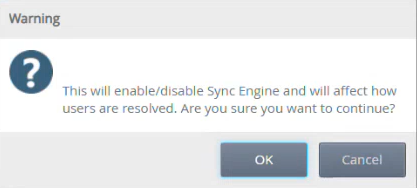
When enabled:
-
The Provider Instance list and Sync History views are displayed.
-
When disabled, these views are hidden again after applying changes.
Provider Instance list
Use the Provider Instance list to view and manage identity provider instances used for synchronization. The Provider Instance list displays configured identity providers and their instances.
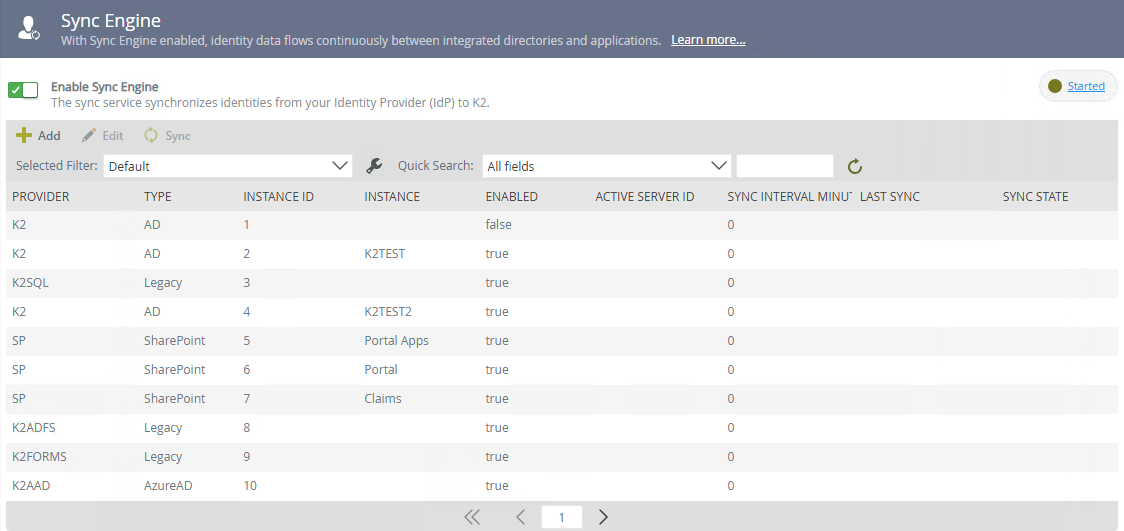
Available actions
-
Add – Create a new provider instance.
-
Edit – Modify an existing provider instance.
-
Sync – Run a synchronization.
Columns
| Column | Description |
|---|---|
| Provider | Provider name |
| Type | Provider type (for example AD, MSGraph, SharePoint) |
| Instance ID | Unique provider instance ID (used with SCIM) |
| Instance | Provider instance name |
| Enabled | Indicates wether the instance is enabled. |
| Active Server ID | Server currently executing a sync |
| Sync Interval Minute | Interval (in minutes) for automatic sync |
| Last Sync | Timestamp of last completed sync |
| Sync State | Indicates whether a sync state (watermark for differential sync) exists |
Add or edit a provider instance
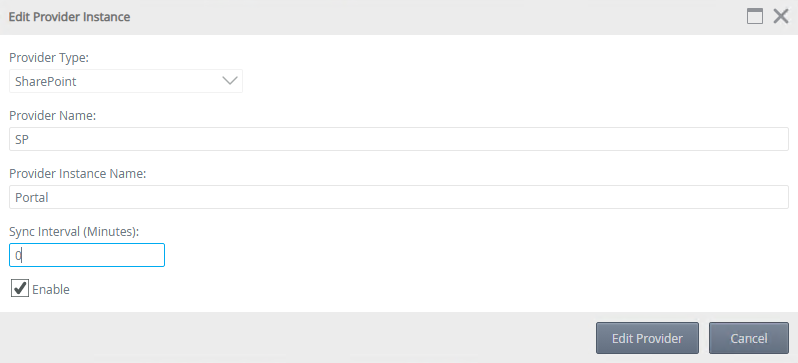
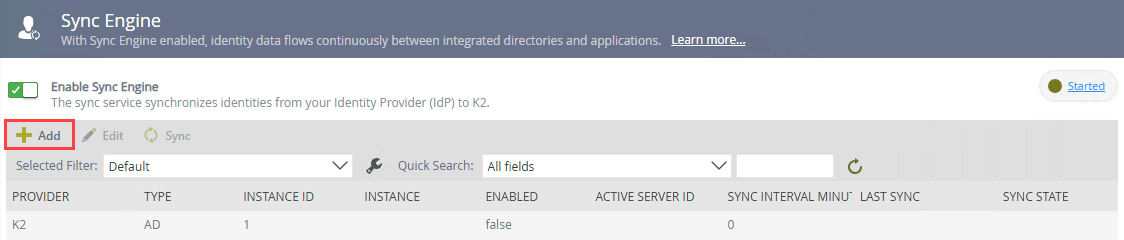
Add a provider instance
-
Click Add.
-
Select the Provider Type.
-
Enter the Provider Name.
-
Enter a unique Provider Instance Name.
-
Click the Enable check box and enter a value for the interval.
-
Click on Add Provider.
-
Review the details and click OK to add the provider.
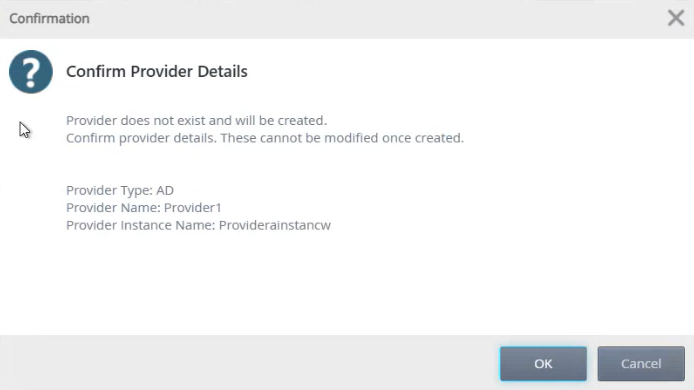
Validation
-
Instance names must be unique within a provider.
-
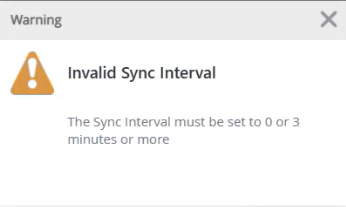
Sync interval must be:
-
0 (disabled), or
-
Between 3 minutes and 7 days
-
Edit a provider instance
-
Select a provider instance.
-
Click Edit.
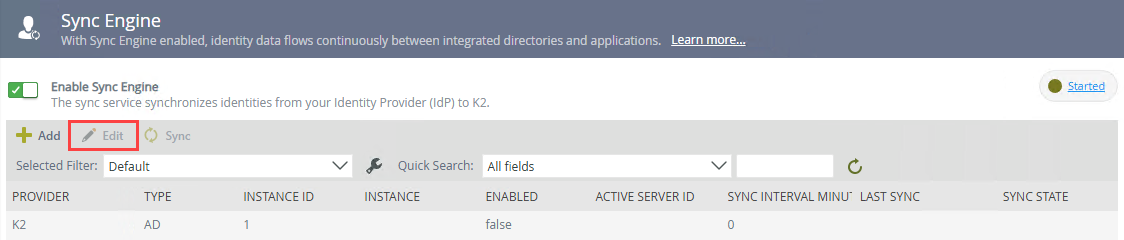
- Modify the following:
Enabled check box
Sync Interval
- Click Edit Provider.
- Review your changes and click OK.
Run a sync
Run a sync to update the identity cache with the latest users, groups, and memberships from the Identity Provider. Use the Sync button in the Provider Instance list toolbar to run a sync.
Before you begin
-
Ensure a provider instance is selected.
-
Ensure the provider instance is enabled.
To run a sync
-
Select a provider instance.
-
Click Sync.
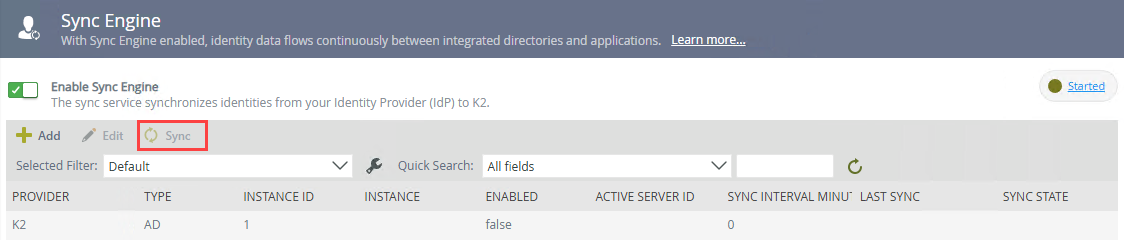
-
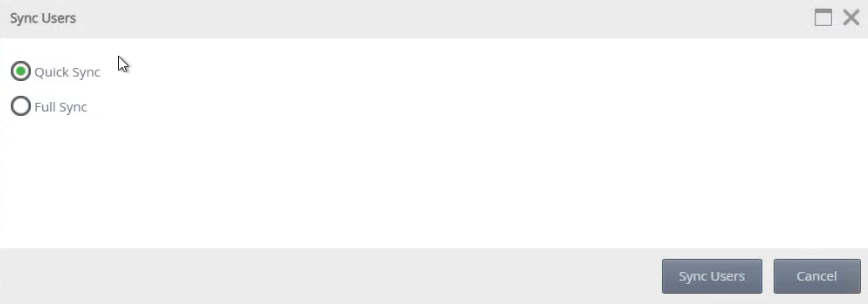
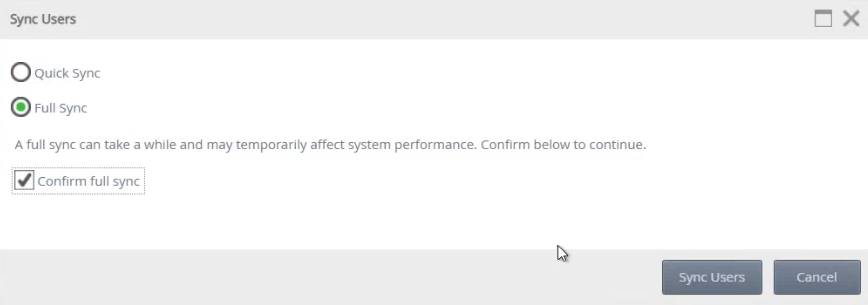
Choose one of the following options:
-
Quick Sync
-
Available only after a successful Full Synchronization. Performs a differential sync that retrieves changes since the last sync.
-
-
Full Sync
-
Synchronizes all users, groups, and memberships.
-
Select the confirmation checkbox to confirm that you want to perform a full sync.
-
-
Click Sync Users.
The Sync History list refreshes after the request is submitted.
- Sync requests are queued, so they may not appear immediately in the Sync History list.
- SCIM providers do not support manual sync
- Click Refresh if the sync entry is not visible.
- If a sync is already running, a new sync cannot be started
Sync History
Use the Sync History list to review previous synchronization activity and troubleshoot sync operations. The Sync History list displays synchronization activity for the selected provider instance. By default, only syncs started on the current day are displayed.

Use the date filter to view historical syncs.
-
Select the start date and click OK.
-
Select the end date and click OK .
-
Click the refresh icon.
Real-time status

A status indicator is displayed at the top of the page which shows the current ETL process status.
Click the status link to view all K2 servers.
Considerations
-
The first sync and any full sync, may take several hours depending on the number of identities and group complexity.
-
Identities not yet syncedare unavailable in K2 until the Sync and then ELT completes.
-
Sync operations cannot be stopped once started.
-
Only one sync operation can run at a time per provider instance.
-
The Sync Engine is not recommended for Identity Providers with extremely high update frequency (thousands of changes per hour), as Identity Service Resolvers may perform better in such scenarios.
-
If multiple provider instances exist, synchronize them one at a time.