Servers
The Servers node lists the discovered servers in the network, as well as allowing you to retrieve the external IP address of each server. In addition, you can also access the Environment Usage Report from this node containing detailed information about your environment’s data.
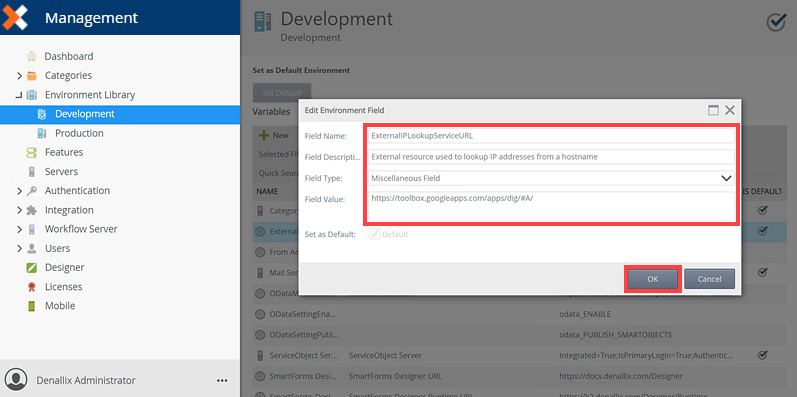
You can change the default provider used for the Lookup* option,
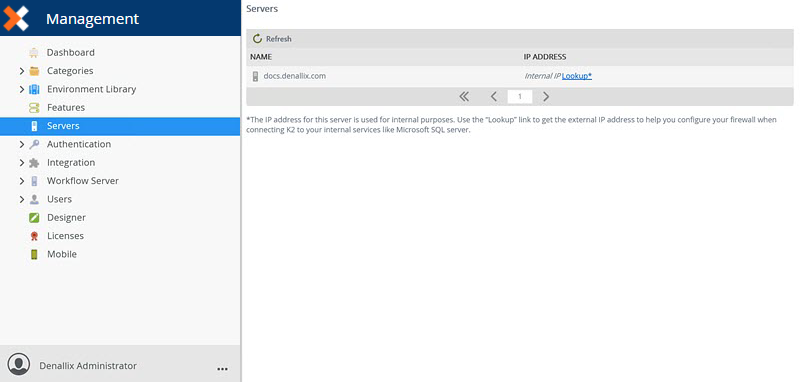
Use the Refresh button to reload the list of servers.
 Using the Lookup* Option
Follow the steps below to use the Lookup* option.
- Select a server and click Lookup*.
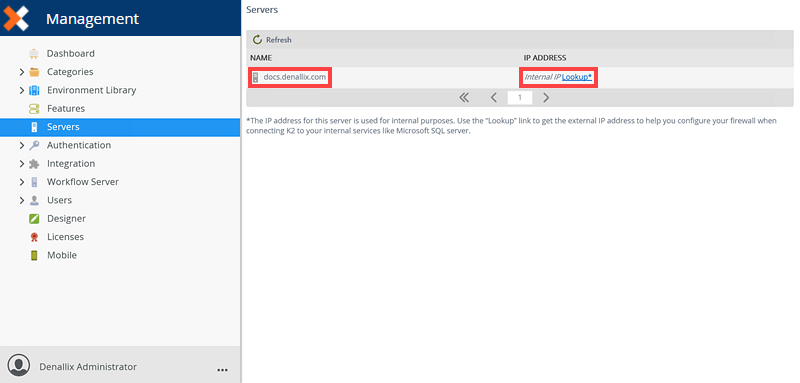
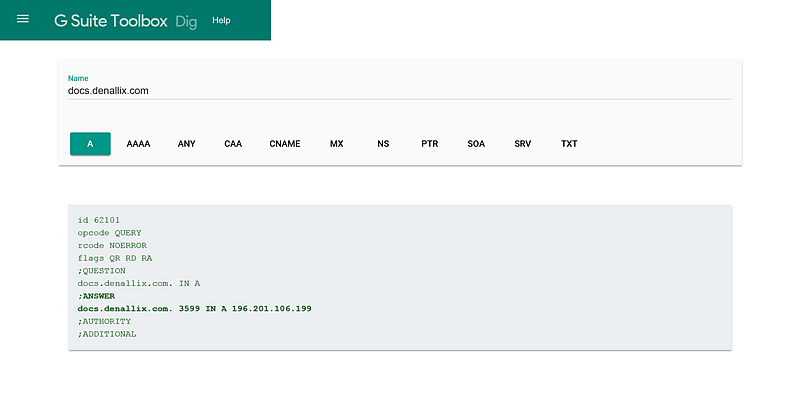
- A new tab opens in your browser displaying G Suite Toolbox Dig. This tool displays all external IP addresses connecting to the server. Use the IP addresses to configure your firewall when connecting the product to your internal services such as Microsoft SQL server.
Change the Lookup* Provider
Follow the steps below to edit the Lookup* provider in Management.
- Open Management and navigate to the Environment Library node.
- Select the ExternalIPLookupServiceURL variable and click Edit.
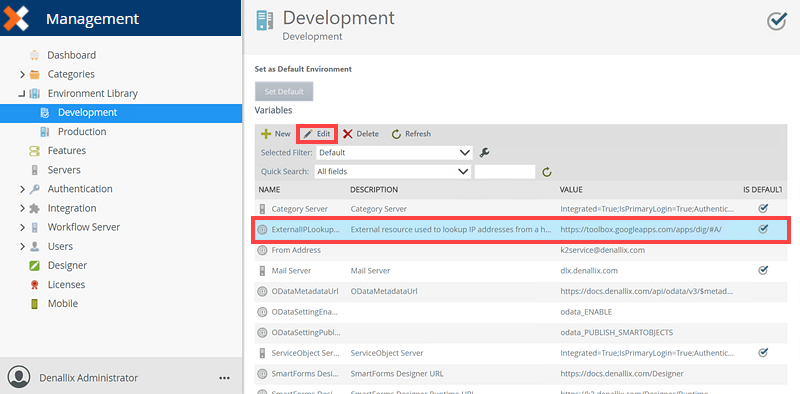
- On the Edit Environment Field page, edit the required fields and click OK.
Environment Usage Report
The Environment Usage Report generates a ZIP file containing detailed information about your environment’s data. This report is extracted directly from the K2 database and can be shared with the sales team to help accurately determine renewal costs. You can access the report from the Management>Servers node.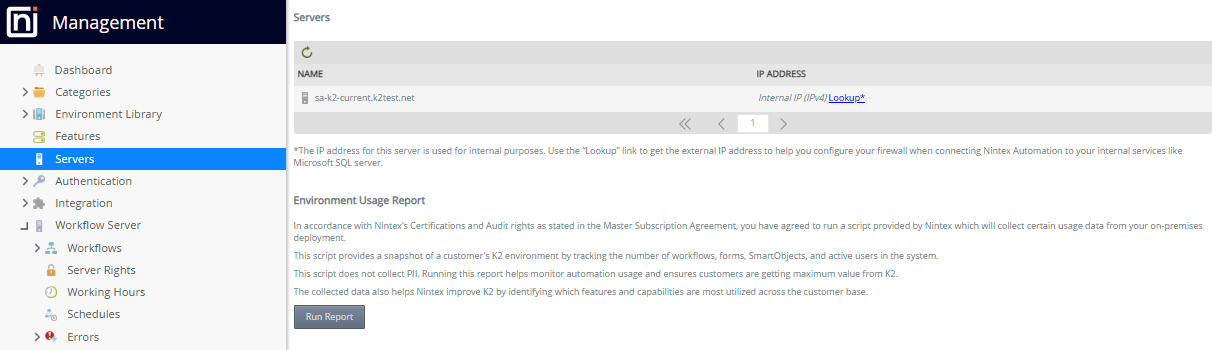
To extract the data, click Run Report. A ZIP file is created containing all the data you need to share with the sales team.