Hyperlink
You can save a hyperlink within a folder in the category system. This allows you store links to related external information for your K2 solution within the Designer. For example how to documents, process diagrams, user persona's, and design documents. 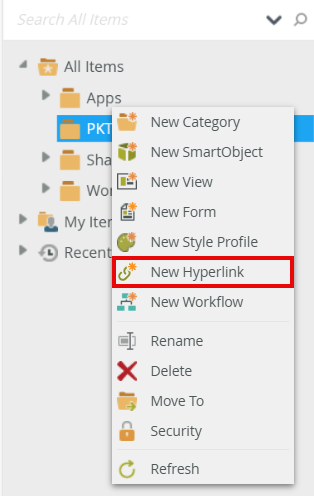
Add a hyperlink
You can add a hyperlink from the category tree or the category grid.
- In the Designer, click Browse to view category folders.
- Select the category folder you want to add your hyperlink to, right click and select New Hyperlink.
or
Select the category folder you want to add your hyperlink to, then click New and select New Hyperlink from the category grid.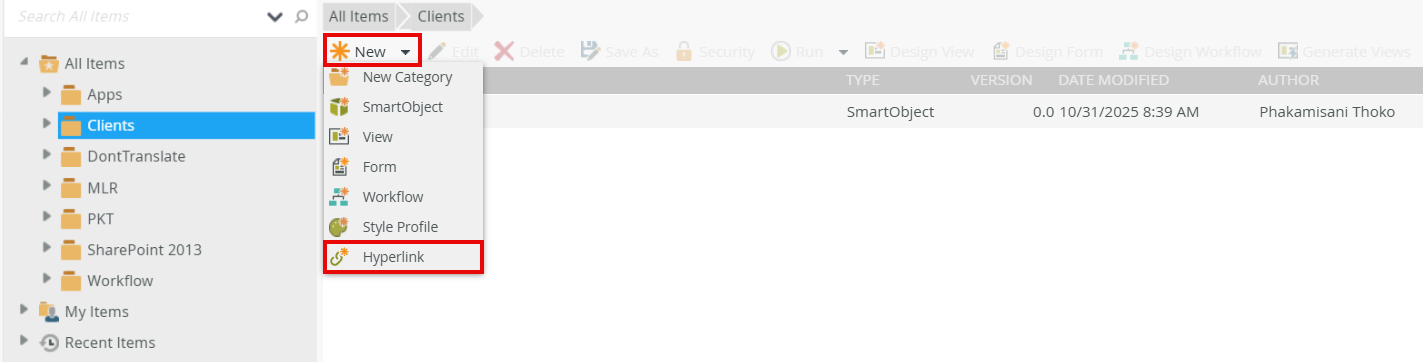
- Add a name (URL’s display name) to identify the hyperlink, then add a valid URL including the relevant protocol such as http:// or https://.
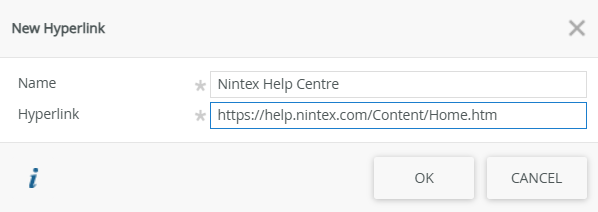
- Click OK to finish.
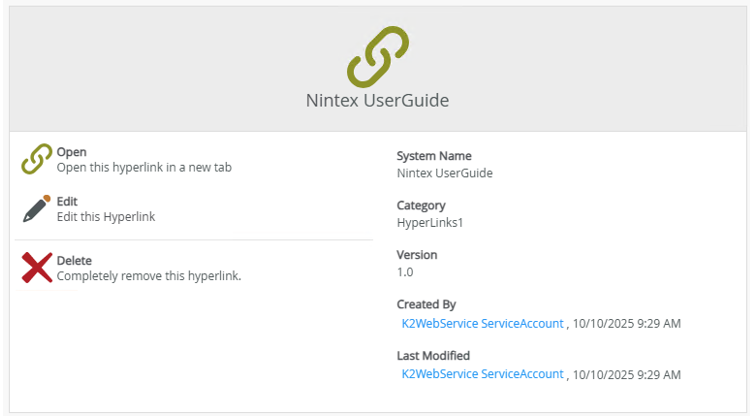
- Once the hyperlink is added, the properties page is displayed.
| Feature | Description | How to use it |
|---|---|---|
| Open | Allows you to open the hyperlink in a new tab. Alternatively, double click the hyperlink in the category grid. | Click Open |
| Edit | Allows you to edit the hyperlink. You can also edit the hyperlink from the category grid. | Click Edit |
| Delete | Allows you to delete the hyperlink. You can also edit the hyperlink from the category grid. | Click Delete |