Delete Your Workflow
Workflows can be deleted from your K2 Application or from the K2 Designer. Workflow Instances and Versions can be deleted from the K2 Management Site. It is however important to know what options are available related to running instances and database entries of these workflows and how to use them.
| Delete Workflow From: | |||
|---|---|---|---|
| What Gets Deleted? | K2 Application | K2 Designer | K2 Management Site |
| Workflow Definition | X | X | |
| Deployed Workflow Version | X | X | |
| Workflow Instances | X | X | |
| Workflow History | X | ||
 Deleting a Workflow from the K2 Application
Deleting a workflow using the K2 Application is the preferred method as this will delete the entire workflow including all deployed versions, instances and reports. Follow these steps to delete your Workflow using the K2 Application:
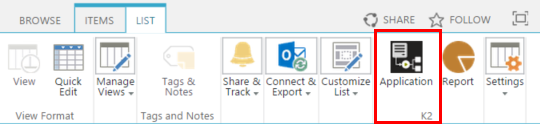
- Open your K2 Application from the associated SharePoint List or Library.
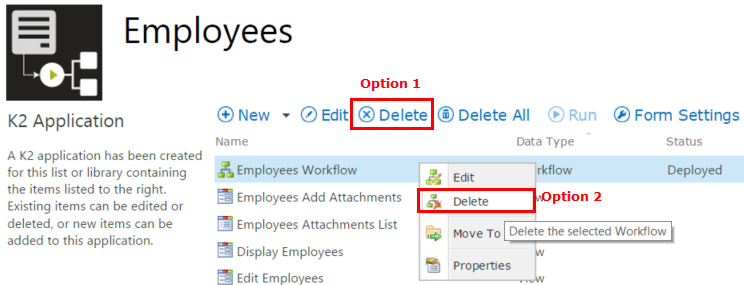
- Select the Workflow from the list of application elements and either click the Delete button or use the right - click menu Delete option.
- This will open the Delete Workflow window allowing you to select what must be deleted. The options are:
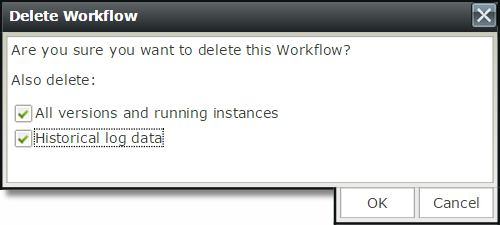
- All versions and running instances: This option will delete all the deployed versions of this workflow as well as any running instance for this workflow. It is important to know that the workflow and instances will be deleted permanently and cannot be retrieved again. Any items related to the running instances such as user tasks cannot be accessed again when this option is used.
- Historical log data: This option will delete all the reporting information for previous instances of the workflow from the K2 reporting database. The deletion of these database entries is permanent and the data cannot be retrieved again. If you select this option, it will be as if the workflow instances never happened and all reporting and audit trails will be lost, so use this option with caution.
- Select the deletion option checkboxes as appropriate
- Click OK
Deleting Workflows from the K2 Designer
Follow these steps to delete your Workflow using the K2 Designer:
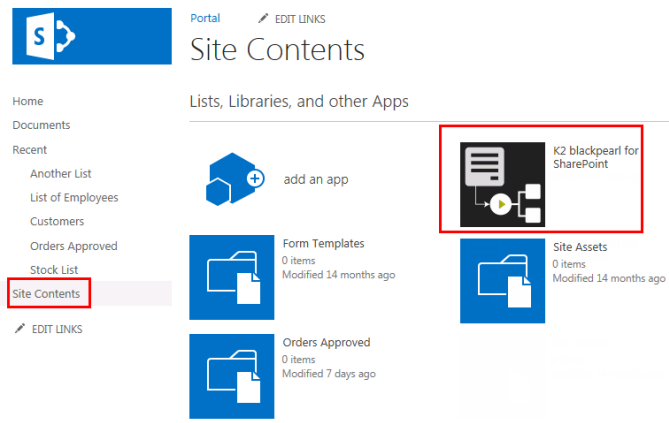
- To access the K2 Designer, click on the K2 App from the SharePoint Site Contents page.
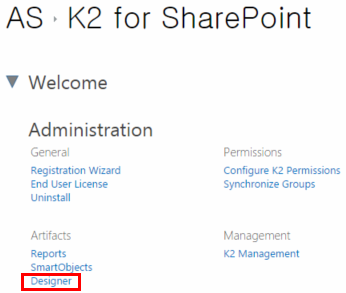
- Click on the Designer Artifact from the K2 for SharePoint Settings page.
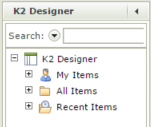
- The K2 Designer will open.
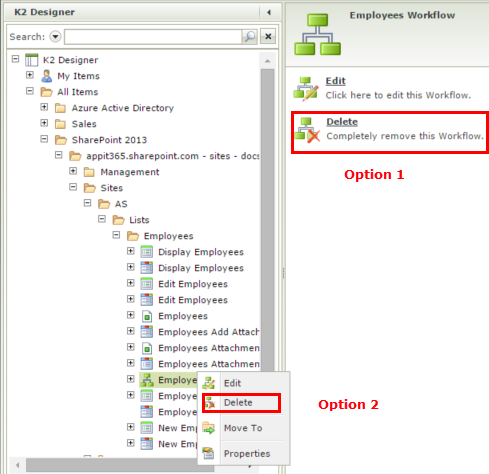
- Using the Category Tree, drill down to locate your Workflow.
- There are two options you can use to delete the Workflow.
- Option 1: Select the Workflow and click the Delete option on the right of the page.
- Option 2: Right click on the Workflow name and select Delete.
- Click Yes on the confirmation message.
Deleting Workflow Instances and Versions from the K2 Management Site
The K2 Management Site can be used to delete Workflow Instances and deployed Versions of the workflow. This will not delete the Workflow definition itself. To delete a Workflow definition, you have to go to your K2 Application . Both the Categories and Workflow Server nodes in the K2 Management Site can be used for deleting instances and versions.
Delete Workflow Instances
- To access the K2 Management Site, click on the K2 App from the SharePoint Site Contents page.
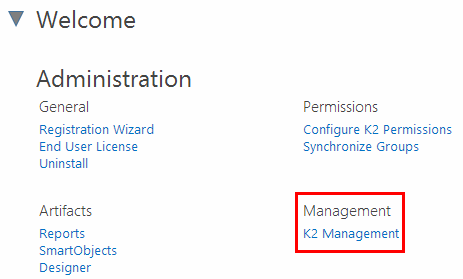
- Click on K2 Management under the Management section from the K2 for SharePoint Settings page.
- The K2 Management Site will open.
- You can either use the Categories node or the Workflow Server node. The Workflow Server node will be used in the steps below.
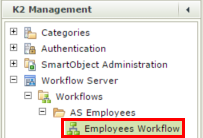
- Expand the Workflow Server node and drill down to your Workflow.
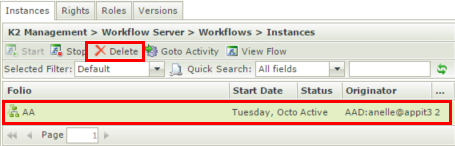
- Click on the Workflow instance on the right from the Instances tab.
- The Delete button becomes available.
- Click Delete.
- Click OK on the confirmation message. The instance will be removed from the view and deleted from the K2 environment. All existing User Tasks for the workflow will be deleted and the instance is deleted from the database as well, which means no reporting can be run on the deleted instance.
Deleted instances cannot be recovered.
Delete Workflow Versions
The steps below are based on using the Workflow Server node from the K2 Management Site.
- Expand the Workflow Server node and drill down to your workflow.
- Open the Versions view by selecting the Versions tab.
- Select the version you want to delete and click Delete.

The following options are available when clicking the Delete button to delete workflow versions from the server.
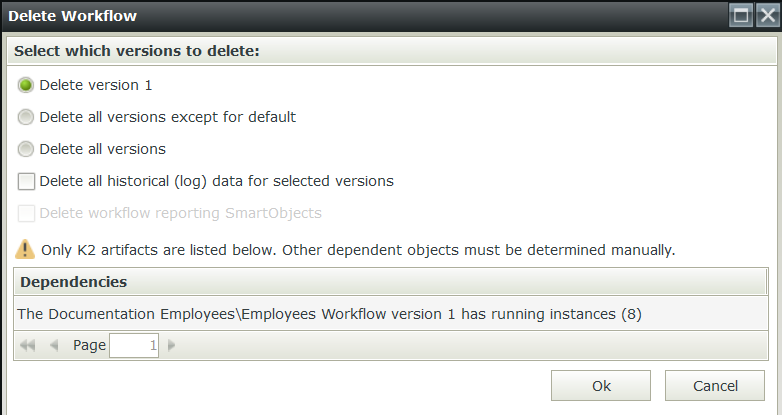
Take note of the dependencies at the bottom of the Delete Workflow window before deleting workflow versions.
| Delete Option | What does this option do |
|---|---|
| Delete version X |
This option is selected by default when selecting a workflow version before clicking the Delete button. Only the selected workflow version will be deleted. |
| Delete all versions except for default |
This option will delete all the existing workflow versions except the version set as the default. |
| Delete all versions |
This option will delete all the existing workflow versions including the version set as the default. |
| Delete all historical (log) data for selected versions |
This check box can be used in conjunction with the option for the workflow version to be deleted. Select the check box if you want to remove the logged reporting data for the workflow version you want to delete. |
| Delete workflow reporting SmartObjects |
If the workflow has any reporting SmartObjects associated, this option can be used to delete these SmartObjects. This check box can be used in conjunction with the option for the workflow version to be deleted. Select the check box if you want to delete the associated reporting SmartObjects. |
| OK Button |
Click OK after you made your selections to delete the workflow version. |
| Cancel Button |
Click Cancel if you do not want to delete the workflow version. |