Forms
Only Application Forms appear in the menu. For more information, see the Configure a Form as an Application Form.
The My Forms list displays application SmartForms available for you to open and typically start workflows. Use Search to find a particular form if you have many application forms. Once you've found the form you need, click it to open and start using.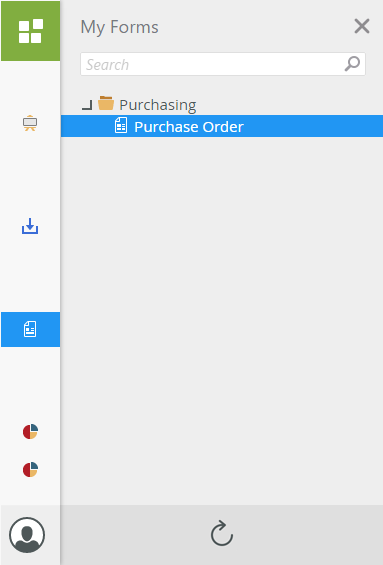
Click the Refresh button at the bottom to refresh the list of forms available to you.
You can set the title of a SmartForm using the Title property. See Form Properties for more information.
 Configure a Form as an Application Form
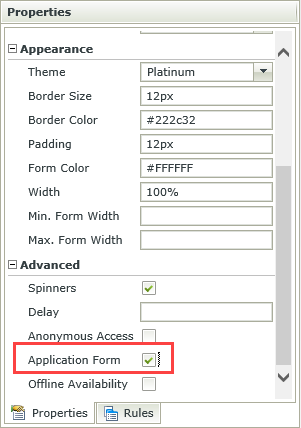
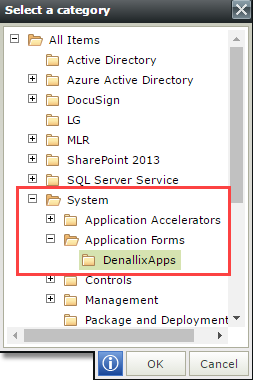
Only forms defined as application forms are visible in K2 mobile and K2 Workspace. To configure a K2 smartform as an application form, the form must be within the System / Application Forms folder and have the Application Form property activated:
- Create or Move the form to the Application Forms folder under the System folder.
- While editing the form, select the Application Form option in the Advanced section of the Form's Properties. Make sure that you have saved and checked in the form.