SharePoint Documents Wizard - Undo Documents' Check Out
The Undo Documents' Check Out wizard screen is only viewed when the wizard is run in advanced mode. The screen provides an easy to use interface to automatically undo the check out of multiple documents within SharePoint.
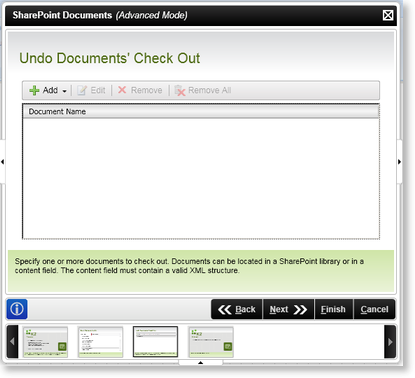
Fig. 1. SharePoint Documents Wizard - Undo Documents' Check Out
| Feature | What it is | How to use it |
|---|---|---|
| Add |
To add documents, select the Drop Down Arrow and select the relevant location:
|
Select an option |
| Edit | Modifies the listing | Click on the configured setting and select this option, to edit a configured document setting |
| Remove | Removes document settings | Click on the configured setting and select this option, to remove a configured document setting |
| Remove All | Removes All the configured document settings | To remove all the configured document settings, select this option |
| Document Name | Displays the document's name | User Reference |
See Also
