Caching Credentials
To cache credentials, the user selects the User Settings tab.
 |
No specific or high level user credentials are required. Normal system user rights are sufficient. |
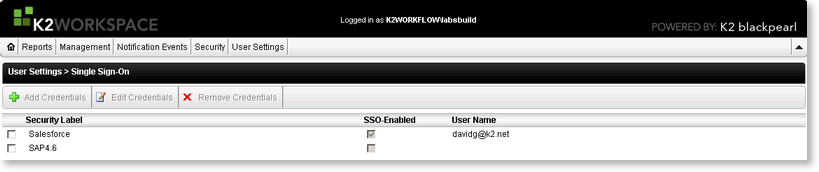
The cache credentials tab is divided into three columns named Security Label, SSO-Enabled (Single Sign-On) and User Name. The Security Label column identifies a backend system against which a secondary set of credentials can be cached. The SSO identifies security label against a secondary set of credentials which have been cached.
| Column Label | Description |
|---|---|
| Security Label | The security label identifies a backend system. Unless a label already exists, the user will not be able to cache credentials for that system. Security labels cannot be added manually but are added as part of the configuration process or when the system directs that a security label is required. |
| SSO-Enabled | The SSO-Enabled check box is checked when valid credentials have been supplied for that Security label. Only one set of secondary credentials can be cached for the logged on primary user per security label. |
| User Name | This represents the secondary credential user name. |
