View Flow Validation
The IIS installation requires the Static Content Windows feature to be enabled to ensure that View Flow and other Silverlight components function properly.
Symptom
View Flow will load a blank page and no Silverlight control will be loaded on the page
Analyze
- Right-click on the page where a View Flow link is available. If you don’t see the Silverlight menu, continue with the next step.
- Navigate to http://iisserver:81/Viewflow/ClientBin/SourceCode.Viewflow.SLViewer.xap.
If you are not presented with the option to download the XAP file and you don't receive an HTTP 404 Not Found error from your web server, your IIS installation may not be configured to Server Static Content. If you are running IIS 7.x and have initially configured IIS to host web applications, the Static Content option is not enabled by default.

Resolution - Windows 7 environment
- Navigate to Start > Control Panel > Programs and Features, and select the Turn Windows Features On or Off option.
- Expand Internet Information Services > World Wide Web Services > Common HTTP Features
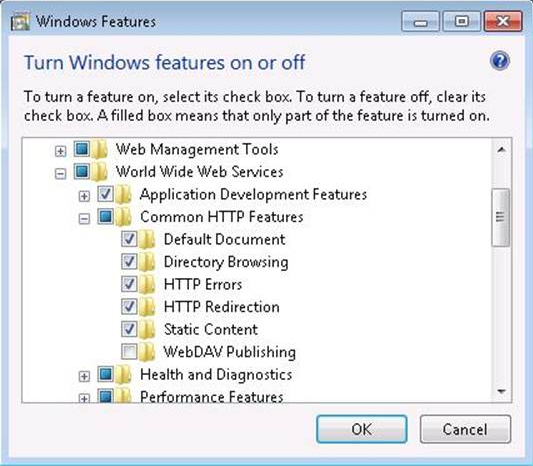
- Enable Static Content by selecting the check box to the left of this item.
- Click the OK button at the bottom of this screen to complete the installation of this option. To confirm that this option has been enabled you should browse to the XAP file mentioned above to ensure you are presented with the option to download.
Resolution - Windows 2008 environment
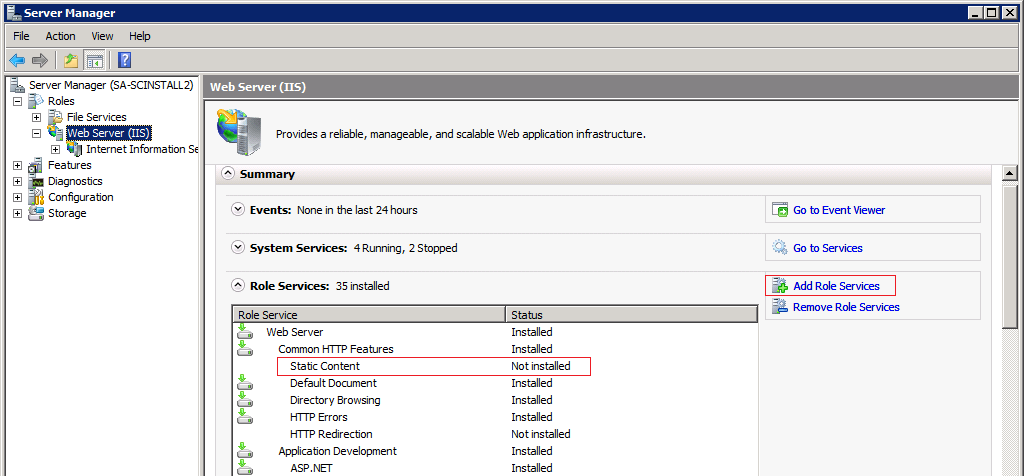
- Open the Server Manager under the Roles tree view item
- Select the Web Server node (might take a few moments to refresh once you click on it.) Notice Static Content is not installed.
- Click on the Add Role Services button on the right. This will open the Add Role Services window.
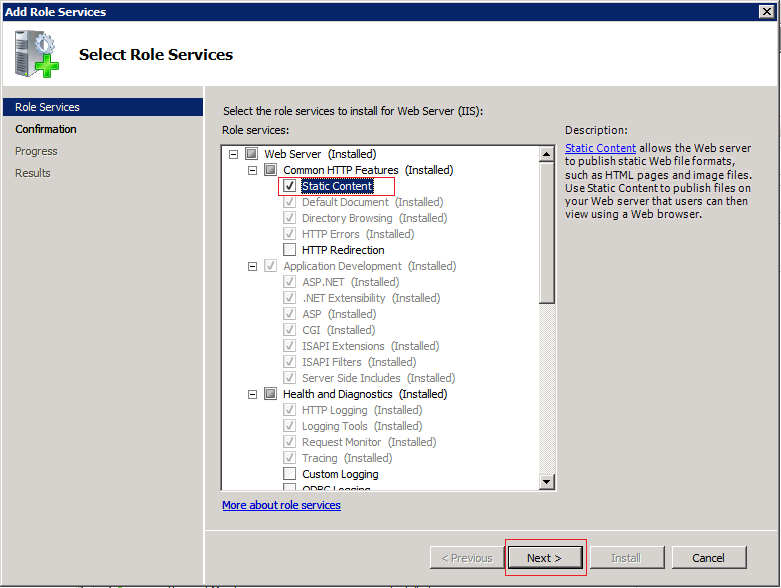
- Check the Static Content checkbox and click the Next button at the bottom.
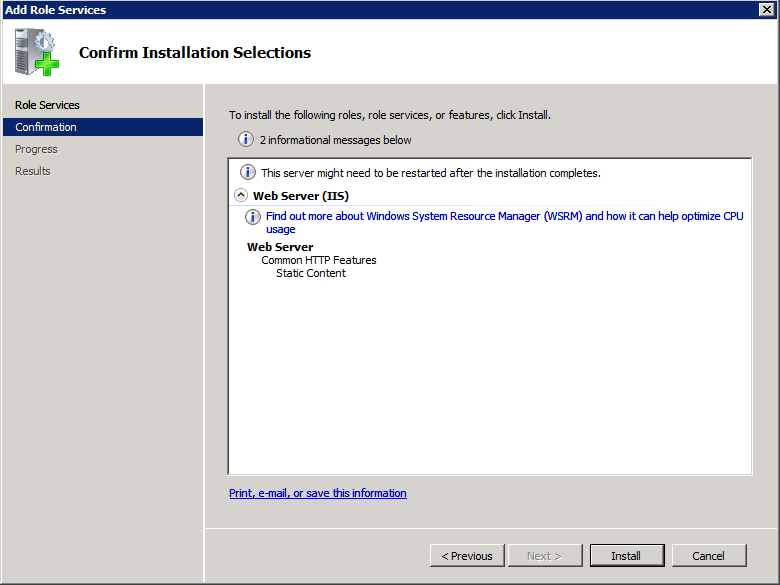
- Click the Install button to install the feature. You might be required to restart the server once the installation is completed.