Troubleshooting - InfoPath Form is not displayed on SharePoint Worklist
After submitting an InfoPath Form in SharePoint, it is not displayed on the SharePoint Worklist. This may be because the incorrect users are stipulated in the Site Collection Administrators list. To rectify the problem perform the following steps:
 |
On the main SharePoint Site, browse to Site Actions > Site Settings > Modify all Site Settings. 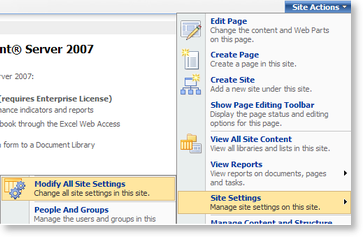 |
 |
Click on Site Collection Administrators and add the Administrator and Service Account information in the text box |
