K2
The K2 Server will log an Info event (Enrolling Type: SourceCode.Security.Providers…) for each configured user manager. Verify the expected user managers are loading correctly.
The following errors may occur when K2 is not configured correctly for claims-based authentication.
- Error: ID4175: The issuer of the security token was not recognized by the IssuerNameRegistry. To accept security tokens from this issuer, configure the IssuerNameRegistry to return a valid name for this issuer.
This is an error from the Identity Framework when it validates the claims tokens against the trusted issuers name and thumbprint. This indicates that the values provided in K2HostServer.config do not match what SharePoint returns. There is a known issue with copying from the certificate properties window in MMC into the config file and getting an extra non-printable character in the text string, which causes the thumbprint match to fail. To resolve this, delete the entire thumbprint tag in the K2HostServer.config file, including the double-quotes, to ensure that there are no special characters left. Then use the thumbprint value returned from the SharePoint PowerShell command as recommended in Configuration {link to: Installation and Configuration > Configuration > SharePoint > Claims-based Authentication}. - Errors: Token of type X not supported. or A valid [SAML1.1/SAML2] Token is required. or Not a valid [SAML1.1/SAML2] claims token.
This is an error from K2 indicating the claims token type is not supported or K2 was not able to process the claims token. K2 supports SAML 1.1 (which SharePoint 2010 provides) and SAML 2.0 claims token types. For more information, see Configuration {link to: Installation and Configuration > Configuration > SharePoint > Claims-based Authentication}. - Error: System.Exception: Deploying user '[Security Label]:[Domain\Username]' does not have impersonate rights.
This error will appear in K2 Designer for SharePoint at deployment and indicates that after the claims changes were applied to the K2HostServer.config the K2 server needed to be restarted followed by an IISRESET.
SharePoint 2010
There are less configuration options available for K2 for SharePoint integration when working with web applications configured for classic based authentication. It is recommended to ensure that SharePoint and K2 integration is working end-to-end with classic based authentication before configuring claims based authentication integration.
It can be difficult to configure SharePoint 2010 for claims based authentication when the claims used for security cannot be validated. The SharePoint Claims Enumeration HttpModule can help in these scenarios by providing access to the claim values in the ULS log before the page is rendered. For more information, see Figuring Out What Claims You Have in SharePoint 2010: http://blogs.technet.com/b/speschka/archive/2010/02/13/figuring-out-what-claims-you-have-in-sharepoint-2010.aspx
SharePoint 2010 provides configurable diagnostic logging options. Ensure that the SharePoint Foundation > Claims Authentication and/or SharePoint Portal Server > Claims Authentication diagnostic logs are enabled when troubleshooting SharePoint claims authentication issues.
AD FS 2.0
AD FS 2.0 can be challenging to get configured and running smoothly. For more information, please refer to the numerous articles listed in References.
A generic error message is displayed when AD FS encounters an issue with the user login.
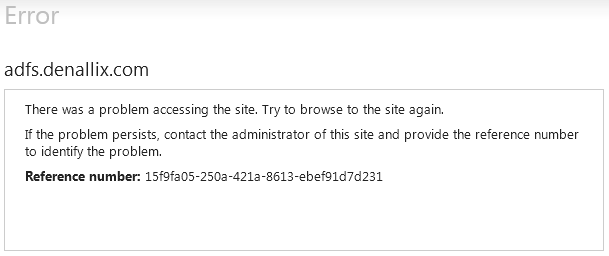
Open Event Viewer and navigate to the Applications and Services Logs > AD FS 2.0 > Admin log to see more detailed information on the error.
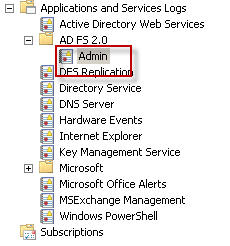
In addition to the Admin log, AD FS 2.0 provides detailed trace information through debug logging. For more information, see How to Enable Debug Logging for Active Directory Federation Services 2.0 (AD FS 2.0): http://social.technet.microsoft.com/wiki/contents/articles/1407.aspx
Some changes in AD FS configuration require a recycling of the user cookies, the AD FS service and the IIS site hosting AD FS.
-
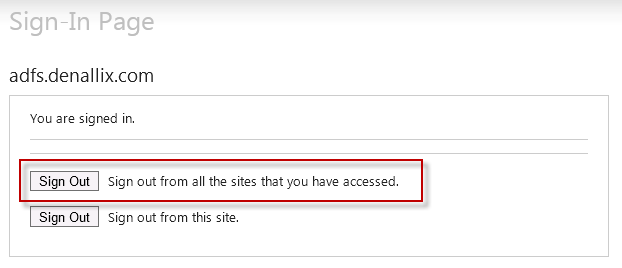
Expire Cookies: Navigate to [IISWebSite]/adfs/ls/idpinitiatedsignon.aspx and click on Sign Out from all sites.
- Restart the AD FS service:
net stop adfssrv
net start adfssrv - Restart IIS web site:
iisreset
