K2 for SharePoint - K2 for SharePoint Management Console
The K2 for SharePoint Management Console screen is used to activate the K2 Management Console component to the K2 for SharePoint tab in SharePoint 3.0 Central Administration, K2 Process Portals, and K2 Site Settings pages. The SharePoint site can be selected from the Site Collection drop-down list. Clicking on the Activate button will activate the K2 features on the selected site collection.
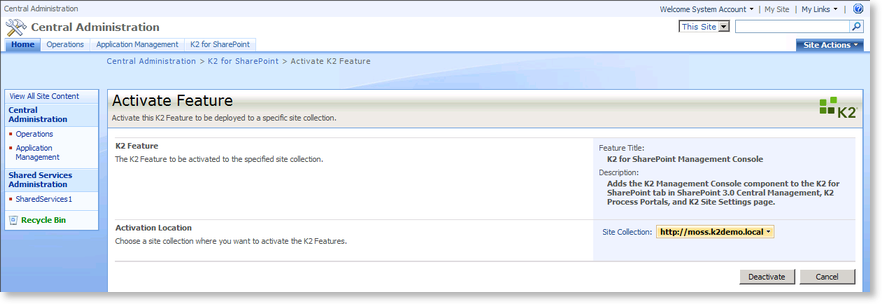
| Function | What it does |
|---|---|
| Feature Title | Displays the title of the current page |
| Description | Displays the description of the current page |
| Site Collection | Stipulates the site collection where the K2 features will be activated on. To choose a different site collection, click on the down arrow and select Change Site Collection. |
| Activate | Click this button to activate the K2 Management Console for the stipulated site collection. |
| Cancel | Click this button to cancel the activation |
