K2 for SharePoint 2010 - Creating a Process Portal
The K2 for SharePoint Process Portal solution is deployed during the installation of K2 for SharePoint 2010. Once the solution has been deployed, a K2 Process Portal site can be created to manage processes.
Perform the following steps the create a Process Portal:
 |
Browse to the relevant SharePoint Site. |
 |
Click on the Site Actions drop-down and select the New Site option. |
 |
Select K2 Process Portal Site from the K2 template tab. 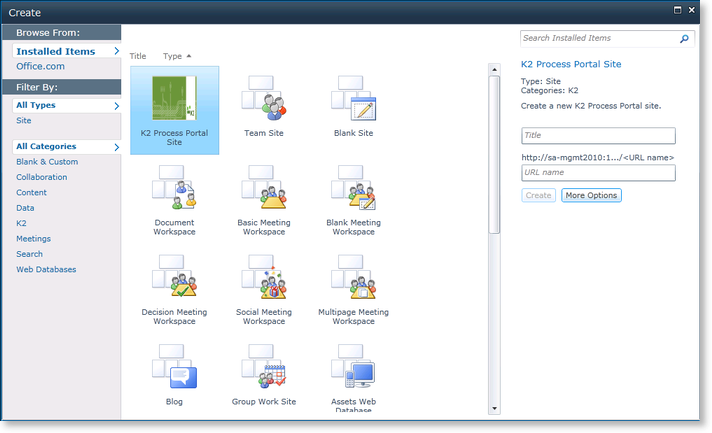
|
 |
Provide the Process Portal site with a Title and URL Name in the provided fields and click Create. |
