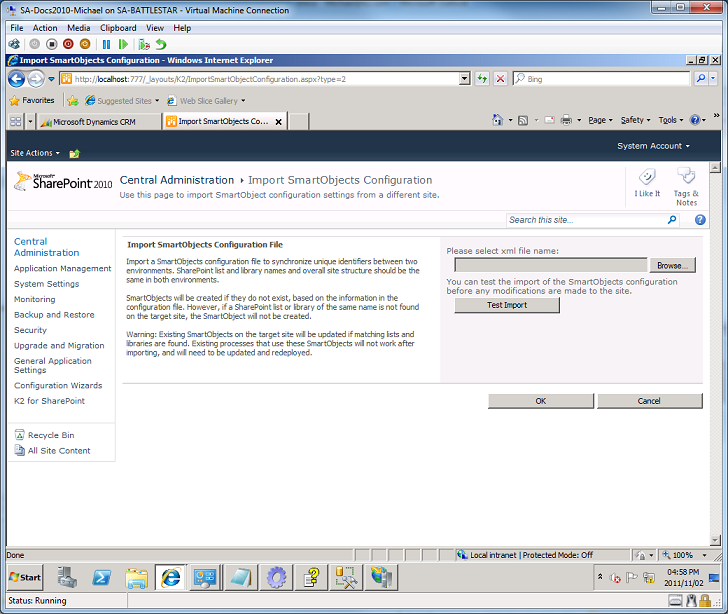
Import SmartObject Definition
The Import SmartObjects option enables the user to select a SmartObject definition and import the definition to create a SQL SmartObject To start the Import Process, click Import SmartObjects.
 |
The Import SmartObjects contains Testing functionality that will enable the user to verify that the import process will function as expected before they proceed with the process. |
 |
From Central Administration > Manage SQL SmartObjects, select Import SmartObjects. |
 |
Click browse to locate the XML file. The import processes outcome can be first tested by clicking the Test Import button. This feature generates a report to describe the potential outcome. |
 |
To proceed, click Ok. A report is generated by the system once the process is complete. |