Troubleshooting - Default Escalation Code Block Fails To Generate
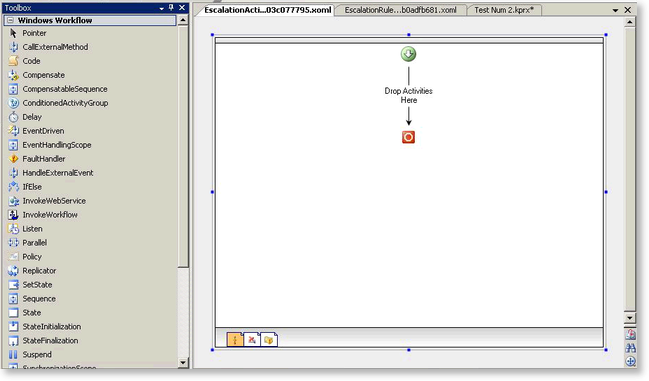
When creating a default escalation rule and selecting the view all code option, a Windows Workflow schedule that simply has a green arrow followed by a Drop Activities Here, and a red circle, as displayed in the image below, is displayed. Users may expect to see a code block with the appropriate K2 context object so that they could write their own escalation code.
Solution:
 |
Open the Microsoft Visual Studio 2005 toolbox and drop a Code item onto the Drop Activities Here space. It will now be populated with CodeActivity1. |
 |
Double click on CodeActivity1, and the code window will appear - code can now be entered. |
