Adding a Connection
The wizard style configuration within the SharePoint environment makes creating SQL connections easy:
- Select Parameters
- Register new service instance
- Customize SmartObject Parameters
- Create the Smart Object
Registration Types
 |
There is a mechanism to DELETE, REMOVE or DEREGISTER a service instance once it has been created. However, doing so may and can result in system errors which may be unrecoverable. |
When registering the service instance, the eventual aim is to create a SmartObject. The SmartObject contains methods and the methods require configuration. When configuring the SmartObject, the SharePoint SmartObjects web page creates the SmartObject and the properties and methods; no custom SmartObject creation is possible.
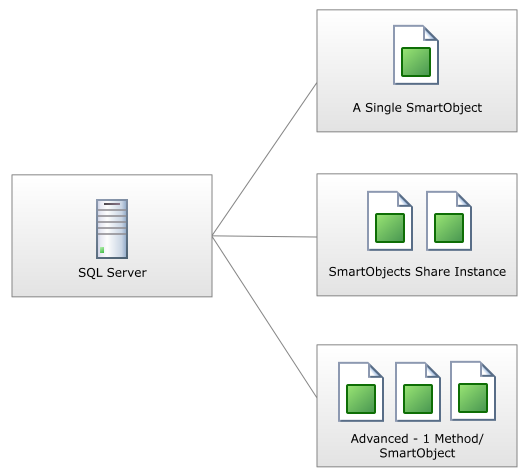
The following types can be created
The types listed below are the principle types that can be created using a single service instance to create the SmartObject
- 1 Service Instance per K2 SmartObject
- Shared Service Instance creating multiple SmartObjects
- 1 Method per SmartObject (this option is a subset of the above option, advanced functionality performs part of the process for the user)