K2 for SharePoint - K2 Designer for SharePoint Configuration
The K2 Designer for SharePoint Configuration screen in Central Administration and K2 Site Settings is used to add the K2 Designer for SharePoint Settings to a Site Collection within a SharePoint site.
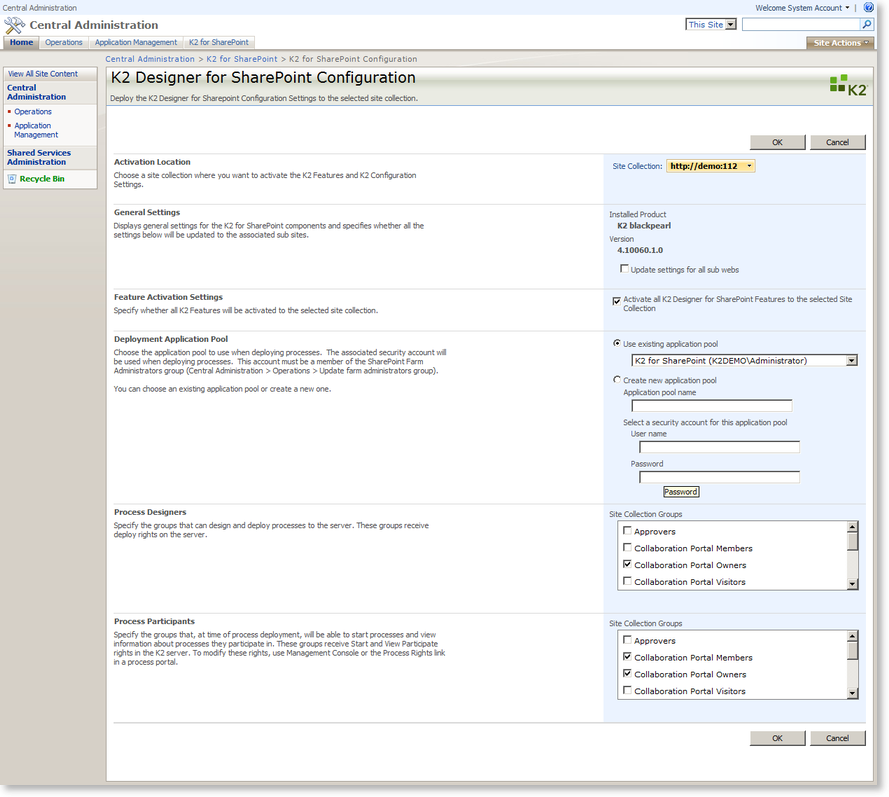
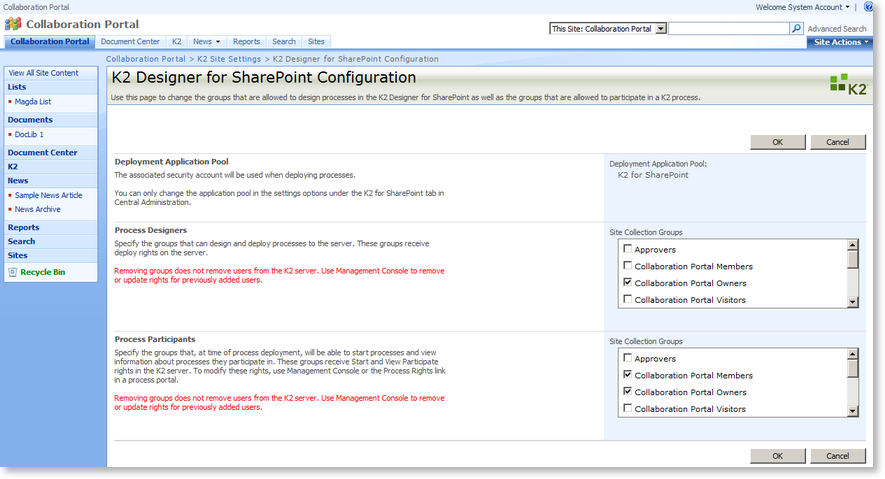
| Function | What it does |
|---|---|
| Activation Location | Specifies the site collection where the features and settings will be activated |
| General Settings | Specifies general settings for the K2 for SharePoint component and specifies whether the settings will be updated to the associated sub sites |
| Feature Activation Settings | Specifies whether all K2 Features will be activated to the selected site collection |
| Deployment Application Pool | Specifies the Application Pool to be used when deploying processes |
| Process Designers | Specifies the groups that can design and deploy processes to the server |
| Process Participants | Specifies the groups that, at the time of process deployment, will be able to start processes and view information about processes they participate in |
