K2 Workflow Designer - Unlock a Workflow
If a workflow is locked it can only be unlocked by the original designer of the workflow who shares the workflow
If a shared workflow is opened by a user that has rights to the workflow, the state of the workflow changes to Locked. When the user is done with the workflow, the state changes to Deployed. If a workflow is locked and need to be unlocked for some reason, only the original designer of the workflow can unlock the workflow. The Workflows screen is used to unlock a workflow by the original workflow designer. To unlock a workflow, right-click on the specific workflow status. An Unlock Workflow option will be displayed.
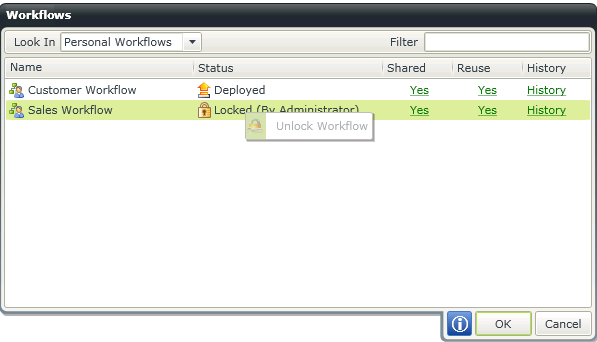
Fig. 1. Workflows - Unlock Workflow