K2 Workflow Designer - Save to Workflow Designer File
The Workflow Designer File option saves the workflow to a Workflow Designer file which can then be opened in another location. To access this functionality select the Workflow Designer File option from the File Menu.
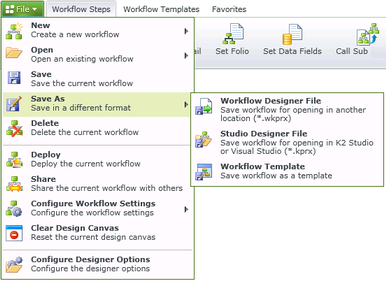
Fig. 1. Main Menu - Workflow Designer File
Selecting the Workflow Designer File option will display the following screen:
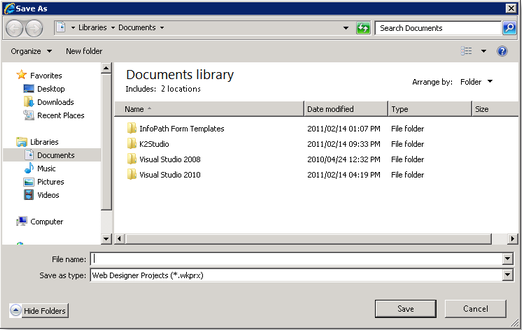
Fig. 1. Main Menu - Save As
Select the location where the file should be saved, type a File Name and click Save. The file type is auto-populated.